
Services
Technical SEO Services for Southern California Service Businesses
Fix the things quietly stopping your site from ranking.
- Starting at
- $2,000+
- Timeline
- Indexing fixes can show effect within 2 to 4 weeks of recrawling
- Services
- 8 included areas
Call (714) 823-3164 or ask a question. Clear recommendations, even if we never work together.
Technical SEO is the work of making a website easy for search engines to crawl, understand, and rank. It covers crawling and indexing, site speed, mobile usability, structured data, and site structure. Good content cannot rank if the technical setup blocks search engines. They have to read the site and trust it first.
Jump to a section
- The problem
- What Technical SEO is
- Who it is for
- What is included
- Our process
- What it costs
- What changes
- All Technical SEO services
- One van, one town, or twelve locations
- What Google does with your page, in order
- Honest comparison with the other options
- The mistakes that cost the most
- How to tell at 60 days whether it is working
- When not to buy technical SEO
- Questions owners ask once the audit lands
- Questions
The problem
Most service business websites were built by a designer who cared about how the site looked, not how Google reads it. The result is a site that seems fine to the owner and quietly fails in search. Pages are missing from the index because a leftover noindex tag never got removed. Every city page loads a 4MB hero photo on a phone over LTE. Six duplicate versions of the homepage exist at http, https, with www, without www, with a trailing slash, and with an index.php. Nothing on the site tells Google the business is a plumbing company in Chino that serves eleven cities. Then the owner pays for content that never had a chance, and a year goes by wondering why the rankings never came.
What technical seo actually is
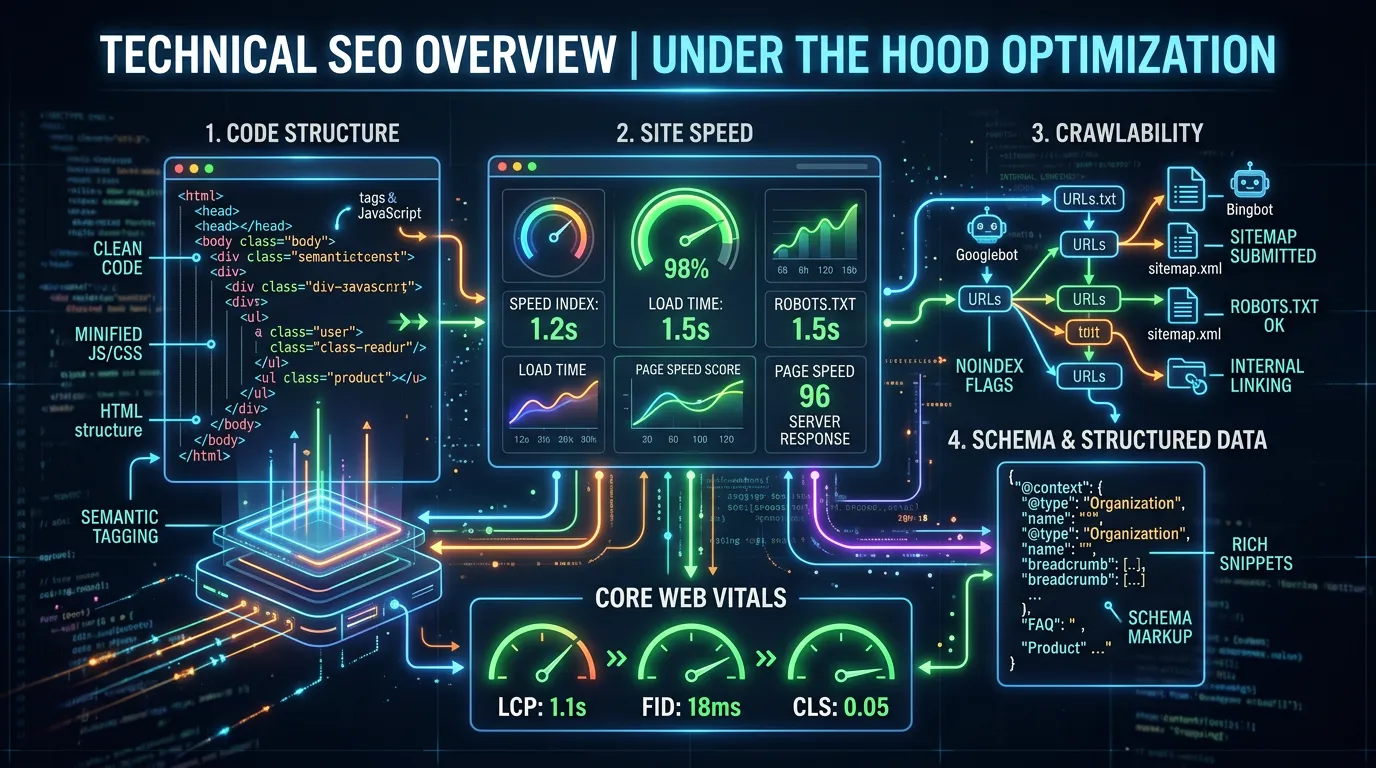
Technical SEO is everything that decides whether a search engine can find your pages, load them, and understand them. It also decides whether Google thinks those pages are worth showing. It starts with crawling and indexing: robots.txt rules, XML sitemaps, canonical tags, redirect chains, and the Search Console Page Indexing report. Next comes performance: server response time, image weight, and render blocking scripts. It also covers the Core Web Vitals that Google measures on real visits. Then there is structured data, the code that tells Google your business type, your services, your reviews, and your hours. Machines read that code directly. Last comes architecture: how pages link to each other, how deep they sit, and whether two pages fight over the same keyword. None of this is glamorous. It is the part that makes the rest of the work possible.
Who it is for
This fits service businesses that already have a real website and real content. They are not getting the search traffic the site should produce. It helps most after a redesign, a platform move, or a domain change. It also helps when Search Console starts reporting pages that are crawled but not indexed. It fits multi location businesses too, and companies with a lot of city or service pages. On those sites, one small template problem repeats across hundreds of URLs. If your site is five pages and brand new, you need content and a Google Business Profile first. Technical SEO pays off when there is something on the site worth fixing.
Industries where this works hardest:
What is included
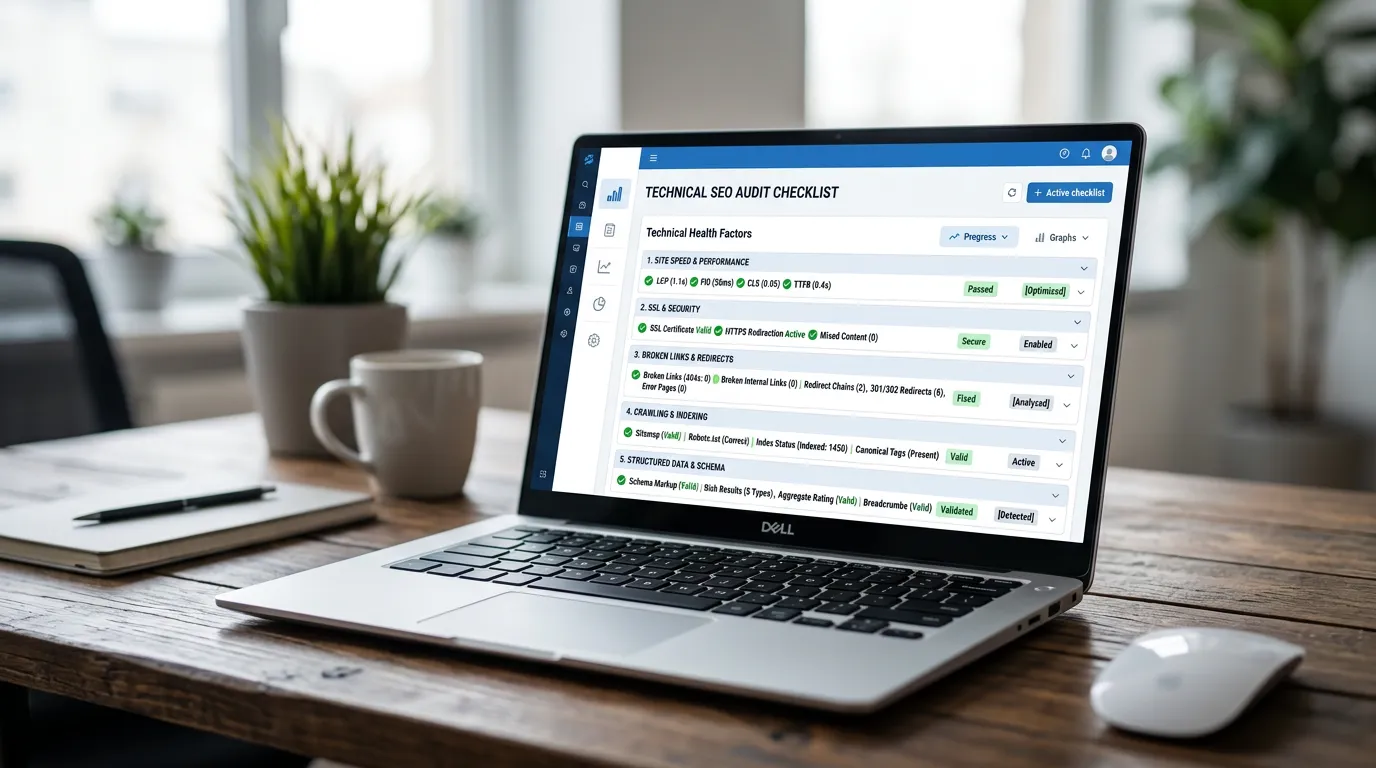
- Full crawl of the site with Screaming Frog and Sitebulb
- Search Console index coverage and page experience review
- Prioritized issue list scored by traffic impact and effort
- Robots, sitemap, canonical, and redirect corrections
- Page speed and Core Web Vitals work on real templates
- JSON-LD structured data for the business, services, and FAQs
- Internal linking and site architecture cleanup
- Mobile usability fixes across every page template
- Monthly crawl monitoring with alerts for new errors
- Developer ready tickets when your team ships the changes
Our process
Crawl and baseline
Week 1We crawl the entire site, pull twelve months of Search Console data, and record current Core Web Vitals from the CrUX field report. This gives us a before picture we can point to later instead of arguing from memory.
Diagnosis and prioritization
Week 2Every issue gets scored on how much traffic it touches and how hard it is to fix. A noindex tag on a money page outranks a missing alt attribute. You get one list, sorted, with the reasoning written next to each item.
Foundation fixes
Week 2 to 5We correct indexing blockers first: robots rules, canonical conflicts, redirect chains, duplicate URL versions, and orphan pages. These are the changes that let existing content start counting.
Performance and structured data
Week 4 to 9Images get converted and sized properly, render blocking scripts get deferred, caching and a CDN get configured, and JSON-LD schema goes on every template. We test each change against PageSpeed Insights and the Rich Results Test.
Verification and recrawl
Week 8 to 14We resubmit sitemaps, request indexing on the pages that matter, and watch the Page Indexing report until the numbers move. Field data for Core Web Vitals takes 28 days to fully reflect changes, so we track it past the fix date.
Ongoing monitoring
Ongoing, monthlyMonthly crawls catch regressions before they cost traffic. A new plugin, a redesigned template, or a staging site pushed live can undo months of work, and it usually happens quietly.
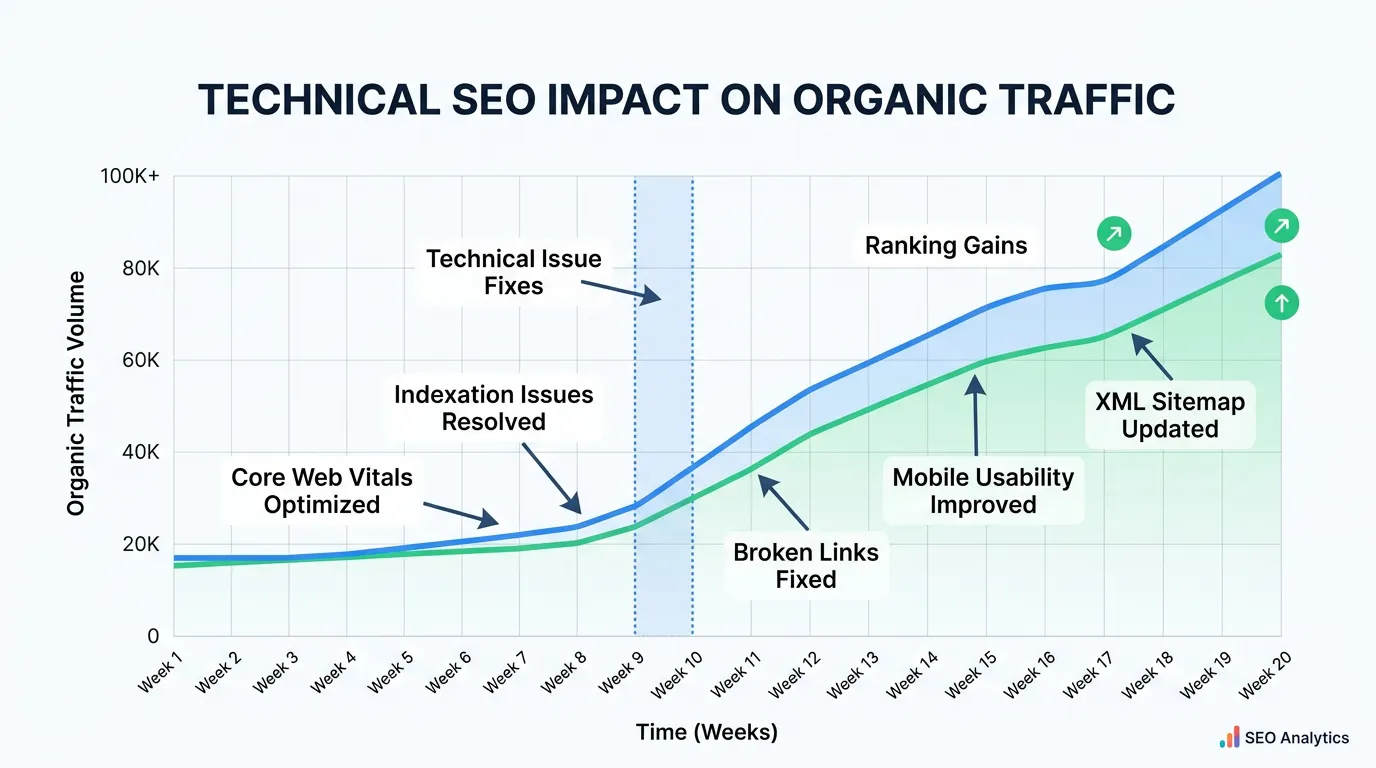
Realistic timeline: Indexing fixes can show effect within 2 to 4 weeks of recrawling. Speed and Core Web Vitals field data updates on a rolling 28 day window, so expect 6 to 10 weeks to confirm. Traffic gains from architecture and schema work usually appear in months 3 through 6.
What it costs
Price moves with page count, platform, and who does the shipping. A 40 page WordPress site is near the low end. A 900 page site, a custom build, or a headless setup where every change needs developer time runs higher. One time audits are priced separately from ongoing work, and if your developer implements our tickets, the monthly cost drops.
Published ranges are starting points. The final number depends on your market, your current position, and how much ground there is to make up. You get a fixed scope in writing before anything begins.
What changes
More of your pages indexed and eligible to rank
Faster load times on mobile, measured with real user field data
Fewer errors in the Search Console Page Indexing report
Rich results eligibility for reviews, FAQs, and business details
Higher impressions on existing content without writing new pages
A site that does not lose ground every time someone updates a plugin
All technical seo services
Every area we cover under technical seo. Each one has its own page with process, deliverables, and timelines.
Crawlability and Indexation
A page that is not indexed cannot rank, no matter how good it is
Crawlability and IndexationSchema and Structured Data
Tells Google what your page means, not just what it says
Schema and Structured DataSite Speed Optimization
Most service sites are slow because of oversized images and too many scripts
Site Speed OptimizationMobile Optimization
Google indexes the mobile version of your site, not the desktop one
Mobile OptimizationCore Web Vitals Improvement
Three metrics: LCP under 2.5s, INP under 200ms, CLS under 0.1
Core Web Vitals ImprovementLog File Analysis
The only data source showing what Googlebot actually did on your server
Log File AnalysisTechnical SEO for Local Businesses
Focuses on city pages, location pages, and local schema
Technical SEO for Local Businesses
Where we do this work
Based in Chino, serving Chino, the Inland Empire, Orange County, Los Angeles County, Riverside County, and San Bernardino County.
One van, one town, or twelve locations
A one van plumber with a 12 page site has maybe six real technical problems. A slow hero image, no LocalBusiness schema, a sitemap that still lists a deleted page, and a phone number saved as an image instead of text. That is a two week fix, not a six month program. If someone quotes you a year of technical work on a 12 page site, ask what they plan to do in month seven.
Three trucks and 20 city pages is where template problems multiply. One bad title tag pattern becomes 20 bad title tags. One missing canonical rule creates 40 near duplicate URLs. The fix is still small, but it belongs in the template, and someone has to confirm every page inherited it.
A twelve location company is a different job again. Each location needs its own indexable page, its own schema block with its own address, and its own internal links. Crawl budget starts to matter once you pass a few thousand URLs. So does log file data, because you stop guessing which pages Google visits and start reading it.
What Google does with your page, in order
People say Google crawls a site. It is really five steps, and a page can die at any one of them. Knowing which step failed tells you what to fix.
A page stuck at crawl is a robots or server problem. Stuck at render is almost always JavaScript. Stuck at index is often thin content or a canonical pointing elsewhere.
Honest comparison with the other options
Hiring a technical SEO team is one choice out of five. Here is how they compare for a typical service business site.
| Option | Rough cost | Good for | Where it falls short |
|---|---|---|---|
| Free tools and DIY | Your time | Finding the obvious ten problems | Tools flag 300 issues, six matter |
| A one time audit | 1,500 to 4,000 | A site nobody has ever checked | A PDF that nobody implements |
| Your developer, hourly | 100 to 200 per hour | Fixing a known, named problem | They fix what you name, not what you missed |
| Rebuilding the site | 8,000 to 40,000 | A site that is genuinely broken | You can rebuild the same mistakes |
| Ongoing technical SEO | 2,000 plus per month | Sites with content already earning impressions | Slow payback when the site is tiny |
Cost ranges are what we see around Southern California, not quotes from us. The audit and the ongoing option overlap, so most sites need only one.
The mistakes that cost the most
Most technical damage is not caused by neglect. It is caused by one confident change made without checking what it touched.
Do this
- Map every old URL to its matching new one before a redesign goes live
- Test one page of each template after a plugin update, not once a quarter
- Keep staging sites behind a password, not behind a noindex tag alone
- Fix pages that already earn impressions before pages that earn none
- Write the reason next to each fix so the next person does not undo it
Not this
- Do not redirect every old page to the homepage. Google treats that as a soft 404
- Do not add noindex to solve duplicate content when a canonical is the right tool
- Do not chase a 100 lab score. Passing the field data is what counts
- Do not run three SEO plugins at once. They fight over canonical and title tags
- Do not change your URL structure without a reason worth the traffic dip
How to tell at 60 days whether it is working
Rankings are a slow signal. These are the earlier ones, and you can check every one yourself in Search Console.
Indexed page count is climbing
In the Page Indexing report, that number should move toward your real page count, not away from it.
Fewer pages sitting in Crawled, not indexed
That bucket shrinking is the clearest early proof the foundation fixes actually landed.
Impressions rise before clicks do
In the Performance report, impressions move weeks ahead of clicks. That order is normal.
Core Web Vitals URLs moving into Good
Field data updates on a rolling 28 day window, so day 60 is the first fair read on speed work.
Structured data showing as valid
Schema you added should appear in the enhancement reports with zero errors.
Page two terms creeping up
Queries sitting at position 11 to 20 move first. Nothing at position 60 jumps to position 3 in two months.
No new errors after a site update
A quiet crawl report after a WordPress update means monitoring is earning its keep.
Somebody can name what changed
If nobody can tell you which files, settings, or templates changed, nothing did.
When not to buy technical SEO
If your site is six months old with eight pages, skip this. Nothing is broken yet, and there is not enough content for a crawl problem to matter. Put the money into your Google Business Profile, real service pages, and reviews. Come back when the site has something worth indexing.
If the phone is quiet because nobody in your area has heard of you, technical work will not fix that either. Clean code does not create demand. A fast site with no reason to visit it is still an empty site.
And if a rebuild is already booked for next quarter, wait. Fixing templates you are about to throw away is wasted money. Get the technical requirements written into the build instead, so the new site launches clean. That costs a fraction of repairing it later, and it avoids the traffic drop that follows a careless migration.
Questions owners ask once the audit lands
The audit found 400 issues. Do we fix all of them?
Will speeding up the site change how it looks?
We changed hosts and traffic dropped. Is that technical SEO?
Frequently asked questions
How do I know if my site has technical SEO problems?
Will technical SEO alone get me more calls?
Do you need access to my website code?
How long before I see results from technical SEO?
My site is on Wix or Squarespace. Can you still help?
Is technical SEO a one time project or ongoing?
What is the difference between technical SEO and web development?
Sources
- Understanding Core Web Vitals and Google search results(opens in a new tab) Core Web Vitals are measured from real user field data and are part of how Google evaluates page experience.
- JavaScript SEO basics(opens in a new tab) Google processes pages in separate crawl, render, and index stages, so JavaScript can delay or block indexing.
- Local business structured data(opens in a new tab) Each business location needs its own structured data with its own address details.