Technical SEO
Schema Markup and Structured Data
Tells Google what your page means, not just what it says
- Timeline
- Build and deploy in 3 to 5 weeks for most sites
Call (714) 823-3164 or ask a question. Clear recommendations, even if we never work together.
Schema markup is code added to a webpage that describes its content in a format search engines read directly. It is written as JSON-LD, and it labels your business type, services, hours, location, reviews, and FAQs. That lets Google show rich results, and it lets AI answer engines cite the page accurately.
The problem
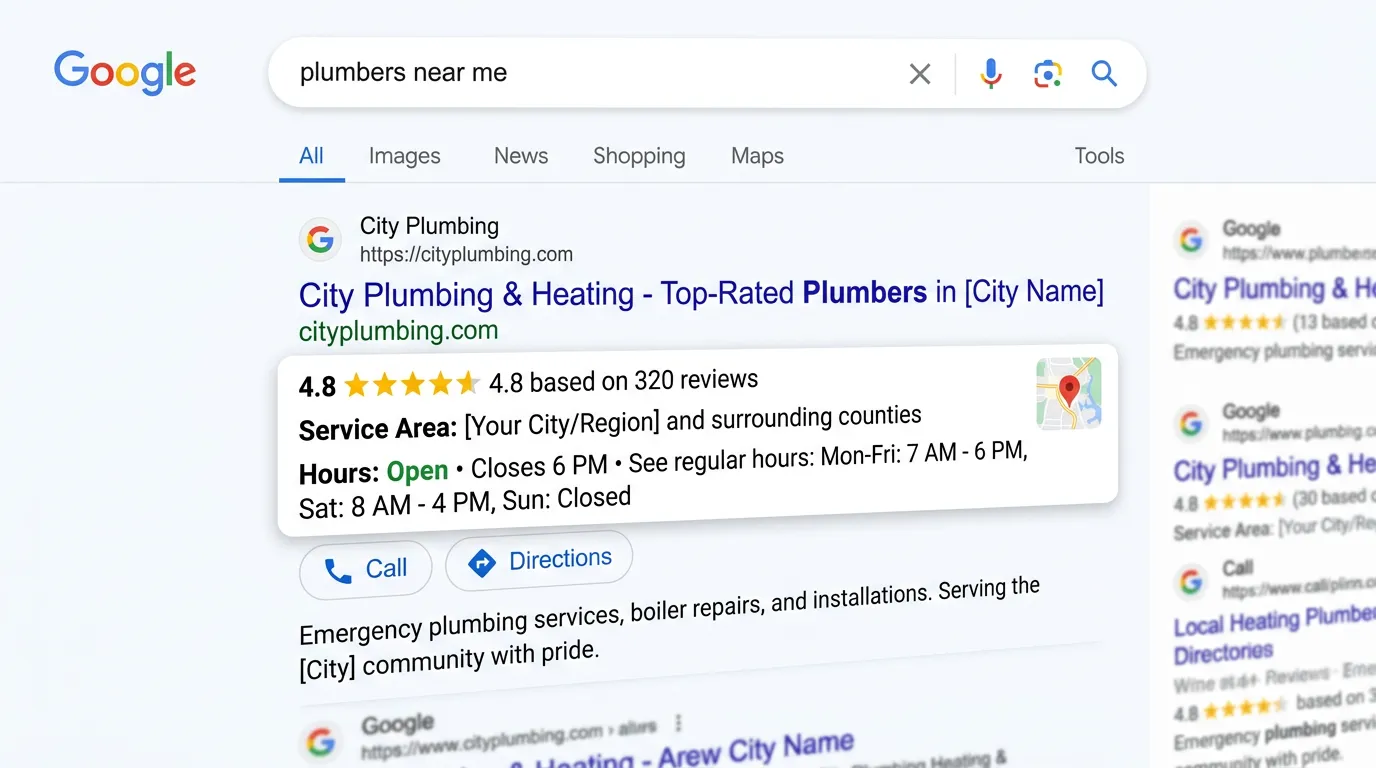
Search engines read your page as text and guess at meaning. A page can say Chino, plumbing, and 24 hours without Google ever confidently connecting those into a business entity. Meanwhile competitors show star ratings under their listing, FAQ dropdowns that take up double the space, and business detail panels that answer the search before anyone clicks. Worse, AI answer engines increasingly pull structured data to decide who to name in an answer. Sites without it get skipped in favor of sites that made themselves easy to parse.
What it is
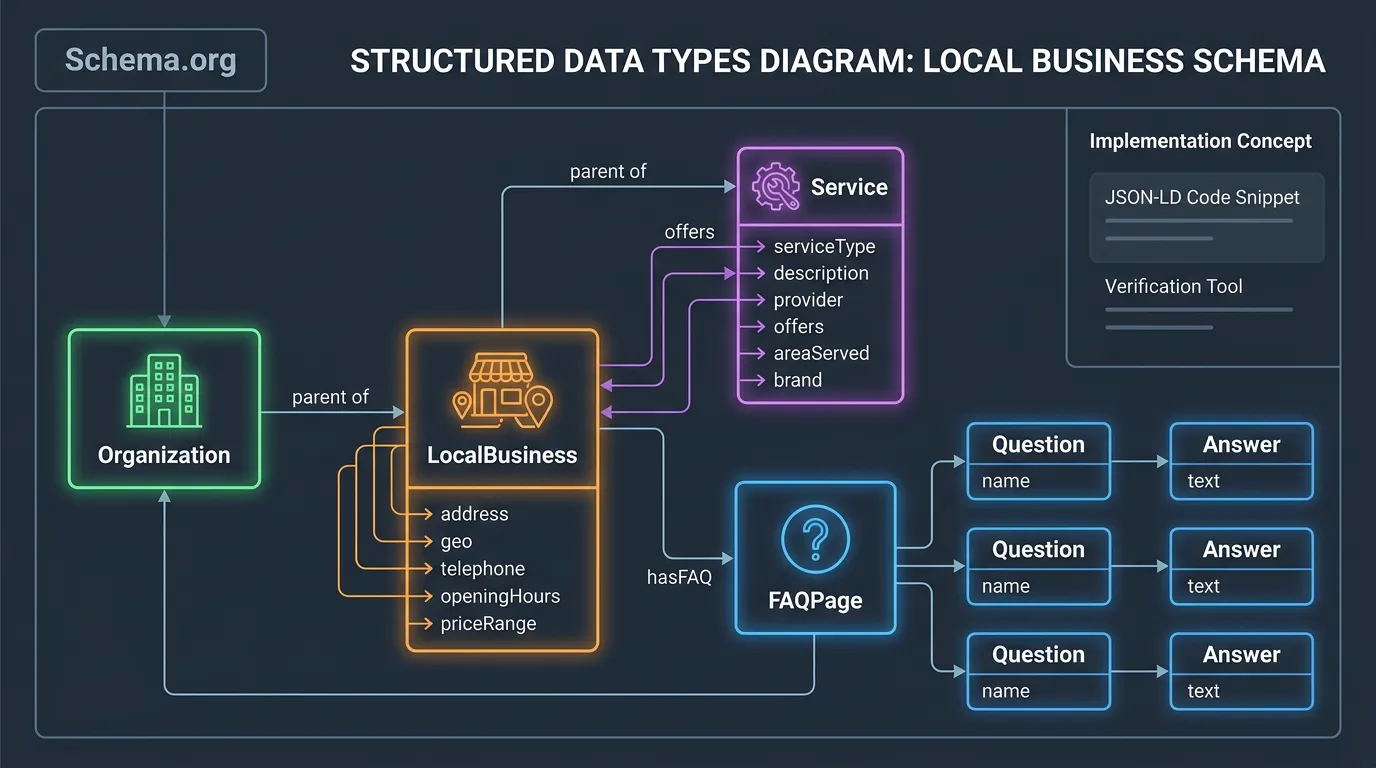
We write JSON-LD structured data by hand for each page template. We do not rely on a plugin's generic output. Most service businesses need LocalBusiness, or a more specific subtype such as HVACBusiness or Dentist. That block carries the matching name, address, phone, hours, and geo coordinates. It also carries sameAs links to your verified profiles. Service pages get Service markup tied to the provider and the areaServed. Pages with real questions get FAQPage. Multi step guides get HowTo. Every page gets BreadcrumbList so the path shows in results. We validate all of it in the Rich Results Test and the Schema Markup Validator. After it goes live, we watch the Search Console Enhancements reports for errors.
Signs you need this
- Competitors show star ratings in search results and you do not
- Your schema comes from a plugin and you have never validated it
- Search Console reports structured data errors you have been ignoring
- AI tools describe your business incorrectly or skip you entirely
- You have multiple locations and no schema markup distinguishing them

What is included
- Entity map defining your organization, locations, and services
- LocalBusiness or industry specific subtype markup on the site
- Service schema on every service and sub service page
- FAQPage schema on pages with genuine question content
- BreadcrumbList markup across all templates
- sameAs links connecting the site to verified profiles
- AggregateRating and Review markup where policy allows it
- Validation reports from the Rich Results Test and Schema Validator
- Search Console Enhancements monitoring for markup errors
Our process
Entity definition
Week 1Before writing any code we settle the facts: the exact legal and trading name, one canonical address and phone, the correct business subtype, and every verified profile the business owns. Schema is only as good as the facts it repeats.
Template mapping
Week 1 to 2We list every page template and decide which schema types apply. Home, service, sub service, city, about, and article pages all get different markup. Applying the same block everywhere is the most common mistake and it triggers errors.
Markup build
Week 2 to 4JSON-LD gets written and injected per template, with dynamic fields pulling from the CMS so the schema markup stays correct when content changes. Static hand pasted schema goes stale within a year.
Validation and deployment
Week 3 to 5Each template gets tested in the Rich Results Test and the Schema Markup Validator before going live. Warnings get resolved, not ignored, because a warning today often becomes an error after a spec change.
Monitoring
Ongoing, monthlyThe Search Console Enhancements reports get checked monthly. Rich result eligibility can disappear when a CMS update changes output or when Google tightens a policy, and the notification is easy to miss.
Realistic timeline: Build and deploy in 3 to 5 weeks for most sites. Google usually reflects new markup within 1 to 4 weeks of recrawling. Rich result display is never guaranteed even with valid markup, since Google decides per query.
Which Schema Type Belongs on Which Page
Schema goes wrong most often by being applied everywhere at once. Match the type to what the page genuinely is.
| Page type | Main schema type | Add alongside it | Common mistake |
|---|---|---|---|
| Homepage | LocalBusiness or Organization | WebSite, BreadcrumbList | Generic LocalBusiness when a subtype fits better |
| Service page | Service | BreadcrumbList, link to the provider | No areaServed, so the page has no location meaning |
| Location page | LocalBusiness for that branch | geo, openingHoursSpecification | Copying one address onto every branch page |
| Blog post or guide | Article | BreadcrumbList, author | Listing the company as author with no author entity |
| FAQ page | FAQPage | BreadcrumbList | Adding it to a page with no real questions on it |
| Contact page | ContactPoint on the organization | BreadcrumbList | A second LocalBusiness block that conflicts with the first |
Types come from schema.org. Google supports a subset for rich results and that subset changes, so validate after every edit.
One Connected Graph Beats Five Loose Blocks
Most plugins drop separate blocks onto a page. One for the business, one for the article, one for the breadcrumbs. Nothing ties them together. A search engine then has to guess whether the business in the first block is the provider of the service in the second.
We connect them instead. Each entity gets an @id, which is a permanent web address used as a name tag. The service page points its provider at the business @id rather than repeating the name and address. Change your hours in one place and every page that references that entity stays correct.
An AI answer engine has to decide that the business named on your homepage and the one on your Chino page are the same company. Loose blocks make that a guess. A connected graph makes it a stated fact.
Schema Rules That Keep You Out of Trouble
Structured data has policies, and breaking them can cost rich results across the whole site. These are the lines worth knowing before you write any code.
Do this
- Mark up only content a visitor can actually see on the page.
- Use the most specific type that fits, such as Plumber or Dentist instead of plain LocalBusiness.
- Keep hours, address, and phone in the schema markup identical to your Google Business Profile.
- Validate every template after a theme or plugin update, not only at launch.
- Fix warnings while they are still warnings, because many turn into errors later.
Not this
- Do not mark up reviews copied from Google, Yelp, or Facebook.
- Do not add FAQPage markup to a page with no questions on it.
- Do not run two schema plugins at once, since they usually emit conflicting blocks.
- Do not hard code hours or prices that change, because stale markup is worse than none.
- Do not claim a star rating without real reviews behind it on your own site.
Valid schema does not buy a rich result. It makes you eligible. Google still decides one search at a time, and it says no more often than owners expect.
More Schema Questions
Can bad schema get my site penalized?
Do service businesses need Product or Offer markup?
Should schema live in the page code or in a tag manager?