Technical SEO
Technical SEO Audits
Crawls every URL and cross checks against Search Console
- Timeline
- Two to three weeks from access to delivered audit for most sites
Call (714) 823-3164 or ask a question. Clear recommendations, even if we never work together.
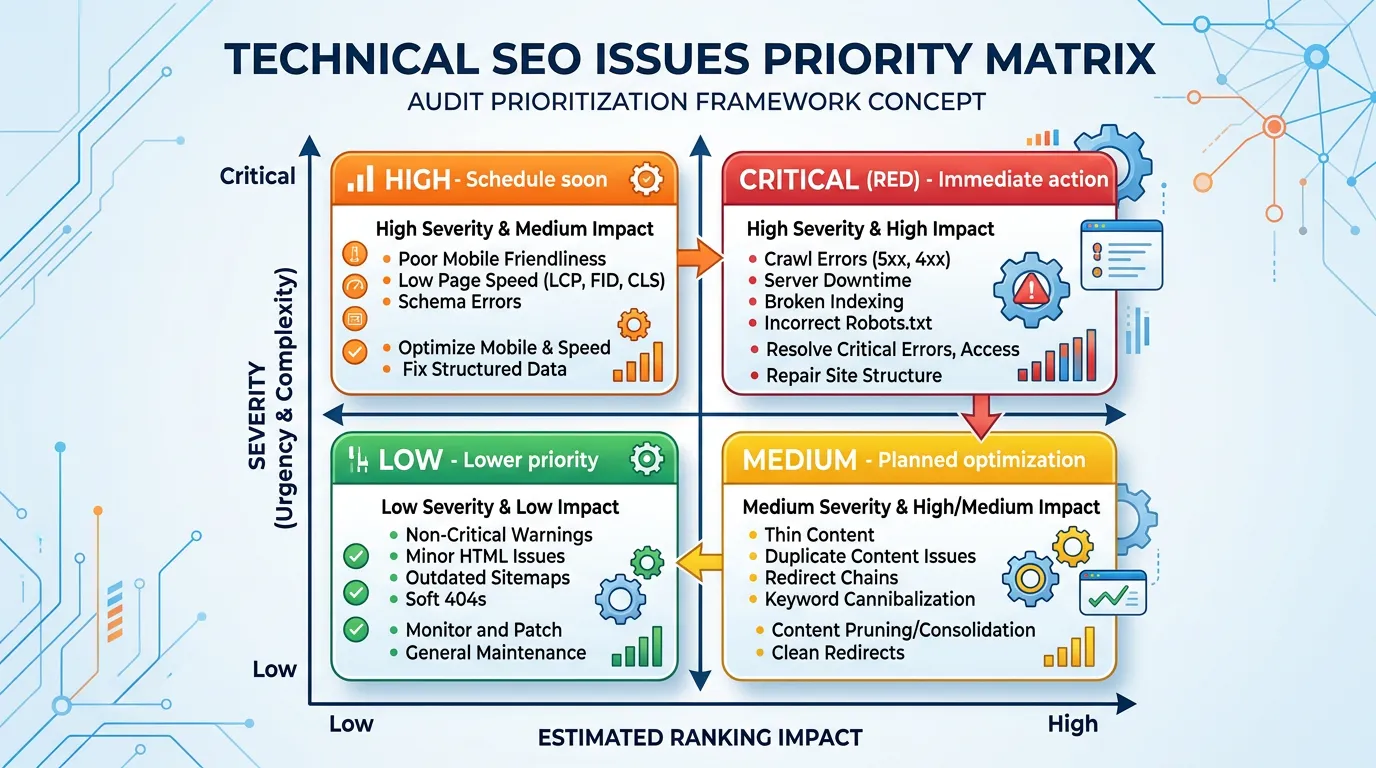
A technical SEO audit is a full inspection of a website's crawlability, indexing, speed, structure, and code quality. It crawls every URL and compares what it finds against your Search Console data. The result is a ranked list of problems, sorted by how much traffic each one costs.
The problem
Owners get told their site has SEO problems and never get told which ones matter. Free audit tools spit out 400 warnings with no ordering, so a missing meta description on a thank you page looks as urgent as a canonical tag pointing the entire blog at the homepage. Agencies hand over exports from a tool with no interpretation. The owner cannot act on any of it, so nothing gets fixed and the site stays exactly where it was.
What it is
The audit is a crawl plus a cross reference. We run Screaming Frog and Sitebulb across the full site, with JavaScript rendering turned on. Then we compare that crawl against what Google reports in Search Console and what real users get in the CrUX field data. The gaps between those three views are where the real problems hide. Picture a page the crawler finds, Google indexed, and nobody can load on a phone. Every finding gets scored on traffic impact and how hard it is to fix. Then it gets written as a specific instruction with the affected URLs attached.
Signs you need this
- Search Console shows pages crawled but not indexed and nobody knows why
- Traffic dropped after a redesign and never came back
- You have run free audit tools and got hundreds of warnings you cannot rank
- Your developer says the site is fine and your rankings say otherwise
- Nobody can tell you how many pages your site actually has
What is included
- Full site crawl with JavaScript rendering enabled
- Search Console index coverage cross reference
- Prioritized issue register scored by impact and effort
- URL inventory showing orphan, duplicate, and thin pages
- Redirect chain and broken link map
- Template level findings grouped so one fix covers many pages
- Screen recorded walkthrough of the findings
- Developer ready tickets with acceptance criteria
Our process
Access and scoping
Days 1 to 3We collect CMS, Search Console, Analytics, and hosting access, confirm the sitemap and robots rules, and set crawl limits so we do not hammer a small server during business hours.
Crawl and data pull
Days 3 to 7Screaming Frog runs the full site twice, once as plain HTML and once with rendering, so we can see what depends on JavaScript. We export twelve months of Search Console queries and pages, plus current field data from CrUX.
Analysis and scoring
Days 7 to 12Findings get grouped by template rather than by URL, because one theme fix usually resolves hundreds of warnings. Each group gets an estimated traffic impact and an effort rating so you can see the cheap wins first.
Ticket writing
Days 12 to 16Every priority item becomes a ticket with the problem, the affected URLs, the expected fix, and how to verify it worked. Written so a developer who has never heard of technical SEO can implement it without guessing.
Walkthrough and handoff
Days 16 to 21We present the findings on a recorded call, answer questions from your developer, and agree on a fix order. You keep the raw crawl files, not just the summary.
Realistic timeline: Two to three weeks from access to delivered audit for most sites. Sites over 2,000 URLs or with heavy JavaScript rendering take closer to four weeks because the crawl itself runs longer.
What Changes the Price of an Audit
Three things move the number. How many URLs you have, how much of the page needs JavaScript to appear, and how many separate templates the site uses. A 40 page WordPress site with four templates is a short job. A 900 page site where every listing is built by a script takes far longer to crawl and read.
Platform matters too. A hosted builder limits what we can inspect and what you can change, so the audit is smaller and the ticket list is shorter. A custom or headless build takes more time, because nothing about the setup is standard and every finding has to be traced through code.
History is the last factor. A site that has moved domains twice and been redesigned three times carries old redirects, dead URL patterns, and rules left behind by tools nobody uses anymore. Untangling that takes longer than auditing a site that has sat still for five years.
Where Problems Usually Hide, by Platform
Platforms tend to fail in patterns. Here is what we find most often on each one, and how much of it you can fix without a developer.
| Platform | Most common finding | Fixable in the platform | Typical effort |
|---|---|---|---|
| WordPress | Two plugins writing schema and canonical tags at once | Mostly yes | Low to medium |
| Wix | Slow first response and limited control of robots rules | Partly | Low, with hard limits |
| Squarespace | Heavy image files and duplicate blog tag pages | Partly | Low |
| Shopify | Filter and sort URLs eating crawl budget | Mostly yes | Medium |
| Webflow | Missing schema and orphan CMS collection pages | Yes | Low to medium |
| Custom or headless | Content that only appears after scripts run | Developer only | Medium to high |
Patterns we see most often. Your site may differ, which is why we crawl instead of assuming.
Getting Your Money's Worth From an Audit
An audit is only worth what gets fixed. A few habits decide whether the list turns into traffic or into a PDF nobody opens again.
Do this
- Send access before the start date, including Search Console, Analytics, and the CMS.
- Tell us which five pages actually bring in work, so scoring follows your money and not our guess.
- Put your developer on the walkthrough call so questions get answered once.
- Agree on who ships each fix before the audit lands, not after.
- Book implementation time in the same quarter the audit is delivered.
Not this
- Do not fix items in random order because one looked easy.
- Do not hand a raw crawl export to a developer with no context attached.
- Do not buy three audits from three vendors and compare warning counts.
- Do not redesign the site during the audit, since findings then point at pages that no longer exist.
- Do not treat a green score in a free tool as proof the problem is gone.
More Audit Questions
How many findings does a typical audit produce?
Can you audit a staging site before it launches?
Do you look at competitor sites too?