
Services
Email Marketing and Automation for Service Businesses
Stay in front of past customers without doing it by hand.
- Starting at
- $900+
- Timeline
- Setup and core automations run 6 to 9 weeks
- Services
- 6 included areas
Call (714) 823-3164 or ask a question. Clear recommendations, even if we never work together.
Email and marketing automation is a system that follows up with leads and past customers on its own. Messages send based on what someone did or when they last bought. The work covers list building, email sequences, reminders, and reporting. Follow up happens on time without anyone remembering to send it.
Jump to a section
- The problem
- What Email and Automation is
- Who it is for
- What is included
- Our process
- What it costs
- What changes
- All Email and Automation services
- What This Looks Like at Your Size
- Email Next to the Other Ways to Reach Customers
- What Happens After a Form Comes In
- The Inbox Rules Your Sending Has to Clear
- Mistakes That Cost the Most
- Your 60 Day Check
- When Not to Buy This
- Questions Owners Ask Before Signing
- Questions
The problem
Most service businesses collect hundreds of customer email addresses and never use them. The estimate that did not close six months ago sits in a folder. The customer who bought a new furnace in 2021 has not heard from you since, and when the maintenance is due they will search Google like a stranger. Meanwhile the same company spends real money on ads to reach people who have never heard of them. The reason nobody follows up is not laziness. It is that manual follow up loses to whatever is on fire today, every single time. Automation is the only version of follow up that actually survives a busy week.
What email and automation actually is
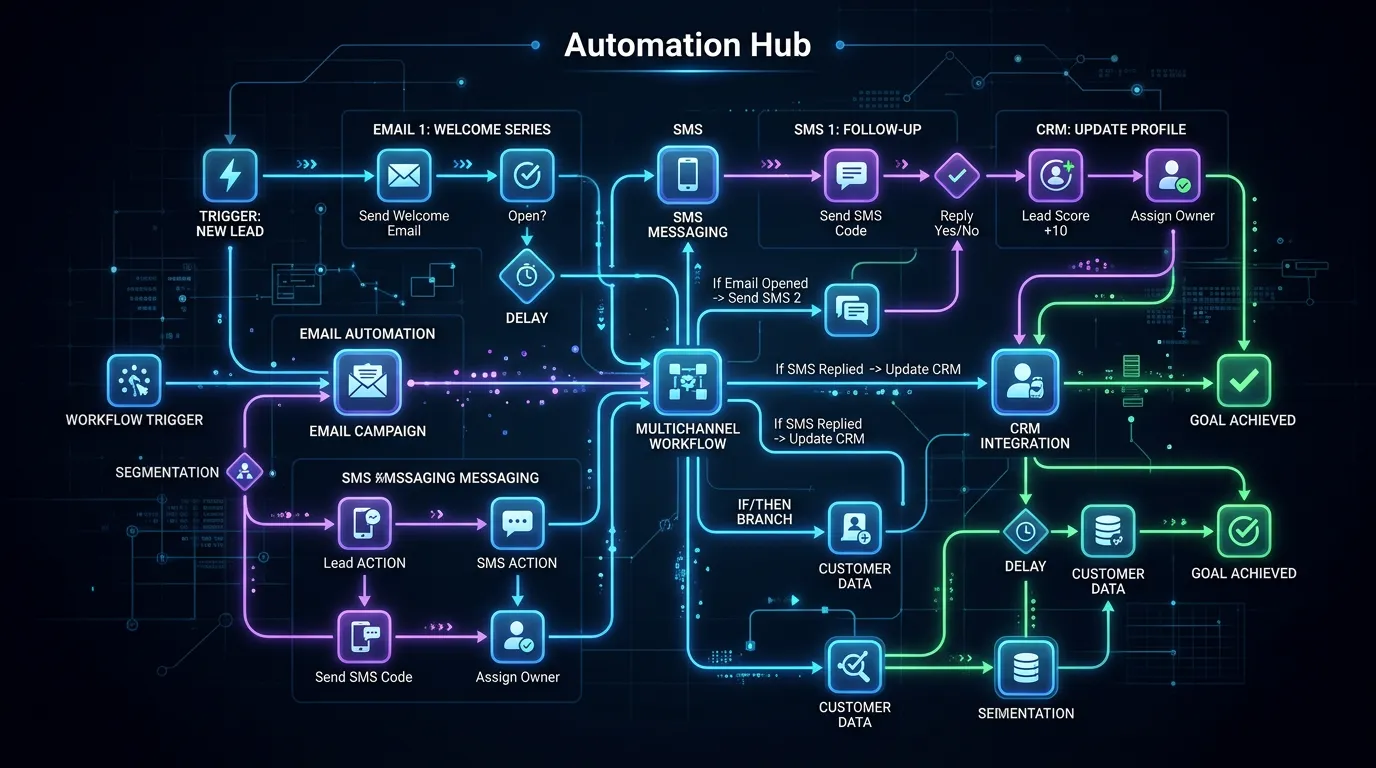
Marketing automation is a set of rules that send the right message at the right moment. No person has to decide to send it. A new lead gets an instant confirmation, then a reminder two days later if they have not booked. An estimate that goes quiet gets a check in on day three and day ten. A customer whose annual service is due gets a reminder at eleven months. A review request goes out two hours after a completed job. The messages live in a platform such as Mailchimp, Brevo, ActiveCampaign, or Klaviyo. That platform connects to your job software, such as Jobber, Housecall Pro, or ServiceTitan. The triggers then come from real events, not from someone updating a spreadsheet. Add regular broadcasts for seasonal offers and useful information, and you have a channel that brings in jobs from people who already know you.
Who it is for
This fits service businesses with repeat or seasonal work and a customer list they are not using. Think HVAC companies with maintenance seasons, dentists with recall schedules, pest control with quarterly service, auto shops with mileage intervals, and insurance agencies with renewal dates. It also fits any business where a percentage of estimates never get an answer. And it fits businesses whose leads need weeks or months to decide, like remodeling, legal, and senior care. It is a poor fit if you have no customer list, no repeat business, and no gap in your lead follow up. That is rare, but it does happen.
What is included
- Platform selection and setup with your job or CRM software connected
- List import, cleaning, and permission review
- Domain authentication with SPF, DKIM, and DMARC records
- New lead follow up sequence with timed reminders
- Estimate follow up sequence for quotes that go quiet
- Service reminder and reactivation automations based on last job date
- Review request automation timed to job completion
- Monthly or seasonal broadcast emails written and scheduled
- Segmentation by service type, city, and customer value
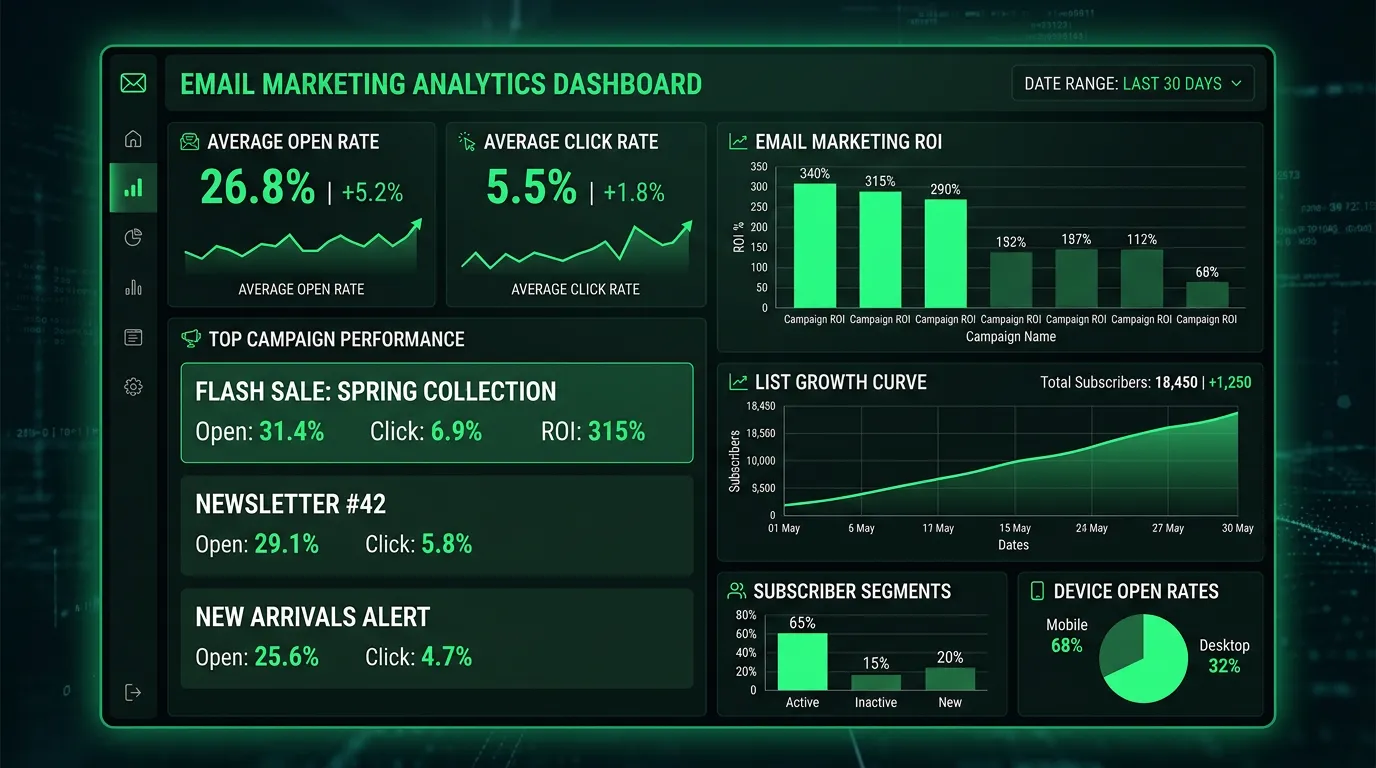
- Monthly reporting on delivery, opens, clicks, replies, and booked jobs
Our process
Audit the list and the gaps
Week 1 to 2We look at what contact data you already have, where it lives, how it was collected, and which follow up moments are being missed. Most businesses find two or three obvious gaps worth more than any new campaign.
Platform and deliverability setup
Week 2 to 4We choose a platform that fits your team and connect it to your job software. Then we authenticate your sending domain with SPF, DKIM, and DMARC, because emails that land in spam are the same as emails you never sent.
Build the core automations
Week 3 to 7New lead follow up, quiet estimate follow up, review requests, and service reminders get built and tested with real addresses. We send test versions to a phone, a Gmail account, and an Outlook account before anything goes live.
Warm up and launch
Week 5 to 9Sending starts with your most engaged contacts in small batches so the sending domain builds reputation gradually. Blasting a cold list of 4,000 addresses on day one is the fastest way to get filtered permanently.
Broadcast rhythm and iteration
Ongoing, monthlyA regular schedule of seasonal and useful emails starts once automations are stable. Subject lines, timing, and segments get adjusted based on what the reports show rather than what feels right.
Realistic timeline: Setup and core automations run 6 to 9 weeks. Automated sequences begin producing bookings as soon as they go live, usually within the first 30 days. Reactivation campaigns to an old list often produce their biggest response in the first two sends, then settle into a steadier rate over 3 to 6 months.
What it costs
Cost depends on list size, how many automations you need, and whether your job software connects cleanly. A single follow up sequence and one monthly broadcast sits at the low end. Multi service segmentation, integration with a system like ServiceTitan, and weekly sends run higher. Platform fees are separate and scale with list size, typically 30 to 300 dollars a month for most local businesses.
Published ranges are starting points. The final number depends on your market, your current position, and how much ground there is to make up. You get a fixed scope in writing before anything begins.
What changes
Fewer estimates lost to silence because follow up happens on schedule
Repeat jobs from past customers who would otherwise have searched Google
More reviews from a request sent at the right moment after the job
A predictable seasonal bump when maintenance reminders go out
Lower blended cost per lead as owned audience revenue grows
Follow up that keeps running during your busiest weeks
All email and marketing automation services
Every area we cover under email and marketing automation. Each one has its own page with process, deliverables, and timelines.
Automation Workflows
Messages fire from real events, not from someone remembering
Automation WorkflowsList Growth Systems
Most service businesses already miss half the emails they could collect
List Growth SystemsPerformance Tracking
Open rates became unreliable after Apple Mail Privacy Protection
Performance TrackingEmail Marketing for Local Businesses
Your past customer list is usually the cheapest lead source you own
Email Marketing for Local Businesses
Where we do this work
Based in Chino, serving Chino, the Inland Empire, Orange County, Los Angeles County, Riverside County, and San Bernardino County.
What This Looks Like at Your Size
A one van operator has a few hundred past customers, not thousands. You do not need branching workflows. You need an auto reply on the form, a review request after each job, and one seasonal reminder. That is the low end of the price above.
Three or four trucks changes the math. Estimates go out faster than anyone can chase them, so the quiet estimate sequence is where the money is. Trigger it from the job record in Jobber or Housecall Pro, not from someone remembering to tag a contact.
Multi location is different again. Every message needs the right phone number, address, and booking link. Send one broadcast with a single number and calls land in the wrong office. Build the location field first.
Email Next to the Other Ways to Reach Customers
Email is not always the right tool for the message. Here is how it sits against the alternatives.
| Option | Cost per 1,000 contacts | How fast it lands | If you stop paying | Best when |
|---|---|---|---|---|
| Email automation | Platform fee only | Same day | Sequences run a while | You already own a list |
| Google Ads | Budget on every click | Days | Calls stop that week | You need work now |
| Direct mail postcard | Printing plus postage | 1 to 2 weeks | Nothing keeps running | Old list, few emails |
| Text messages | A fee per message | Minutes | Stops at once | Time critical notices |
| Calling the list by hand | Staff hours | A few a day | Stops that day | High value jobs only |
Email wins on cost per contact, not urgency. For a job someone needs today, a phone call still beats any automation.
What Happens After a Form Comes In
The gap between a lead arriving and a human replying is where jobs get lost. Here is the path that closes it.
The alert matters as much as the emails. Automation makes more people raise a hand, and somebody still has to answer.
The Inbox Rules Your Sending Has to Clear
Google applies these to anyone sending at volume. They decide whether your mail lands.
Mistakes That Cost the Most
Email programs are rarely killed by bad writing. They die from these, usually in month one.
Do this
- Start with people who bought in the last year. Their opens teach the inbox your mail is wanted.
- Put an exit condition on every chase sequence, so a customer who books stops being chased.
- Send from a real person's name, with a reply address somebody reads.
- Match the send to your season. A furnace reminder in October beats the same email in January.
Not this
- Do not import 4,000 old addresses and mail them all on day one. That gets a domain filtered.
- Do not blast a big list from the same domain your invoices use. Ask about a sending subdomain.
- Do not buy a list. It will not book work, and it risks the mail you care about.
- Do not hide the unsubscribe link. People who cannot leave hit the spam button instead.
Your 60 Day Check
Two months in, you should answer these yourself. If most are no, ask why.
Domain authentication passes
SPF, DKIM, and DMARC all report as passing.
A test lead got a reply in minutes
Fill in your own form on a Saturday and time it.
Bounces are under control
Under 2 percent is normal once a list is cleaned.
Spam complaints sit near zero
Watch this before any other number.
One booked job traces back to email
The office can name the customer and the send.
The chase sequence exits on a booking
Book a test job and confirm follow ups stop.
You hold the platform login
The account is in your name, not the agency's.
When Not to Buy This
If calls already go to voicemail during the day, this is the wrong month to start. Automation makes more people raise a hand. If those hands get ignored, you paid for a worse experience.
Skip it if you have under about 150 usable contacts and no plan to add more. Fix capture first. A form that asks for an email, a tablet at the counter, and the habit of typing addresses into the job record do more.
Skip it too if your work is one time and truly urgent, like lock outs. There the phone and your Google Business Profile carry the load. A review request still helps, but that is one automation, not a monthly program.
Questions Owners Ask Before Signing
Who owns the list if we part ways?
Who writes the emails, you or me?
What does a reactivation campaign look like?
Frequently asked questions
Does email marketing still work for local service businesses?
How often should I email my customer list?
Can I email customers who never opted in?
What is the difference between email marketing and marketing automation?
Which email platform should I use?
Why do my emails go to spam?
How do I measure whether email is producing revenue?
Sources
- Google: Email sender guidelines(opens in a new tab) Bulk sender requirements: SPF, DKIM and DMARC authentication, a spam complaint rate below 0.3 percent, one click unsubscribe honored within two days, and the 5,000 messages per day threshold.
- Gmail Postmaster Tools(opens in a new tab) Where a sender monitors spam complaint rate, domain reputation, and authentication results for mail sent to Gmail addresses.