
How To Articles
How Remarketing Works, From the Tag to the Second Visit
What actually happens between a website visit and the ad that follows it, and the settings that decide whether it helps or annoys.
Call (714) 823-3164 or ask a question. Clear recommendations, even if we never work together.
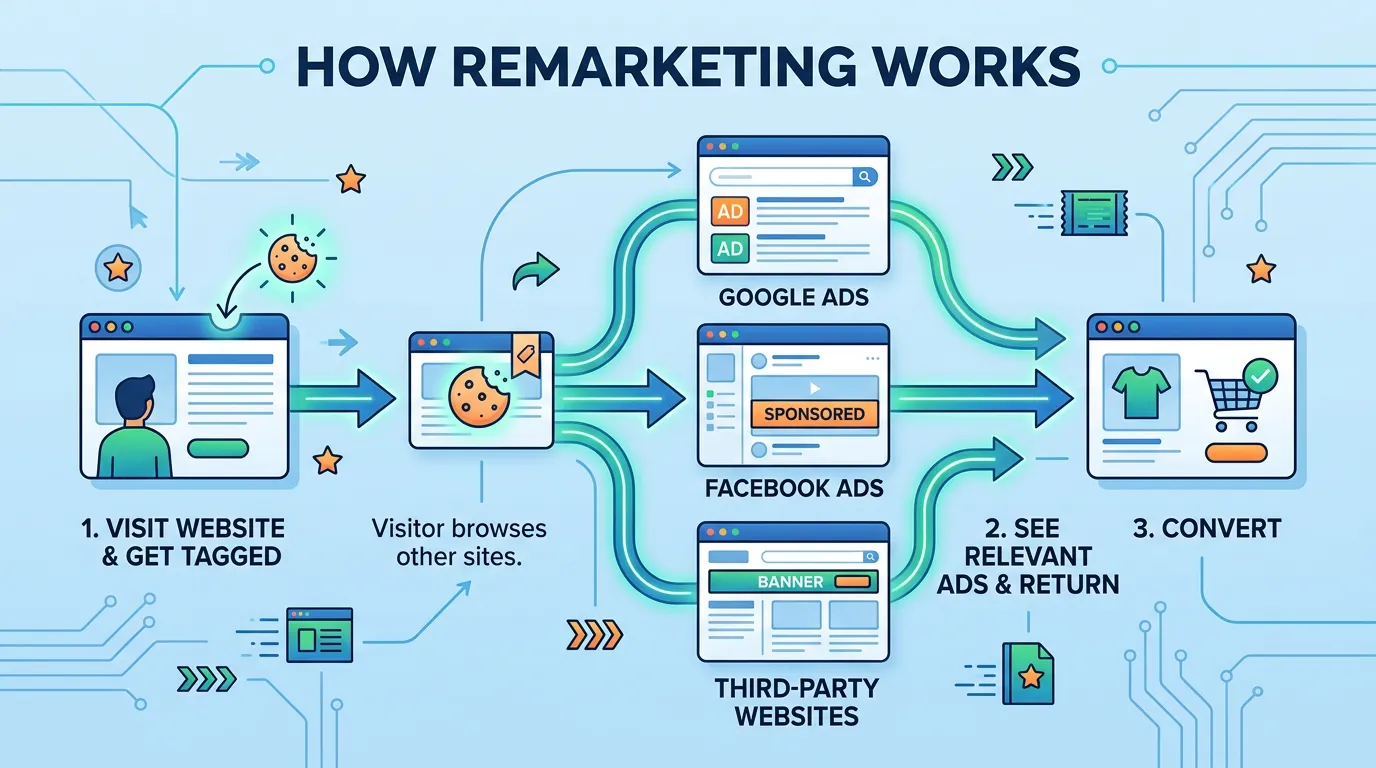
Remarketing works by putting a small piece of code on your website that records who visits. Those visits build an audience list. When a person on that list later browses, searches, or watches video, you are allowed to bid on showing them an ad. Retargeting is the same thing under a different name.
Jump to a section
- Remarketing and Retargeting Mean the Same Thing
- How a Visit Becomes an Audience
- Where the Ads Can Actually Show Up
- Segment by What People Did, Not by Who They Are
- Frequency and Duration Decide Whether People Mind
- Privacy Changes Made Lists Smaller and Slower
- How Much to Spend and How to Tell It Worked
- Setup Order That Keeps It From Turning Into a Mess
- What Each Placement Actually Does
- Questions About the Mechanics
- Questions
Remarketing and Retargeting Mean the Same Thing
Both words describe one idea: showing ads to people who already visited your website, watched your video, or bought from you before. Google says remarketing. Most of the ad industry says retargeting. Meta calls its version a custom audience. Nobody is describing a different mechanism. Google has since renamed the whole thing again. In the Google Ads interface these lists now sit under your data, in a section called data segments. So an older tutorial telling you to open the remarketing tab will send you hunting for a menu that no longer exists. That is worth knowing before you follow a five year old video and conclude your account is broken. The distinction that does matter is what built the list. Some lists come from a tag on your website that records visits. Some come from an email or phone list you upload out of your invoicing system. Some come from people who watched your videos on YouTube. Those three sources behave differently, take different amounts of time to build, and hold up differently against browser privacy changes. That is the split worth understanding, and it decides most of what you should do next.
How a Visit Becomes an Audience
The mechanism is simpler than the jargon around it. A small piece of code sits on every page of your site. When somebody loads a page, that code tells the ad platform a visit happened and records an identifier for that browser. The platform then checks your rules. If your rule says anyone who views a service page joins a list for thirty days, that browser joins and stays for thirty days. Later, when the same browser turns up on a site selling ad space, on YouTube, or in a search result, you are allowed to bid on reaching it. Two things trip owners up. The first is timing. A list cannot serve ads until it holds enough people. Google requires roughly one hundred active users before a list can run on Display, and around a thousand before it can be used for Search. A site with three hundred visitors a month will sit idle for weeks, which feels broken and is not. The second is that you are building from the past, not the present. Turn the tag on today and the list starts at zero. If you want remarketing running during your busy season, the tag has to be live months beforehand. That single fact is why most owners should install the tag long before they plan to use it.
Where the Ads Can Actually Show Up
One list can feed several very different places, and they are not equally useful. Search remarketing shows no picture at all. It changes how you bid when a past visitor searches again, and it lets you bid on broader phrases you would never risk with a stranger. It is usually the highest quality option in the account and the one owners forget exists. Display remarketing is the one everybody pictures, where your logo follows somebody around a recipe site. It is cheap per click and easy to waste money on, because a large share of that inventory is low quality and some of it sits inside phone games. YouTube remarketing gives you the most room to prove something, since sixty seconds of a finished job does more work than a banner ever will. Gmail and Discover placements ride along inside Google's broader campaign types. Outside Google, Meta runs the same idea through custom audiences built from its pixel or from a customer list you upload. For a service business the sensible order is to start with search remarketing, add YouTube if you have real footage, and bring in display last with placement exclusions set on day one.
Segment by What People Did, Not by Who They Are
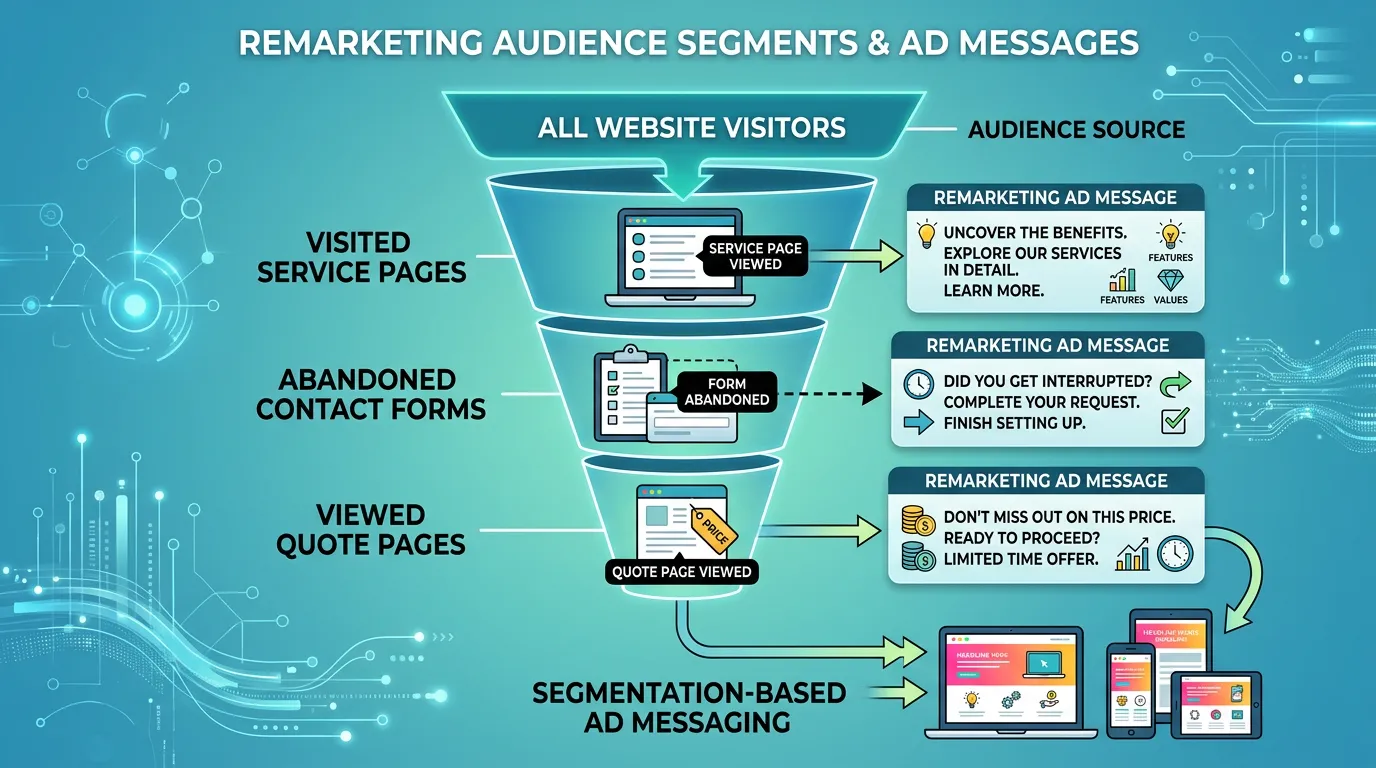
One list and one ad is where most remarketing stops, and it is why most remarketing underperforms. Somebody who bounced off your homepage in six seconds and somebody who read your financing page twice are not in the same state of mind, and they should not get the same message. Sort people by behavior, because behavior is the only thing you truly know about them. The splits worth building are the ones tied to a decision. There is the person who read one service page and left. There is the person who started your contact form and never sent it, which is the hottest group you have and deserves the shortest window and the most direct message. There is the person who read pricing or financing, who is comparing money and wants payment terms or a warranty detail. And there is the past customer, who is not a lost lead at all but a maintenance visit or a referral. Then build the list nobody remembers, which is the burn list. Anybody who converts should stop seeing the ads that same day. Nothing makes a company look less organized than an ad asking a customer to book the job they already paid for last Tuesday.
Frequency and Duration Decide Whether People Mind
Remarketing earned its bad reputation from two settings left on default. The first is frequency. Google Ads has a frequency cap that limits how many times your display or video ads show to the same person per day, week, or month. Set it. Two or three impressions a day is plenty for a service business. Without a cap, a small audience and an ordinary budget will produce dozens of impressions per person, and that reads as desperation rather than presence. The second is membership duration, which is how long somebody stays on the list. Match it to how long the decision actually takes in your trade. A clogged drain is settled within days, so seven to thirty days is right. A kitchen remodel, a solar install, or a legal matter genuinely takes months, so ninety to one hundred eighty days makes sense. Uploaded customer lists have a ceiling of their own, since Google caps customer match membership at five hundred forty days. Following somebody for a year after they already hired your competitor is not persistence. It is paying to bother a stranger with money that should reach the people still deciding.
Privacy Changes Made Lists Smaller and Slower
Anyone comparing today's remarketing to what it did several years ago is comparing two different things. Browsers now block or expire the identifiers these lists depend on. Safari and Firefox limit them by default. Consent banners mean a share of your visitors never get tagged at all, which is exactly what those banners are for. The result is that lists fill more slowly, hold fewer people, and lose them sooner. That is the normal state of things now, not a sign your setup is broken. Two responses make sense. First, lean harder on information people handed you directly. A list of past customers uploaded from your invoicing system does not depend on a browser cookie, and for a service business it is often the best performing audience in the whole account. Second, judge results on a longer window and smaller volume than the old tutorials promise. If a report is full of view through conversions, ask what the click through number was. A view through conversion counts somebody who was shown an ad and later converted without clicking it. Some of those people were going to call you anyway. It is a useful number to watch and a bad one to bill against.
How Much to Spend and How to Tell It Worked
The audience has a ceiling, and that ceiling is your own website traffic. This is the part that surprises owners most. You cannot scale remarketing by adding budget, because only so many people visited your site last month. Ten to twenty percent of your total paid budget is a normal share. Past that, you are simply raising frequency on the same faces. If your site gets a few hundred visitors a month, the honest answer is to spend the money getting more of the right visitors first, then switch remarketing on once there is somebody to reach. To judge it, keep three numbers apart. Click through conversions are people who clicked an ad and then converted. View through conversions are people who saw one and converted later without clicking. Cost per click will look wonderful next to your search campaigns, and on its own that number means very little, because you are bidding on a tiny warm audience. The number that matters is cost per booked job compared against the rest of the account. If you want a cleaner read than that, hold one audience segment out of the campaign for a month and compare what happens to it.
Setup Order That Keeps It From Turning Into a Mess
Done in this order, remarketing takes an afternoon plus a waiting period. Done out of order, you spend a month debugging.
Confirm the tag fires everywhere
Every page, including the thank you page and any booking tool.
Set up conversion tracking first
Without it you cannot tell a good list from a bad one.
Publish the consent banner and privacy policy
Before traffic gets tagged, not after somebody complains.
Build three to five lists, not one
Page depth, form abandon, pricing readers, past customers.
Create the burn list on day one
Anyone who converts drops out of every other list.
Set frequency caps before launch
Two or three impressions per person per day is plenty.
Match each duration to the buying cycle
Days for emergency work, months for a remodel.
Exclude junk placements in week one
Mobile app categories are the usual first cut on display.
What Each Placement Actually Does
The same audience list behaves like four different products depending on where you point it.
| Placement | What triggers the ad | Best use | Watch out for |
|---|---|---|---|
| Search | The person searches again | Bidding higher on a warm buyer | Needs the larger list before it runs |
| Display | The person browses any partner site | Cheap reminders and brand recall | App inventory and accidental clicks |
| YouTube | The person watches a video | Proof, walkthroughs, finished work | You need footage worth watching |
| Customer list | You upload emails or phone numbers | Past customers and maintenance work | Match rates are lower than you expect |
| Meta | The person opens the feed | Visual trades and longer decisions | A second pixel and a second policy |
Most accounts should run the first and the fourth rows before they ever touch the second.
Remarketing does not create demand. It collects the demand you already paid for and then lost on the way to the phone.
Questions About the Mechanics
Why do my remarketing numbers look so much better than my search campaigns?
Can I build audiences in Google Analytics instead of Google Ads?
Does remarketing work if my site gets very little traffic?
Would rather we handled it?
This article covers how to do the work yourself. If you would rather have it done for you, that is what our pay per click advertising service is.
Pay Per Click Advertising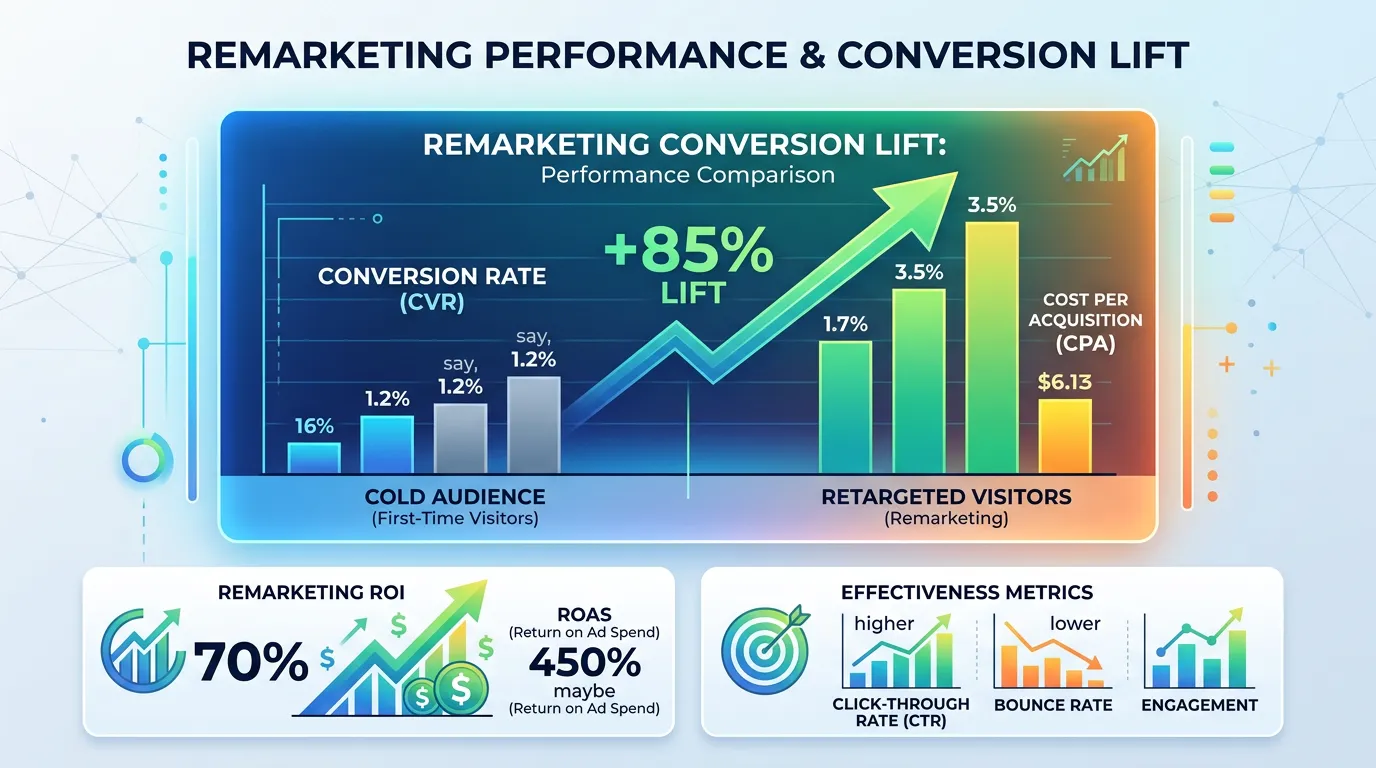
Frequently asked questions
How soon after setup do the ads start running?
Is remarketing worth it for a small local business?
Do I need a privacy policy to run remarketing?
Can I remarket to people who called instead of filling out a form?
Sources
- Google Ads Help: About your data segments(opens in a new tab) Google documents that what was called remarketing now lives under data segments, and describes reaching people who previously interacted with your business across sites, YouTube, and Customer Match.
- Google Ads Help: Frequency capping definition(opens in a new tab) Google defines frequency capping as a feature limiting how many times Display or Video ads appear to the same person, set per day, week, or month.
- Google Ads Help: Create a customer list(opens in a new tab) Google documents uploading customer data for Customer Match and states a maximum membership duration of 540 days.
- Google Analytics Help: Create, edit, and archive audiences(opens in a new tab) GA4 audiences can be built from dimensions, metrics, and events and shared with a linked Google Ads account for remarketing.