
Web Design and Development
Website Accessibility Compliance
Measured against WCAG 2.2 level AA, the standard courts reference
- Timeline
- Three to six weeks for a typical service business site
Call (714) 823-3164 or ask a question. Clear recommendations, even if we never work together.
Website accessibility compliance means building a site that people with disabilities can actually use. The standard to meet is WCAG 2.2 AA. It covers color contrast, keyboard use, screen reader labels, form instructions, and captions. In California it also cuts your risk of demand letters and Unruh Act claims.
The problem
Two things drive this. The first is that roughly one in four adults has some disability, and a site that cannot be used with a keyboard or a screen reader quietly turns away customers, including a large share of the senior market that home care, Medicare, and medical practices depend on. The second is legal. California businesses receive accessibility demand letters routinely, often over the same handful of issues: unlabeled form fields, images with no alternative text, low contrast text, and menus that cannot be reached by keyboard. Many owners respond by installing an overlay widget, which has not prevented lawsuits and sometimes makes screen reader behavior worse.
What it is
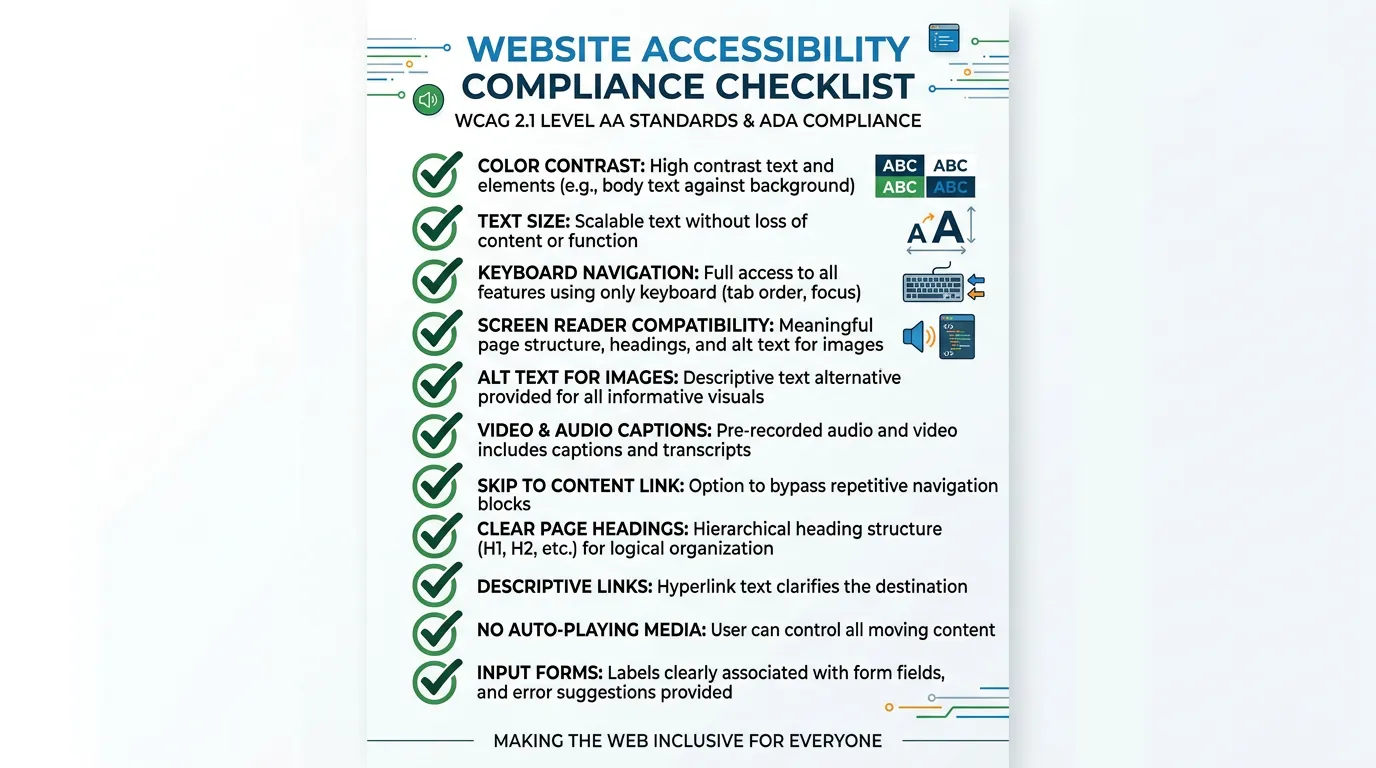
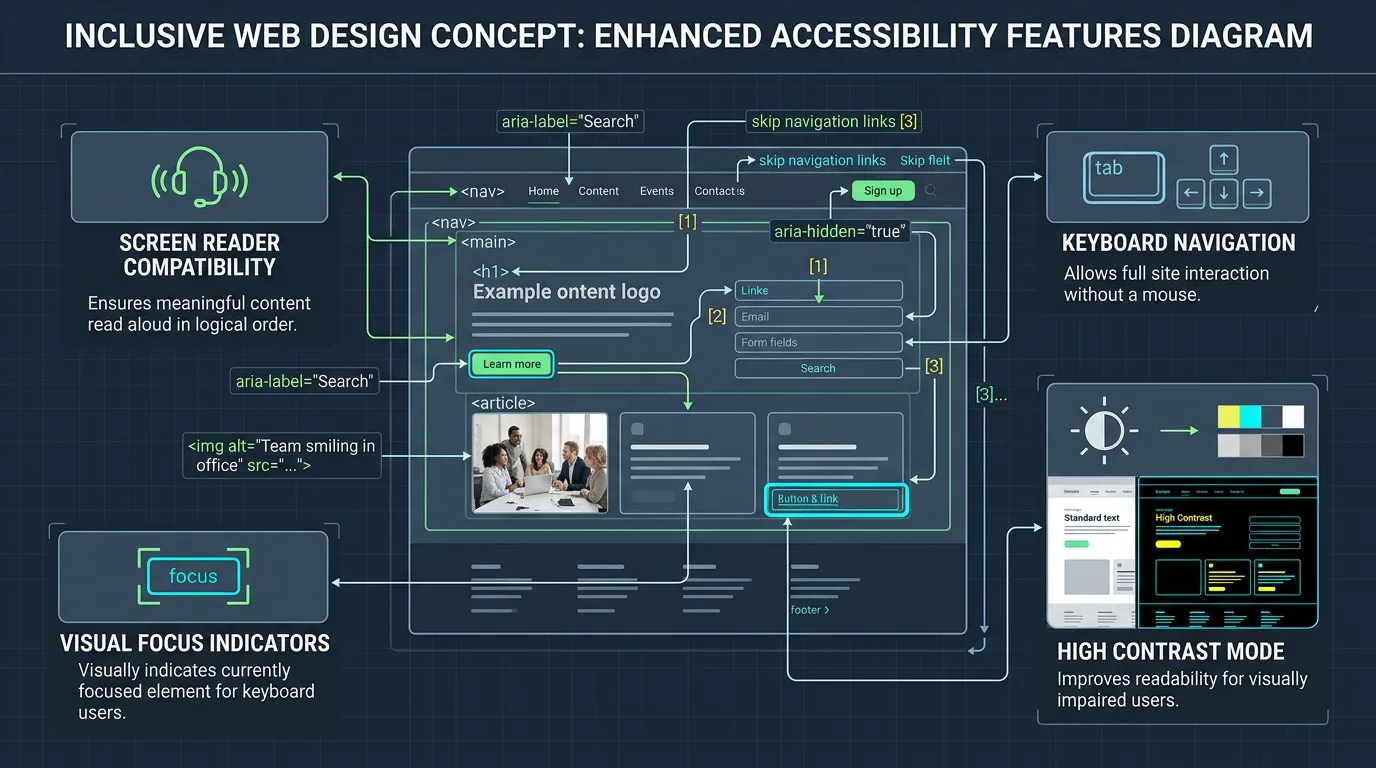
Accessibility work brings a site in line with WCAG 2.2 level AA. That is the standard most legal complaints and government guidance point to. In practice it means text contrast of at least 4.5 to 1. Every interactive element has to be reachable and usable by keyboard, with a visible focus outline. Form fields need real labels tied to their inputs. Images that carry information need meaningful alternative text. Headings run in a logical order, videos get captions, and no content relies on color alone to be understood. We run automated tools first to catch the mechanical issues. Then we test by hand with a keyboard and a screen reader, because automation misses roughly half of the real problems.
Signs you need this
- You received an accessibility demand letter or a law firm inquiry
- Your customers skew older, as with Medicare, home care, or optometry
- You cannot reach your own menu or submit your form using only the Tab key
- You installed an overlay widget and assume the problem is handled
- Your site has videos with no captions and images with no alternative text
What is included
- Automated scan of every template using axe DevTools and Lighthouse
- Manual keyboard navigation test of every page and interactive element
- Screen reader testing with VoiceOver and NVDA on key conversion paths
- Color contrast audit with corrected palette values where pairs fail
- Form label, instruction, and error message remediation
- Alternative text written for every image that carries meaning
- Heading structure correction so pages read in a logical order
- Visible focus indicators and a skip to content link
- Accessibility statement page listing the standard, status, and a contact route
- Written remediation report showing each issue, its WCAG reference, and its fix
Our process
Automated Scan
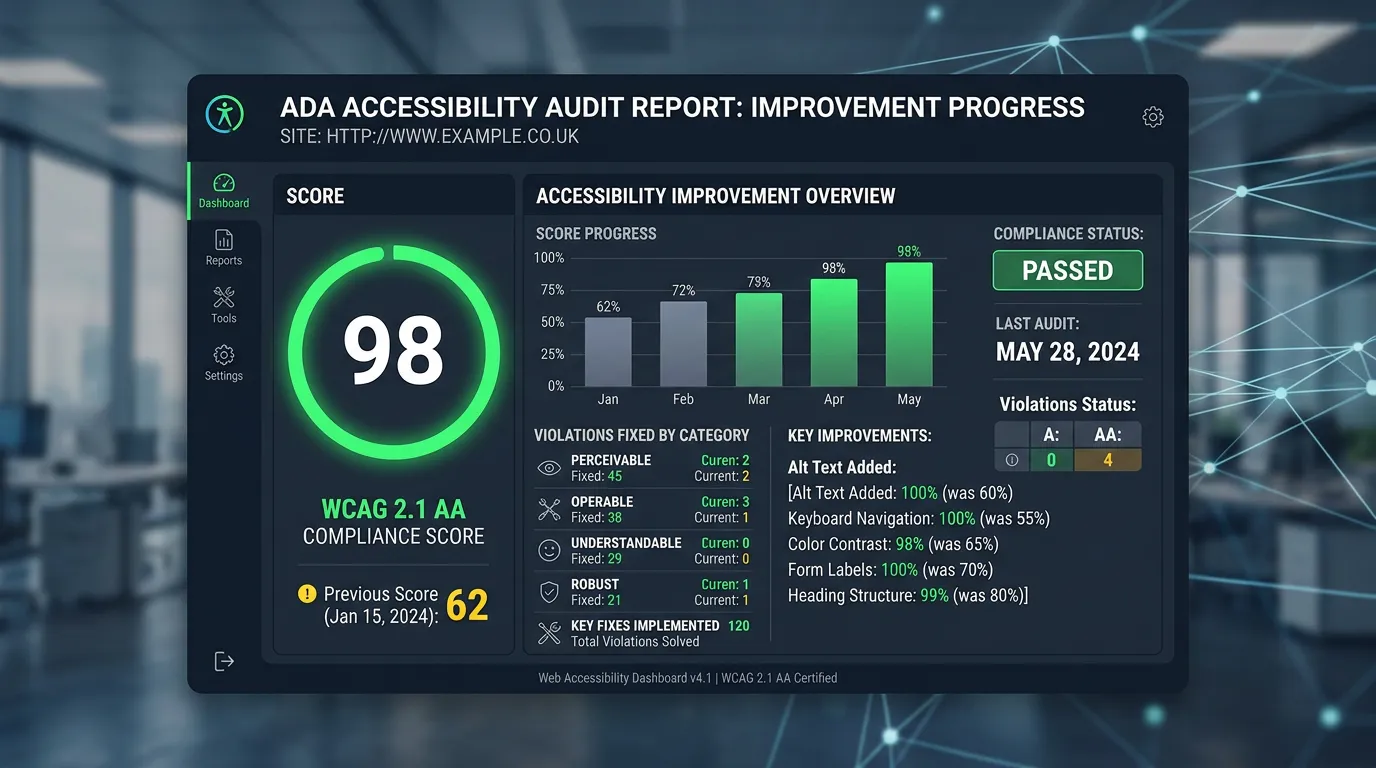
Days 1 to 4We run axe DevTools and Lighthouse across every page template and export the findings. This catches missing alternative text, contrast failures, and unlabeled fields quickly, which is usually 40 to 60 percent of the total issue list.
Manual Testing
Week 1 to 2We navigate the whole site with a keyboard only, then with VoiceOver and NVDA. This is where the real problems surface: menus that trap focus, modals that cannot be closed, and buttons that announce themselves as the word button and nothing else.
Prioritized Remediation
Week 2 to 5Fixes get ordered by user impact and legal exposure. Conversion paths come first: the phone link, the contact form, the navigation. Decorative issues on an interior page come last.
Retest and Document
Week 5 to 6We rerun the automated scan and repeat the manual tests, then produce a report showing each issue, the WCAG success criterion it relates to, and how it was resolved. This document matters if you ever receive a demand letter.
Maintain the Standard
Quarterly, ongoingNew content breaks accessibility constantly, usually through images posted without alternative text or a new embedded video without captions. We provide a short checklist for whoever adds content and rescan quarterly.
Realistic timeline: Three to six weeks for a typical service business site. Longer if the site uses a page builder that generates inaccessible markup, since some issues cannot be fixed without rebuilding components.
What Scans Find on Most Home Pages
WebAIM scans a million home pages each year and publishes the results. The same short list of problems dominates every time.
The Failures We Find Most on Service Sites
Scans return a long list, but a few elements cause most of it. Effort below is per site, not per page, because these live in templates.
| Element | What usually fails | Who fixes it | Typical effort |
|---|---|---|---|
| Contact form | Fields labeled by placeholder only | Developer | 2 to 4 hours |
| Main menu | Dropdowns that open on hover only | Developer | 3 to 6 hours |
| Brand colors | Gray text under 4.5 to 1 contrast | Designer | 1 to 3 hours |
| Photo gallery | No alt text, arrows skip the Tab key | Content and developer | Minutes per image |
| Video embeds | No captions, sound starts itself | Content owner | Cost of captioning |
| Sticky call bar | Covers text when a visitor enlarges it | Developer | 1 to 2 hours |
Because these sit in templates, one fix usually clears the same issue on every page of the site.
Alt Text and Link Text Rules for Your Staff
Two of the most common failures are created by whoever adds content, not by a developer. This is the one page rule sheet we hand to office staff.
Do this
- Describe the photo and why it is there, like Crew replacing a copper line
- Leave alt text empty on decorative images so a screen reader skips them
- Write link text that works alone, like View our repiping prices
- Name a button by its action, like Request a free estimate
- Caption every video, including the ones filmed on a phone
Not this
- Do not use a file name like IMG_4471 as alt text
- Do not use click here or read more as the whole link
- Do not put important words inside an image
- Do not mark a required field with red color alone
- Do not jump from heading level two to heading level five
If a Demand Letter Arrives
We are not attorneys and none of this is legal advice. Call one first, before you touch the site.
What we can tell you is the technical pattern. Most letters list a few issues pulled from an automated scan: contrast, missing alt text, unlabeled form fields, and menus a keyboard cannot open.
Keep records. Do not quietly delete the pages named in the letter, because a dated copy of the site as it was can matter later.
Then fix the underlying code and document it. A report showing each issue, the WCAG criterion, the date, and the fix is worth far more than a widget that claims to handle everything.
PDFs, Vendors, and the Parts People Forget
Do the PDFs on my site have to be accessible too?
What about a booking or chat widget built by someone else?
Frequently asked questions
Do accessibility overlay widgets work?
What standard do I need to meet?
How likely am I to actually get sued in California?
Will accessibility work help my SEO?
How do I keep the site compliant after the fixes?
Sources
- WebAIM Million annual accessibility report(opens in a new tab) The share of home pages with detected WCAG failures and the most common failure types