Pay Per Click Advertising
Ongoing PPC Optimization and Account Management
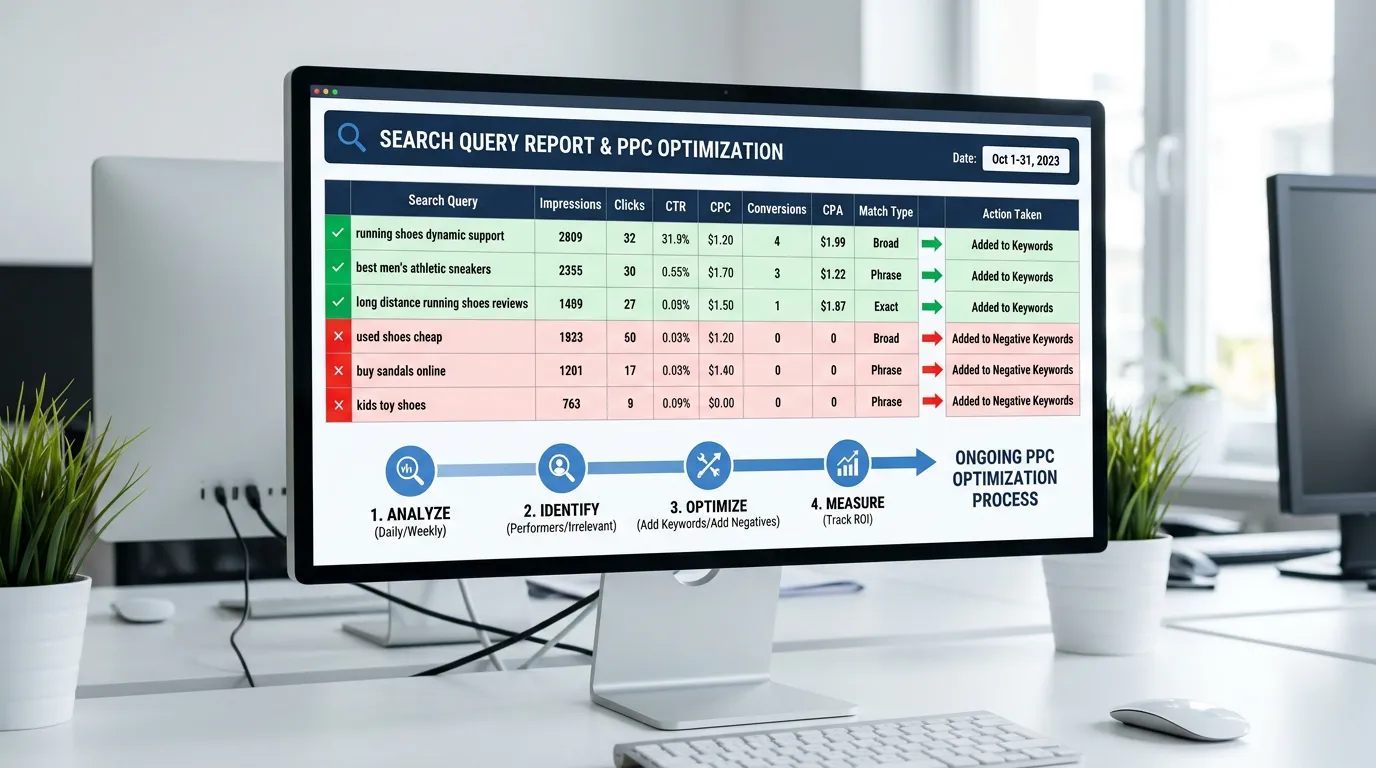
Weekly search term review and negative keyword additions
- Timeline
- Weekly and monthly cycles, ongoing
Call (714) 823-3164 or ask a question. Clear recommendations, even if we never work together.
Ongoing PPC optimization is the regular upkeep that keeps a paid account efficient after launch. That means mining search terms for waste, adding negative keywords, adjusting bids and budgets, pacing spend, and testing new copy. Without it, cost per lead climbs steadily as competitors change bids and search habits shift.
The problem
A paid account is not a machine you build and walk away from. Competitors raise bids. Seasonal search language changes. Google rolls out a match type change and suddenly your exact match keyword is picking up phrases you never approved. A new competitor with venture money enters your county and drives the auction up 30 percent. Accounts left alone for six months look almost identical in the interface and perform far worse in reality. The typical pattern is cost per lead drifting up 10 to 15 percent per quarter until the owner notices the number and blames the channel.
What it is
Ongoing optimization is the weekly and monthly routine of an account under active management. Every week we read the search terms report and cut waste. We check budget pacing against the calendar, review any disapproved ads, and watch for sudden swings in cost per click. Every month we adjust bid modifiers by device, location, and hour of day. We move budget between service lines based on cost per booked job. We refresh low rated ad assets and review landing page conversion rates. Then we send a report a business owner can read in five minutes. Every quarter we step back and question the account structure itself.
Signs you need this
- Nobody has added a negative keyword in months
- Your budget runs out before the last week of every month
- Cost per lead is up compared to a year ago with no explanation
- Your ads are disapproved and nobody noticed
- Your monthly report is an automated Google export with no commentary
What is included
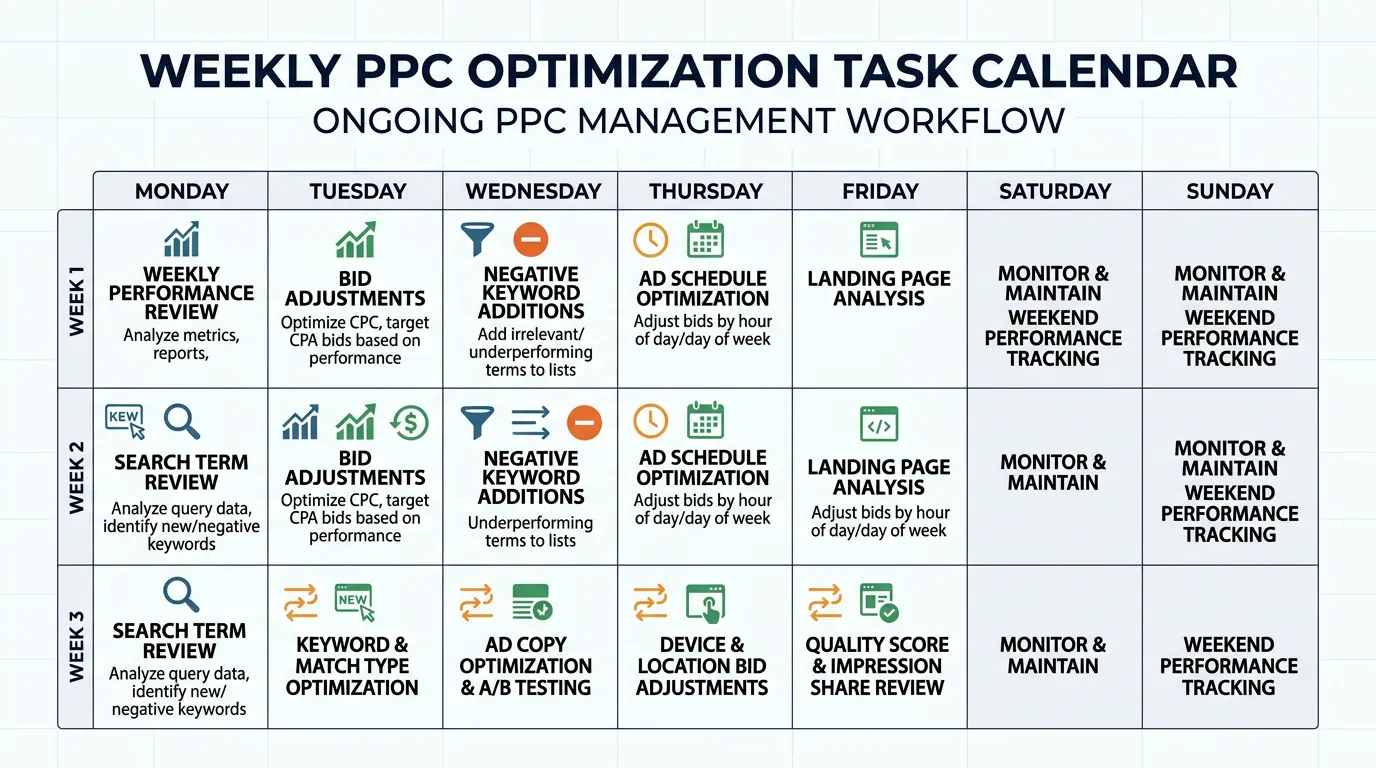
- Weekly search terms report review with negative keyword additions
- Weekly budget pacing check against monthly targets
- Monthly bid adjustments by device, location, and hour of day
- Monthly budget rebalancing across campaigns based on cost per booked job
- Monthly replacement of Low rated ad assets
- Quarterly account structure review and keyword expansion
- Competitor auction insights tracking with commentary
- Seasonality planning ahead of your busy and slow months
- A monthly report showing spend, calls, forms, cost per lead, and trend lines
- A scheduled call each month to talk through what changed and why
Our process
Weekly Waste Cut
WeeklyEvery week we open the search terms report and block queries that will not buy. In a mature account this is 5 to 20 new negatives a week. In a new account it is often over 100. This single habit protects more budget than any bid strategy.
Pacing and Anomaly Check
WeeklyWe check spend against the monthly plan and flag anything odd: a keyword whose cost per click doubled, a campaign limited by budget, a disapproved ad, or a conversion count that dropped to zero because tracking broke.
Monthly Bid and Budget Pass
MonthlyWe set device, location, and hour of day adjustments from the last 90 days of data, then move budget toward campaigns with the lowest cost per booked job. Small accounts get gentler changes because the data is thinner.
Reporting and Owner Call
MonthlyYou get a report showing calls, forms, cost per lead, and how each service line performed, plus a short list of what we changed and what we plan next. Then a call to talk it through in plain language.
Quarterly Structure Review
QuarterlyEvery three months we question the account itself: are the campaign splits still right, are there new services worth their own campaign, has a competitor changed the auction, and should the budget shift for the coming season.
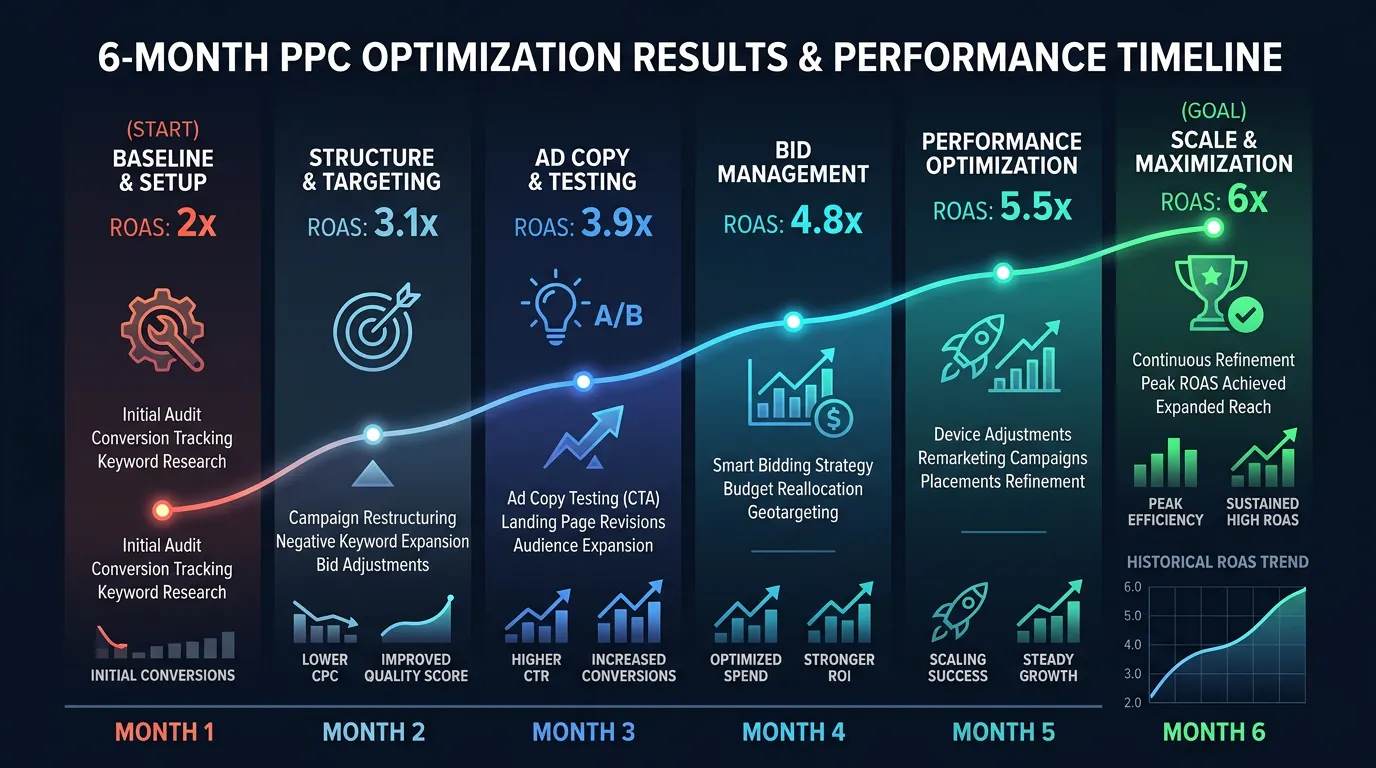
Realistic timeline: Weekly and monthly cycles, ongoing. Most accounts show their biggest efficiency gain in the first 90 days of active management, then improve more slowly and steadily after that.
When To Act On A Number And When To Wait
Half of account management is knowing what to ignore. These are the triggers we act on, the ones we let ride, and why.
| What you see | Act or wait | What we do |
|---|---|---|
| Cost per lead up one week | Wait | One week is noise in a local account |
| Cost per lead up three months running | Act | Check competitors, match drift, and page speed |
| Keyword at 40 clicks with no calls | Act | Cut the bid or pause it, then watch the ad group |
| Keyword at 12 clicks with no calls | Wait | Not enough clicks to mean anything yet |
| Campaign limited by budget daily | Act | Raise the budget or trim the weakest keywords |
| Conversions at zero for two days | Act today | Assume tracking broke until proven otherwise |
| An ad or asset disapproved | Act today | Fix and resubmit. Appeals take days you lose |
Every one of these gets checked on the same weekday, so nothing waits for someone to remember it.
Why We Wait For Clicks Before Cutting A Keyword
Owners often ask why a keyword with no calls is still running. The answer is math, not stubbornness.
Say one in twelve of your clicks turns into a call. That is a normal rate for a matched landing page. A keyword can then take thirty five clicks in a row with no call and still be perfectly average. The odds of that quiet streak are about one in twenty. Pause it at twelve clicks and you are punishing bad luck.
The threshold moves with your conversion rate. If one in four clicks calls, ten quiet clicks is already a real signal. If one in twenty five calls, you need close to a hundred. We work that number out per campaign and write it down, so nobody is cutting keywords on a hunch.
This is also why very small budgets are hard to manage well. At 20 dollars a day and 25 dollar clicks, a single keyword gathers clicks so slowly that the honest answer arrives months late.
The Weekly Pass, In Order
Twenty to forty minutes a week, done in the same order every time so nothing gets skipped when the week is busy.
Open the last seven days of search terms
Sort by cost, not by clicks. Waste hides in cost.
Add negatives at the right level
Campaign level for waste, ad group for overlap.
Compare spend against the month plan
Far ahead means the budget ends before the month does.
Look for disapproved ads and assets
They sit silent and quietly cost you volume.
Scan for click costs up over 30 percent
Usually a new bidder entering your county.
Confirm conversions are still recording
Two quiet days means test the tags, not the bids.
Check who else is showing on your terms
A new franchise changes the math on every bid.
Note anything odd for the monthly call
Owners hate finding surprises in a report.
Work That Helps Versus Work That Looks Busy
Some routine changes make an account better. Some only make the change history longer. Agencies charging by activity tend to prefer the second kind.
Do this
- Change one lever at a time so you can tell what moved the number.
- Give a bid strategy change two full weeks before you judge it.
- Move budget toward the ongoing PPC optimization service line with the best cost per booked job.
- Replace the assets rated Low instead of piling more on top.
- Keep a plain log of what changed and on what date.
Not this
- Do not edit bids daily. Automated bidding needs steady conditions.
- Do not add hundreds of keywords while the current ones are not spent out.
- Do not raise every bid because last week felt slow.
- Do not delete a campaign to fix it. Pause it so the history survives.
- Do not judge this week against last week. Use the same week last year.