Pay Per Click Advertising
Microsoft Advertising Management
Smaller volume than Google but noticeably cheaper clicks
- Timeline
- Live in two weeks
Call (714) 823-3164 or ask a question. Clear recommendations, even if we never work together.
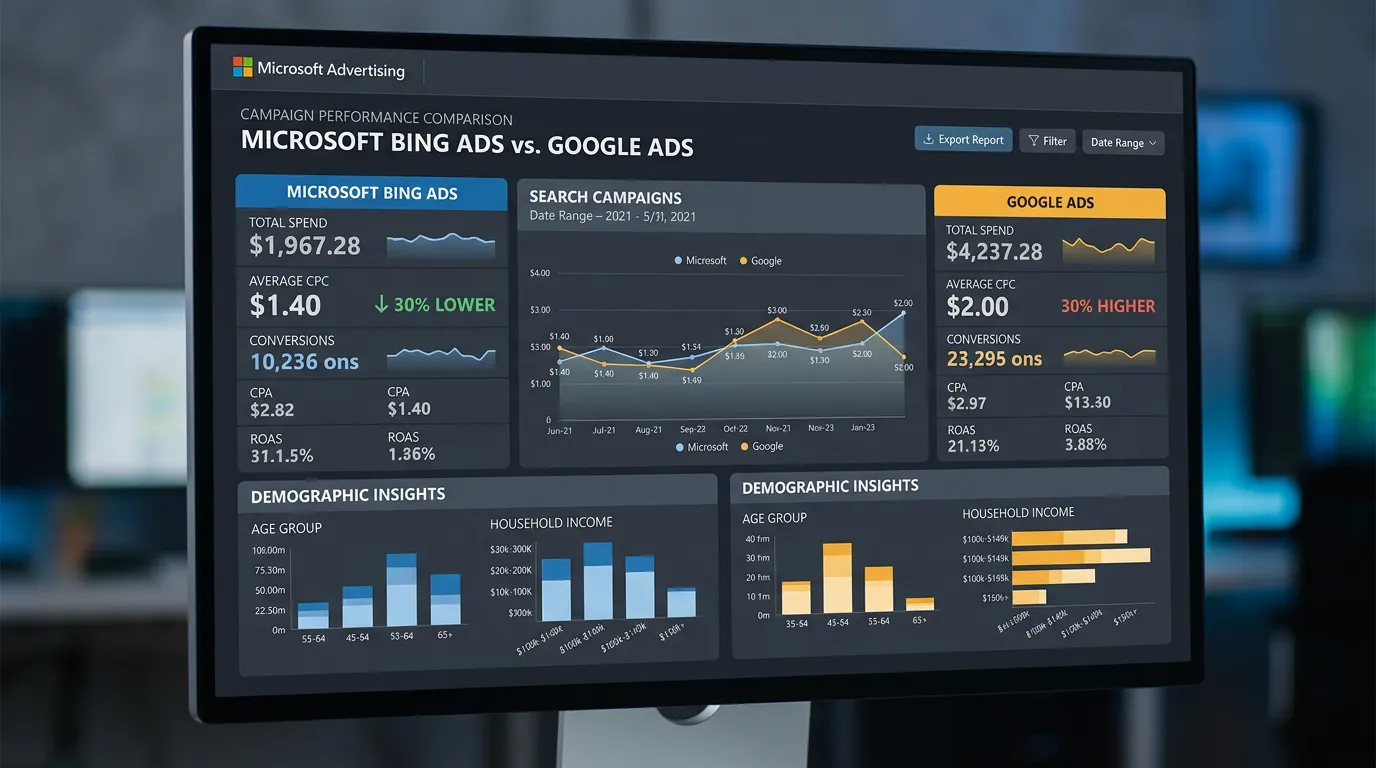
Microsoft Advertising is the paid search platform behind Bing, Yahoo, DuckDuckGo, and Windows search. The audience is smaller, older, and often higher income. Clicks usually cost 30 to 50 percent less than Google. You can import campaigns from Google Ads, then clean them up separately.
Jump to a section
- The problem
- What it is
- Signs you need this
- What is included
- Our process
- Related services
- What Actually Breaks When You Import From Google
- Where Microsoft Beats Google, and Where It Does Not
- Running Two Search Platforms Without Doubling Your Work
- Two Settings Imported Accounts Almost Always Get Wrong
- Questions
The problem
Microsoft Advertising gets dismissed as leftover traffic, and the people who do run it usually make the same mistake: they hit the Google import button, turn it on, and forget it. The import copies budgets, bids, and location settings that were tuned for a completely different auction. Then the account drifts. Bids stay too high or too low, Google specific ad extensions break, and the search terms never get reviewed because nobody logs in. The result is a small account quietly wasting a few hundred dollars a month, which then gets used as proof that the channel does not work.
What it is
Microsoft Advertising serves ads across Bing, Yahoo, AOL, DuckDuckGo, and search inside Windows and Microsoft Edge. For local service businesses, the audience matters more than the volume. It skews older, more desktop, and often higher income. That suits Medicare, insurance, senior care, estate planning, dental implants, and high ticket home services. It also offers targeting Google does not have, including LinkedIn company, industry, and job function layers. We import from Google as a starting structure. Then we rebuild bids, budgets, extensions, and negatives for the Microsoft auction.
Signs you need this
- Your Google Ads campaigns are profitable and you want more volume at a similar cost
- Your customers skew over 55, like Medicare, senior care, or estate planning
- You imported campaigns from Google once and never logged in again
- Google click costs in your category have passed 40 dollars
- A large share of your form fills come from desktop, not mobile
What is included
- Microsoft Advertising account creation under your ownership and billing
- One time import from Google Ads with a manual cleanup pass
- Bid and budget reset built for Microsoft click costs, not Google costs
- Microsoft specific ad extensions including action, filter, and image extensions
- LinkedIn profile targeting layers where the audience justifies it
- Universal Event Tracking tag and conversion goals installed and verified
- Separate negative keyword lists maintained for the Microsoft auction
- Microsoft Clarity heatmap and session recording setup on landing pages
- Monthly report comparing cost per lead against your Google campaigns
Our process
Volume and Fit Check
Days 1 to 4We estimate Microsoft search volume for your services in your counties. If the forecast is under a few hundred monthly searches, we tell you to keep the money in Google instead of splitting attention across two platforms.
Import and Rebuild
Week 1 to 2We import the Google structure, then strip out what does not apply, reset bids to Microsoft click costs, rebuild extensions in the Microsoft format, and remove any Google specific automation that came along for the ride.
Tracking Install
Week 2We place the Universal Event Tracking tag through Google Tag Manager, mirror your conversion goals, and confirm calls and forms register in Microsoft before spend begins.
Launch and Separate Negatives
Week 2 to 6Campaigns go live with a budget usually 15 to 30 percent of Google spend. We build a Microsoft only negative list, because search behavior on Bing does not match Google term for term.
Side by Side Review
Ongoing, monthlyEach month we compare cost per lead and lead quality against Google. If Microsoft cannot beat or match Google on cost per booked job within 90 days, we recommend shutting it off.
Realistic timeline: Live in two weeks. Enough data for a fair verdict in 60 to 90 days, since lower search volume means conversions accumulate slowly.
What Actually Breaks When You Import From Google
The import button copies more than people expect and less than they assume. Here is what carries over and what has to be rebuilt by hand.
| Part of the account | What comes across | What we reset before launch |
|---|---|---|
| Keywords and ads | Nearly all of it | Trim Google specific copy and pins |
| Bids and budgets | Copied at Google levels | Reset down to Microsoft click costs |
| Location targeting | Radius and lists carry over | Recheck the presence only setting |
| Ad extensions | Most types, not all | Rebuild action and filter extensions |
| Conversion tracking | Does not carry over | Install UET and rebuild every goal |
| Remarketing audiences | Do not carry over | Rebuild lists on the UET tag |
| Negative keyword lists | Copied from Google | Add Bing specific negatives over time |
Treat the import as a starting structure. Plan a cleanup pass the same week, then a second pass after 30 days of Microsoft search terms.
Where Microsoft Beats Google, and Where It Does Not
The audience does the microsoft advertising work here. Microsoft search runs on Windows machines, inside Edge, and on a lot of office computers where nobody ever changed the default. That produces an older, more desktop heavy crowd, often searching from a work computer during business hours.
Picture a Medicare insurance agent in Riverside County whose buyer is 64 to 72 years old. That person is far more likely to be on a laptop with Bing set as the default than a 28 year old is. For that agent, Microsoft often returns a lower cost per lead than Google, on a fraction of the volume.
Now flip it. A homeowner with a leaking water heater grabs the phone in their hand at 9 PM and searches. That is a Google moment. Microsoft will bring you a handful of those calls and no more, no matter what you spend.
So the rule is simple. Planned, researched, desktop friendly purchases justify Microsoft early. Emergency mobile work justifies it only after Google is maxed out and click costs have climbed past what the job can carry.
Running Two Search Platforms Without Doubling Your Work
A second platform should add maybe two hours of work a month, not a second full job. These habits are what keep it that way.
Do this
- Keep one master negative list and copy new additions to both platforms
- Tag Microsoft traffic with its own tracking parameters
- Compare the two on cost per booked job, never on click volume
- Set a 90 day review date with a real shut off decision attached
- Reuse the same landing pages and creative, since only the account settings differ
Not this
- Do not split a budget that is still too small for one platform
- Do not copy Google bids and hope the auction matches
- Do not judge Microsoft on 30 days of thin data
- Do not let a quarter pass without logging in
- Do not assume a Google conversion goal exists on the Microsoft side
Two Settings Imported Accounts Almost Always Get Wrong
Should I leave search partners turned on?
Is the Microsoft Audience Network part of search?