
Pay Per Click Advertising
Landing Page Alignment for Paid Campaigns
Every ad group points at a page that answers that exact search
- Timeline
- Audit and map in the first week
Call (714) 823-3164 or ask a question. Clear recommendations, even if we never work together.
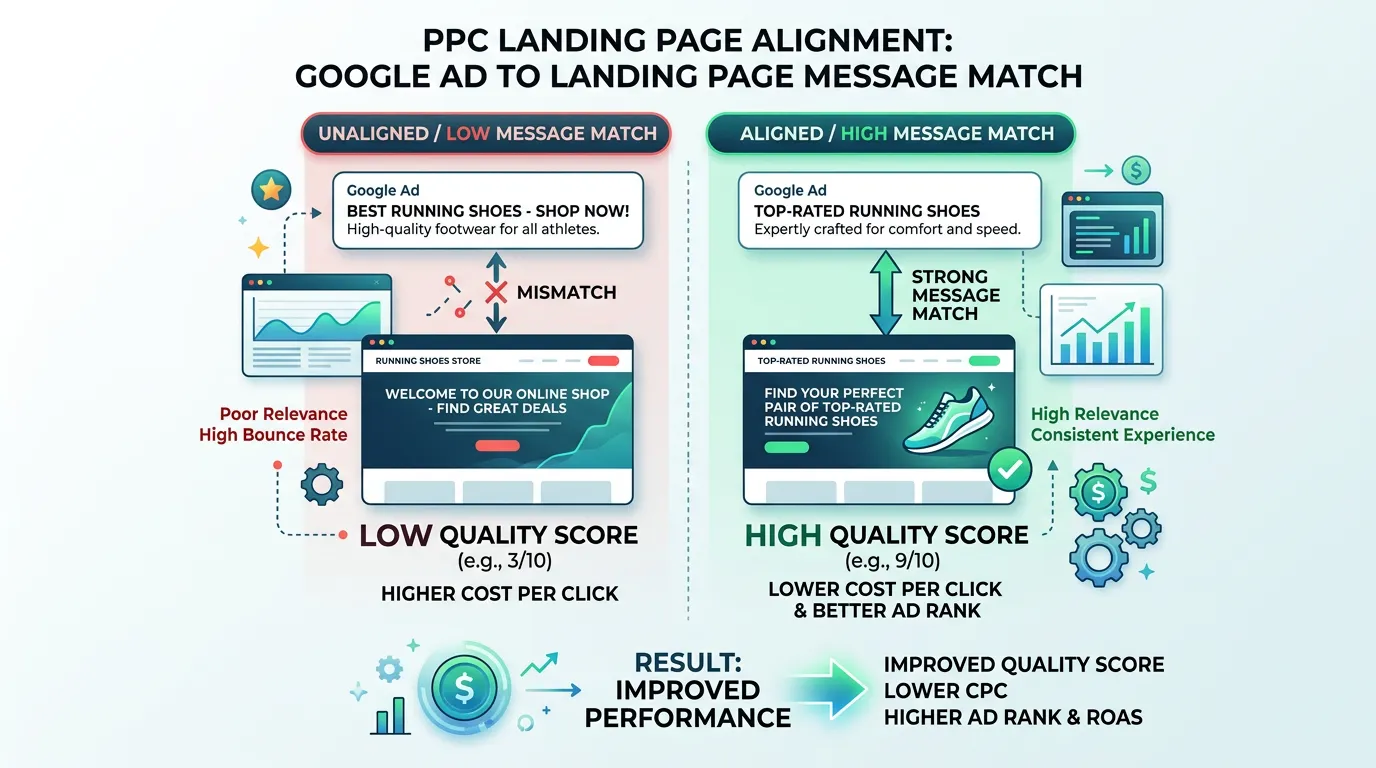
Landing page alignment means sending every ad to a page that matches the exact search behind it. Someone searching for tankless water heater installation should land on a tankless page, not the homepage. Alignment lifts your conversion rate, improves Quality Score, and lowers cost per lead. Your budget does not change.
The problem
The single most common paid search leak we find is not the ads. It is the destination. Every campaign points at the homepage, so a person who searched for emergency AC repair in Corona lands on a page that talks about the company's history and lists nine services. They have to hunt for the thing they came for. Most do not. The click was paid for at 22 dollars and it converts at 1.8 percent because the page was written for nobody in particular. Fixing that one thing often moves cost per lead more than months of bid tuning.
What it is
Landing page alignment means matching what someone searched for to what the page says, all the way down. The page headline repeats the phrase from the ad. The first screen answers the question the searcher came with. The proof you show fits that one service, not a general review wall. The form asks only what you need to quote that job. We cut or reduce the navigation so there is one path forward. We audit every ad group and map it to the right page. We build or rewrite the pages that do not exist yet. Then we set up tracking so each page reports its own conversion rate.
Signs you need this
- Most of your ad groups point at your homepage
- Your paid conversion rate sits below three percent
- Google reports Below Average landing page experience on your top keywords
- Your form asks for eight fields to book a 200 dollar service call
- The page a click lands on never mentions the service that was searched
What is included
- Ad group to landing page map covering every active campaign
- Message match rewrite so the page headline mirrors the ad headline
- Above the fold block with the offer, phone number, and form entry point
- Service specific proof: reviews, photos, and warranty details for that job type
- Form field reduction to the minimum needed for a quote
- Click to call button fixed to the bottom of the screen on mobile
- Trust row with license number, insurance, years in business, and review count
- Per page conversion tracking in GA4 with a separate call tracking number
- Quality Score landing page experience review by ad group
Our process
Destination Audit
Days 1 to 5We list every ad group and the URL it points at, then score each pairing on message match, offer clarity, and conversion path. Most accounts we audit have half their ad groups pointed at a homepage or a general services page.
Priority Mapping
Week 1 to 2We fix the highest spend ad groups first. If 40 percent of your budget goes to one service, that page gets built before anything else, because that is where the wasted money is concentrated.
Page Build or Rewrite
Week 2 to 5We write the headline to match the search, put the offer and phone number in the first screen, cut the form to the fields you actually need, and add proof specific to that service. Load time gets checked on a real phone, not just a desktop test.
Tracking and Redirect
Week 5Each page gets its own GA4 destination and a dedicated call tracking number, then ad group final URLs are updated with tracking templates so source data survives the click.
Read and Iterate
Ongoing, monthlyAfter two to four weeks of traffic we compare conversion rate to the old destination, review session recordings for where people stall, and adjust the first screen accordingly.
Realistic timeline: Audit and map in the first week. Top pages live within four to six weeks. Conversion rate change readable after two to four weeks of traffic per page.

The First Screen, Line By Line
On a phone the first screen is roughly 600 pixels tall. That is all most visitors ever see. Here is what belongs there and what we usually find instead.
| Element | What it should say | What we usually find |
|---|---|---|
| Headline | The exact service that was searched | The company name and a slogan |
| Second line | A price range or a response window | A list of nine other services |
| Phone number | Real text, tappable, top of the page | A picture of a number you cannot tap |
| Form | Three fields visible without scrolling | A button that jumps to the footer |
| Proof | Review count, license number, years open | A stock photo of a smiling stranger |
| Image | Your truck, your crew, your finished work | A generic handshake or a toolbox |
If the first screen answers the search, the rest of the page only keeps the promise.
Message Match Is A Phrase, Not A Theme
Most owners believe their page matches the ad because both are about air conditioning. That is a theme, not a match. Message match means the page repeats the words the person typed. If the search was ductless mini split installation, those words belong in the headline.
There is a simple test. Read the search term out loud, then read your headline. If a stranger could not tell the two go together, the page is making the reader do the work. Most readers quit instead.
One page can serve several searches when the answer is the same. Water heater replacement cost and 50 gallon water heater install can share a page. Tankless is a different job at a different price, so it gets its own. The dividing line is the answer, not the wording.
Some agencies fake this with dynamic text that drops the search term into the headline. Use it only on tight exact match ad groups. On loose match it writes headlines no human would.
Check The Page On A Real Phone First
Desktop previews hide the problems. Do this on your own phone, on cell service.
Tap the phone number with your thumb
It should dial. Not scroll, not zoom.
Time how long the page takes to appear
Past three seconds on cell service, people leave.
Start the form and watch the keyboard
A phone field should open the number pad.
Scroll once and stop
A way to call should still be on screen.
Count the required fields
Four is plenty to quote most service work.
Look for anything covering the screen
Chat bubbles and pop ups sit on the call button.
Read the headline against the ad
Same words, or the click was wasted.
One Page Or One Page Per City
This comes up on every build. For paid search you rarely need a page per city. Location targeting decides who sees the ad, so a homeowner in Ontario and one in Chino can share a page.
What is worth changing by city is proof. If you hold twenty reviews from Corona and you bid hard in Corona, a review block naming that city earns its place. We swap one section rather than build fifty near identical pages.
City pages are worth building when they also have to rank in organic search. Those keep full navigation, longer copy, and internal links. Do not confuse the two jobs. A 300 word paid page will not rank, and a page written to rank often converts worse.
Pages built only for ads are usually set to noindex so they do not compete with your service pages.
The Speed Numbers Google Publishes
Page speed feeds your landing page experience rating and your conversion rate. Google publishes what counts as good.
Frequently asked questions
Can I just send ads to my homepage?
Should landing pages have my normal site navigation?
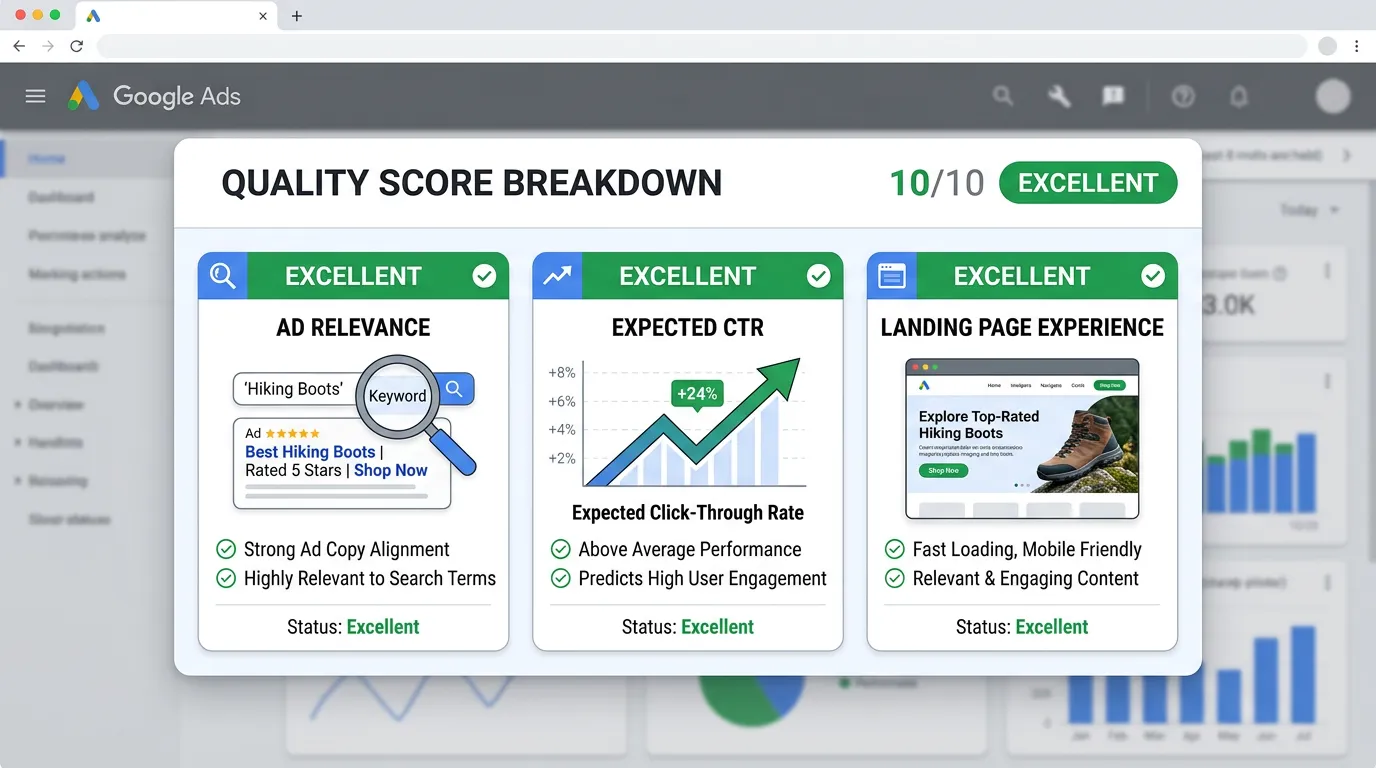
How does the landing page affect my Quality Score?
How many form fields should I use?
Do I need a separate page for every keyword?
Sources
- web.dev: Web Vitals(opens in a new tab) Google's published good thresholds for Largest Contentful Paint at 2.5 seconds, Interaction to Next Paint at 200 milliseconds, and Cumulative Layout Shift at 0.1.