Lead Generation Systems
Lead Capture Optimization
Fixes the moment of contact, not the traffic
- Timeline
- Audit and first fixes in the first two to three weeks, with results often visible within days
Call (714) 823-3164 or ask a question. Clear recommendations, even if we never work together.
Lead capture optimization is improving the tools a visitor uses to contact you: forms, call buttons, chat widgets, and booking calendars. It removes friction at the exact moment someone decides to reach out. For most service businesses, that is the cheapest way to get more leads from the traffic you already have.
The problem
A homeowner finds your page at 9pm, decides to get a quote, and hits a form asking for first name, last name, email, phone, street address, city, zip, service needed, preferred date, preferred time, and how they heard about you. They leave. Or they are on a phone and the number at the top of the page is an image, not a tappable link. Or the chat bubble covers the call button on a small screen. These are not marketing problems, they are mechanical problems, and every one of them costs you a customer who had already decided to contact you.
What it is
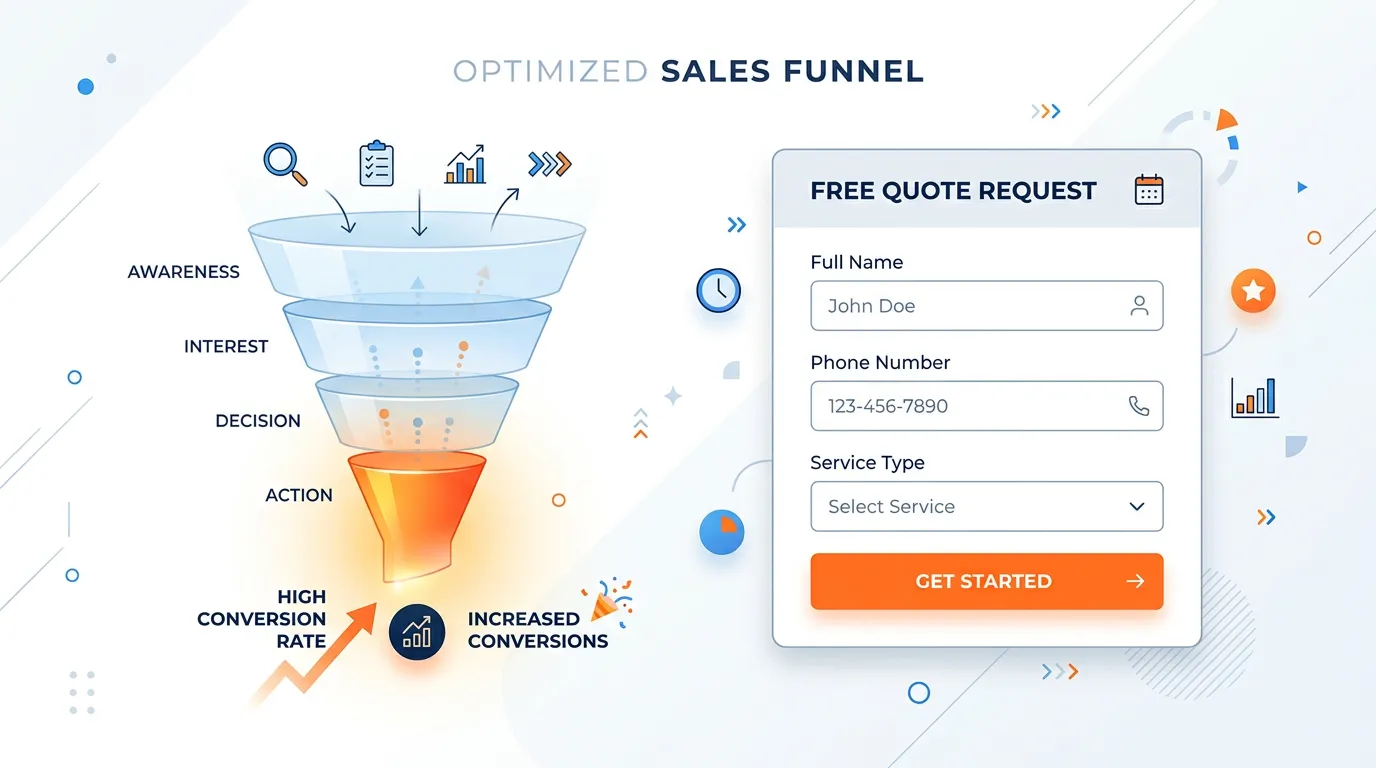
Capture optimization works on the contact elements themselves. We test every path on a real phone, not a browser window squeezed narrow. Forms get cut to the fewest fields your team needs to respond, usually name, phone, and a short description. Phone numbers become tap targets, backed by a sticky mobile call bar. Where the trade suits it, we add online booking. Then a customer can take a slot at 9pm instead of waiting for a callback. The offer at the point of contact gets rewritten from Submit to wording that says what happens next. We test changes one at a time, so we know what worked. And we watch form analytics to see which field is where people quit.
Signs you need this
- Your contact form asks for more than five pieces of information
- Your phone number is not tappable on a mobile screen
- Analytics shows visitors reaching the contact page and not converting
- You have no way for someone to reach you after 5pm besides voicemail
- You are not sure whether your form submissions currently reach anyone
What is included
- Manual test of every contact path on iPhone, Android, and desktop
- Form rebuild with field count matched to visitor readiness
- Tap to call links and a sticky mobile call bar on every page
- Online booking or scheduler integration where the capture optimization service model supports it
- Rewritten button and heading copy that states what happens after submitting
- Field level form analytics showing exactly where people abandon
- After hours capture path such as text back, callback request, or scheduler
- Spam protection that does not block real users, using honeypots and reCAPTCHA v3
- Confirmation and thank you experience that sets response time expectations
- A prioritized test queue with one change at a time and a measured result
Our process
Break It Yourself
Days 1 to 5We fill out every form, tap every number, and open every chat on real devices. This routinely finds forms that deliver to a former employee, numbers with typos, and buttons hidden behind a cookie banner on mobile.
Cut the Fields
Days 5 to 12Every field has to justify itself by whether your team truly needs it to respond. Address, preferred time, and how did you hear about us can all be asked on the callback. Shorter forms almost always complete better.
Fix Mobile Contact
Days 10 to 20For most trades, more than 60 percent of contacts happen on a phone and most of those want to call, not type. Sticky call bars, thumb reachable buttons, and a working tel link outrank any form redesign.
Add the After Hours Path
Week 3 to 5A large share of home service searching happens in the evening. We add a scheduler, a text back option, or a clearly labeled callback request so an 8pm visitor has something to do besides leave.
Test One Thing at a Time
Ongoing, monthlyChanges run individually with enough volume to read. Testing four things at once on 200 visits a month produces a story, not a result, so we sequence tests and accept that some take six weeks.
Realistic timeline: Audit and first fixes in the first two to three weeks, with results often visible within days. Ongoing testing runs monthly and requires enough traffic volume to reach a readable result.
The evening and weekend gap
Home service searching does not stop at 5pm. A lot of it starts there, after dinner, when someone finally deals with the leak they noticed on Saturday.
The problem is what that visitor finds. A form that says we will call you during business hours gives an 8pm homeowner nothing to do for the next thirteen hours. Two of your competitors have a text back number or a booking calendar. The homeowner uses one of those.
Three fixes cover most of it. A scheduler that lets them grab a morning slot. A text back option. Or an after hours answering service, for trades where a burst pipe at 10pm is real money.
Whatever you pick, say the time out loud. A confirmation that reads we will call you before 9am tomorrow holds people. Thank you, we will be in touch does not.
How many fields a form should have, by situation
Field count is not one number. It depends on how ready the visitor is and how much your team truly needs before it can call back.
| Where the form sits | Fields worth asking | Move to the callback | Why |
|---|---|---|---|
| Emergency repair page | Name and phone | Everything else | They want a human, not a questionnaire |
| Standard service page | Name, phone, short note | Address and preferred time | Your office can ask that on the call |
| Large project estimate | Name, phone, email, project type | Budget and start date | A budget question early reads as a filter |
| Cost guide download | First name and email | Phone number | Asking for a phone cuts downloads hard |
| Legal or insurance intake | Six to nine fields | Very little | The first call is useless without detail |
| After hours callback box | Name, phone, best time | The long description | Just enough to reach them in the morning |
If a field does not change what your team does next, it belongs on the callback, not the form.
The phone test we run before touching anything
Every audit starts on real devices, not a browser window squeezed narrow. This is the list, in order.
Tap the number in the header
It should dial, not copy text
Submit every live form
Watch the inbox, then the spam folder
Close every overlay on a small screen
Cookie bars often sit on the call button
Reach the main button one handed
Thumbs live in the lower third
Turn on large text and reload
Plenty of customers run oversized type
Load the page on a weak signal
Sticky bars load last, or never
Read the confirmation as a customer
It should name a response time
Call your own number after 6pm
Find out where it really goes
Questions that come up on capture work
Should the form sit above the fold?
Do multi step forms beat one long form?
What should the button say instead of Submit?
Most lost leads are not lost to a competitor. They are lost to a button that did not work on a phone.