Video Marketing
Website Video for Service Businesses
Placed on service and pricing pages, not just the homepage
- Timeline
- Two to three weeks to place and embed a library of existing videos
Call (714) 823-3164 or ask a question. Clear recommendations, even if we never work together.
Website video means putting video on the pages where buying decisions happen: service pages, pricing pages, and contact pages. Done right, it holds attention and answers objections. Done carelessly, it slows the page down badly. An auto playing embed can add several seconds to your load time.
Jump to a section
The problem
Website video usually fails in one of two ways. Either it sits only on the homepage as an autoplaying background loop that says nothing and costs three seconds of load time, or it gets embedded as a standard YouTube player that pulls in hundreds of kilobytes of scripts, shows suggested videos from competitors when it finishes, and drags Core Web Vitals down. Both versions get judged on nothing, because no one set up any way to tell whether pages with website video perform better than pages without.
What it is
This is about placement, embedding, and measurement. Placement means putting each video on the page where its question gets asked. The water heater explainer goes on the water heater page. The financing story goes near the pricing block. The customer story goes next to the contact form, where hesitation peaks. Embedding means using a lightweight facade that loads only a poster image until someone clicks, so the website video costs nothing until it is wanted. Then we add VideoObject schema and a visible transcript, so search engines and AI answer tools can read the content. We also set up tracking to compare conversion rates on pages with website video against pages without.
Signs you need this
- Your only website video is a silent background loop on the homepage
- Your page speed dropped after adding a website video embed
- Your service pages have no video even though you have footage
- Videos on your site have no transcript and no schema markup
- Nobody can tell you whether the video gets played at all

What is included
- Page by page placement plan matching each video to the question it answers
- Lightweight embed that loads a poster image until the visitor clicks play
- Poster frame selected or designed rather than a random auto grab
- VideoObject schema markup with duration, upload date, and thumbnail
- Visible transcript or key points summary below each video
- Captions on by default for muted autoplay clips
- Short silent background loops used only where they add context
- Play rate, watch time, and completion tracked as GA4 events
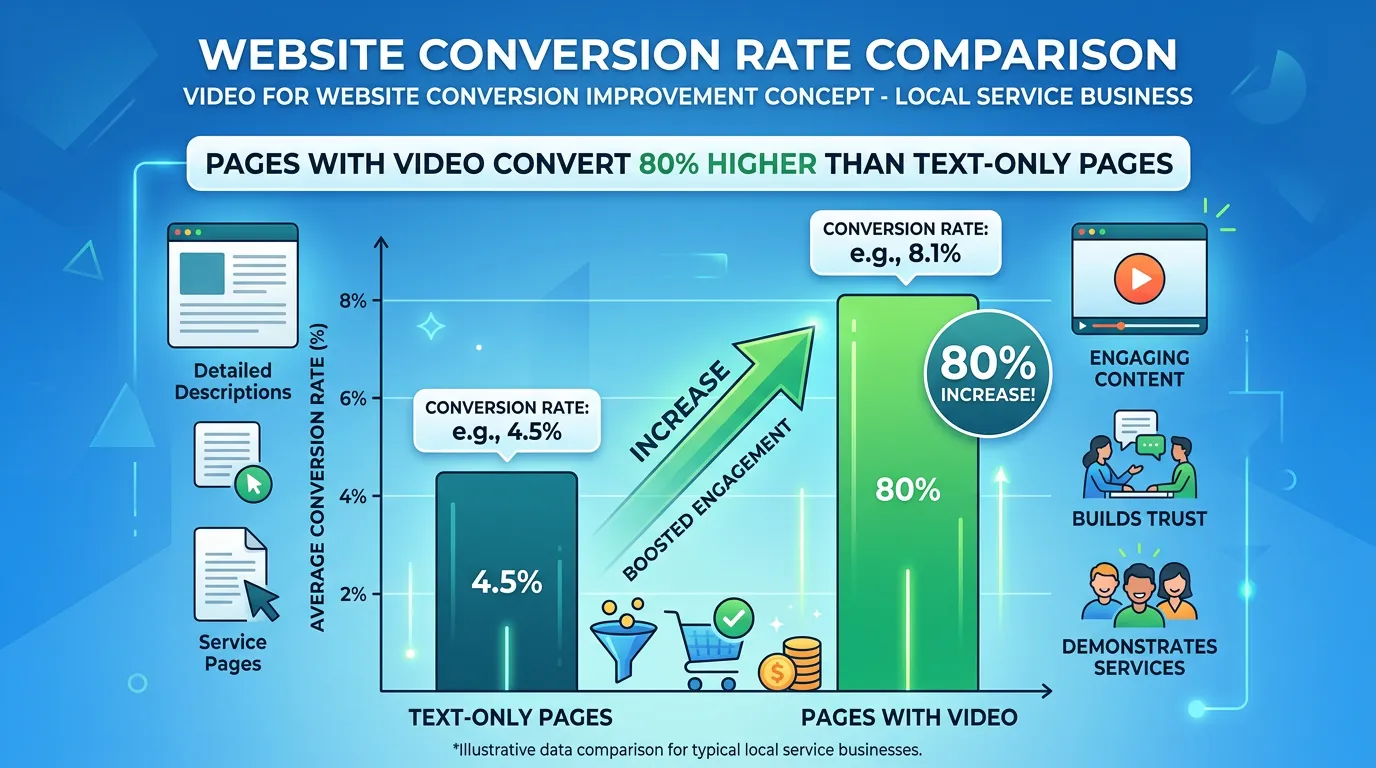
- Conversion rate comparison between pages with and without video
Our process
Placement Mapping
Days 1 to 5We match every existing video to the page where its question actually comes up. Most businesses have their best video buried on an about page where almost nobody sees it.
Embed Method Decision
Week 1We choose the hosting and embed approach per video. YouTube for pieces that also need discovery, a self hosted or distraction free player for service pages where suggested videos would pull people away.
Performance Safe Implementation
Week 2Videos are embedded with a facade that loads only an image until clicked, so page weight barely changes. We measure Largest Contentful Paint before and after to confirm nothing regressed.
Schema and Transcripts
Week 2 to 3Each video page gets VideoObject markup and a readable transcript or summary. This is what makes the spoken content available to search engines and AI answer tools, which cannot watch the website video.
Measure the Difference
Days 30 to 60 after launchWe track play rate, watch time, and completion as events, then compare conversion rate on website video pages against comparable pages without video over the next 60 days.
Realistic timeline: Two to three weeks to place and embed a library of existing videos. Conversion comparison needs 30 to 60 days of traffic to read honestly.
How to Host and Embed Each Video
The right method depends on whether the video needs to be found on YouTube, and how much page speed you can spare.
| Method | Cost to page speed | Helps discovery | Best used for |
|---|---|---|---|
| Standard YouTube embed | Heavy, loads scripts right away | Yes, and views count on YouTube | Blog posts and low traffic pages |
| Facade embed, poster then player | Almost nothing until a click | Yes, once someone plays it | Service and pricing pages |
| Self hosted video file | Depends on how well it is compressed | No | Short clips under 30 seconds |
| Paid video host | Light, and the player stays clean | No | Pages where suggested videos would hurt |
| Silent loop with no player | Small if the file is compressed | No | Motion behind a headline |
Most sites use two: YouTube for anything that should be searchable, and a clean player where a visitor is close to calling.
Check This Before a Video Page Goes Live
Run this list on every page that gets a video. Each item takes about a minute.
Pick the poster frame by hand
Auto grabbed frames catch a blink or a blurred hand.
Keep the player below the first screen
It should not compete with your headline or call button.
Load the player only when clicked
Until then the page holds an image and a play button.
Add VideoObject markup
Name, description, thumbnail, upload date, and length.
Put a transcript on the page
Search and AI answer tools cannot watch a video.
Test on a phone on cell data
Desktop wifi hides most of the speed problem.
Send a play event to GA4
Without it you cannot tell a bad video from bad placement.
Record load speed before and after
One number proves the embed did not cost you.
Why a Standard Embed Costs More Than You Think
A normal embed does not wait to be asked. The moment the page opens it pulls a player, tracking code, fonts, and images from another company's servers. All of that competes with your own text and photos.
On a phone with two bars, that is where the delay shows up. The visitor sees a blank block where the video will be, and the rest of the page arrives late.
A facade embed avoids the whole problem. The page loads one image, about the weight of a normal photo, and the real player only arrives if someone presses play.
Play Rate Tells You Which Problem You Have
Play rate is the share of people on the page who press play. It is the most useful number on a video page, because it splits two very different problems apart.
If almost nobody presses play, the video is not the issue. The poster image or the spot on the page is. Change the still frame, or add one line telling people what they will see. If people press play and leave in ten seconds, the opening is the issue and the fix is a rewrite.
The third case is the hardest. People watch most of the video and still do not call. That usually means the video did its job and the page did not. Check what sits right under the player. It should be the next step, not more text.
Embedding Questions That Come Up Later
Can the same video live on more than one page?
Can the transcript be hidden behind a click?