Google Business Profile Optimization
Google Business Profile Insights Monitoring
Google keeps only about six months of profile performance data
- Timeline
- Setup in week 1 with immediate export of existing history
Call (714) 823-3164 or ask a question. Clear recommendations, even if we never work together.
Google Business Profile insights monitoring means tracking and exporting the performance data Google reports for a listing. That data covers calls, direction requests, website clicks, message counts, and the searches that surfaced the Google business profile. Google keeps only about six months of it, so regular exports are the only way to hold long term history.
The problem
Two things go wrong here. First, the data disappears. Google's performance view holds roughly six months, so by the time you want to compare this July to last July, last July is gone. Second, the wrong numbers get celebrated. A report showing forty thousand profile views feels good and means almost nothing. What matters is how many people called, asked for directions, or clicked to your site, and whether those numbers are moving up in the areas you want to work.
What it is
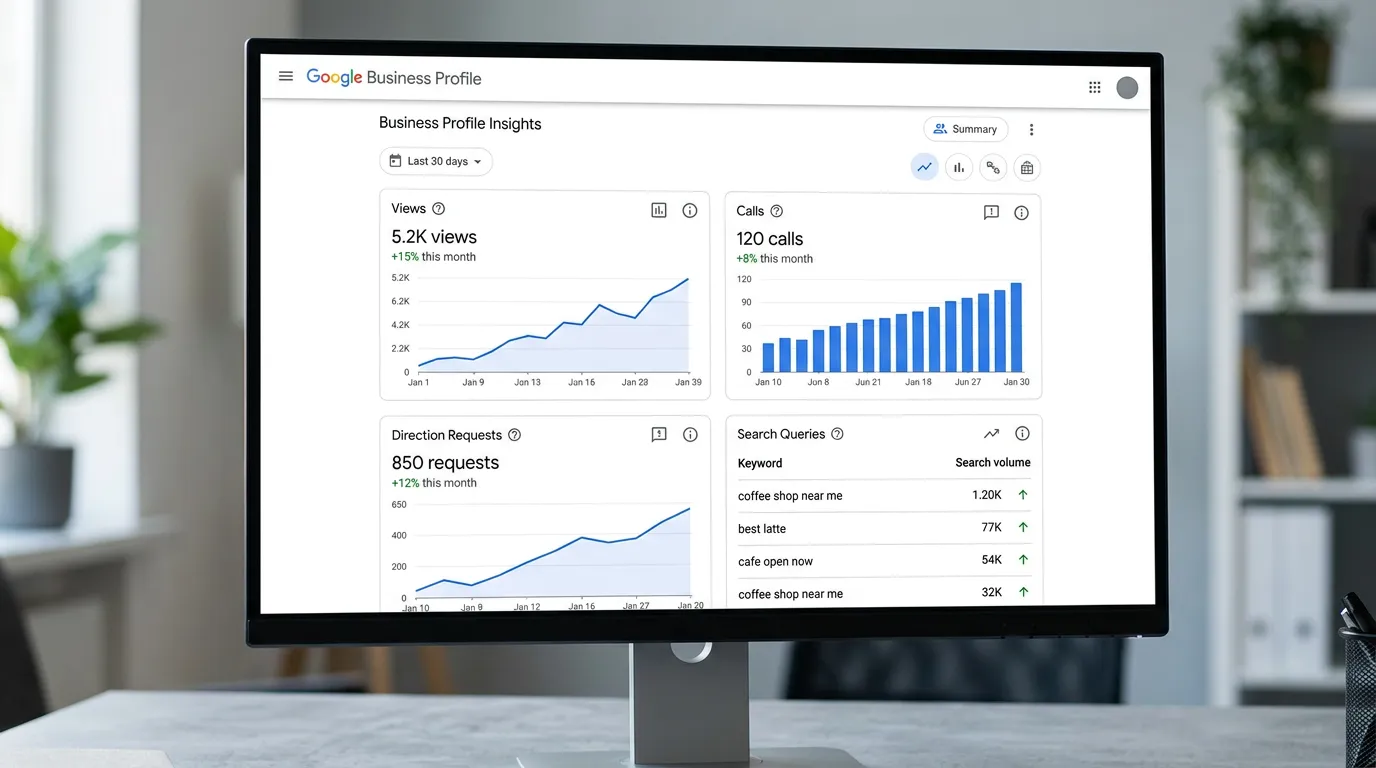
The performance section of a Google Business Profile reports how people found you. It splits that into searches for your business name and searches for a category or service. It also reports the actions people took: calls, messages, direction requests, website clicks, and bookings where supported. On top of that, it lists the search terms that showed your Google business profile. That is some of the most useful keyword data a local business can get, because it comes from real behavior in Maps. Monitoring means pulling this data every month and storing it outside Google so it survives. Then you read it against your call tracking and Search Console data, so you can tell what actually happened.
Signs you need this
- You have no idea how many calls your Google listing produced last year
- Your reports show views and impressions but never calls
- You cannot compare this season against the same season last year
- Profile calls look high but your phone log does not match
- Nobody has ever looked at the search terms report on your profile
What is included
- Monthly export of all profile performance metrics into a stored history
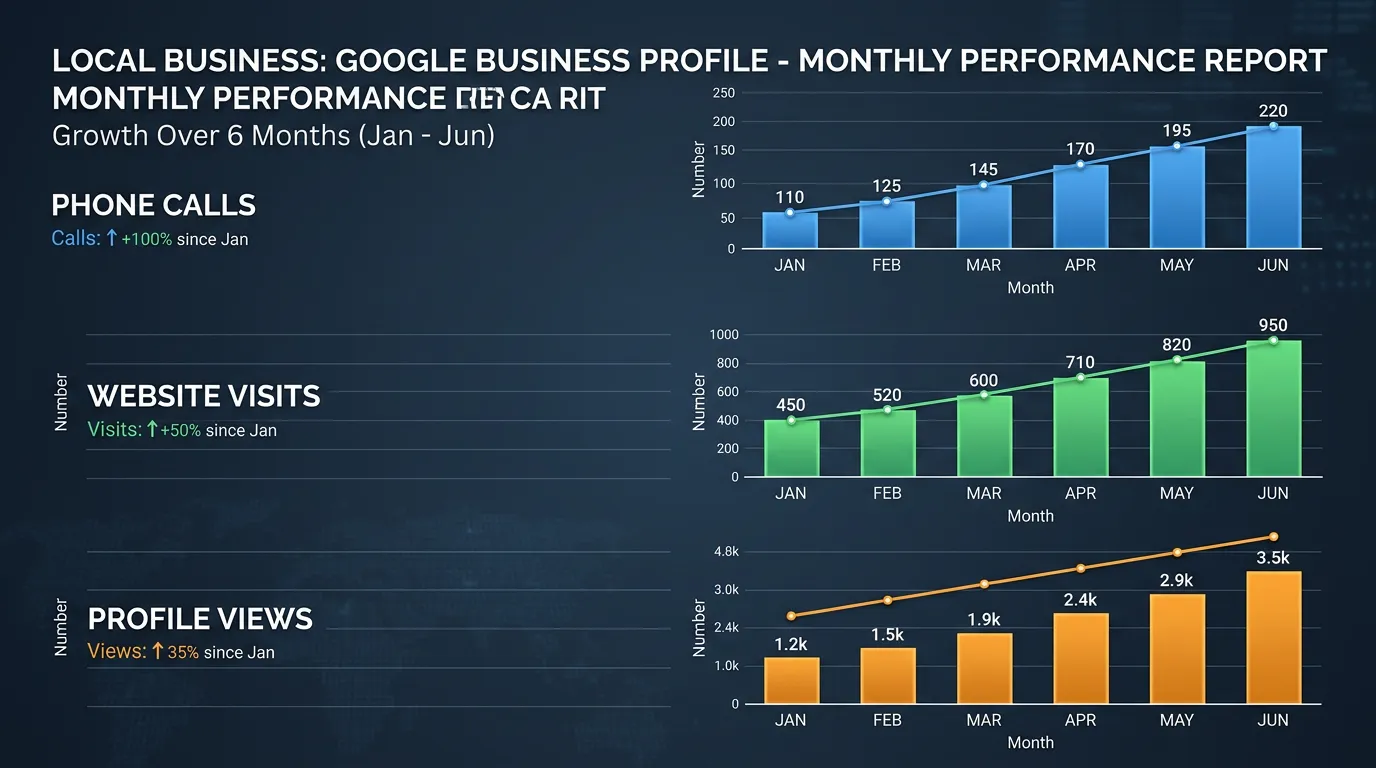
- Calls, direction requests, website clicks, and messages trended over time
- Search term report showing what people typed to find you
- Split between discovery searches and direct branded searches
- Photo view comparison against similar businesses in your category
- Cross reference with call tracking data to catch missed calls
- Year over year comparison once twelve months of history exists
- One page monthly summary written in plain language
Our process
Set up the export routine
Week 1We pull the current six months of available history immediately so nothing else is lost, then set a recurring monthly export. Data lands in a sheet you own, not in a dashboard that disappears if we part ways.
Connect the call data
Week 1 to 2Google business profile call counts show attempts, not conversations. We line them up against your call tracking or phone system records to find the gap: how many of those calls were answered, and how many rang out.
Read the search terms
Week 2, then monthlyThe search term report shows the exact phrases that surfaced your Google business profile. We use it to find services people want that you do not list, and terms worth targeting on your website.
Monthly reporting
Ongoing, monthlyEvery month we compile the metrics with a short written read: what moved, what caused it, and what we are doing next. No fifty page PDFs of charts nobody opens.
Annual comparison
AnnuallyOnce we have twelve months of stored history, reporting shifts to year over year comparison, which is the only honest way to judge a seasonal business. Month over month in a seasonal trade tells you about the weather, not the marketing.
Realistic timeline: Setup in week 1 with immediate export of existing history. First useful monthly report at day 30. Year over year comparison becomes possible after twelve months of stored data.
What each profile metric really counts
Google names these metrics in plain words, but the definitions are narrower than they look. Here is what each one includes, what it leaves out, and how we read it.
| Metric | What Google counts | What it misses | How we read it |
|---|---|---|---|
| Calls | Taps on the call button in Search and Maps | Numbers dialed by hand or copied out | A trend line, never a lead count |
| Direction requests | Taps on the directions button | Repeat taps from staff and vendors | The closest thing to a visit count |
| Website clicks | Taps on your main website link | Clicks from posts and booking links, counted apart | Checked against GA4 sessions |
| Times shown | How often the profile appeared in a result | Whether anyone read past your name | Reach, not demand |
| Search terms | Phrases typed before your profile appeared | Small counts, which get grouped or rounded | Service gaps and new page ideas |
Actions tell you about demand. Views mostly tell you how Google laid out the page that month.
Reading a month that looks bad
A down month is usually one of four things, and only one of them is your marketing. Season comes first. A heating company in December and the same company in April are two different businesses, and the profile numbers follow the weather.
Google's own display changes come second. When Google adds a panel or changes how many results show on a phone, impressions can swing hard with nothing changed on your end. That is why calls and direction requests are the score we keep.
Third is something that changed on the profile. A category test, an hours edit, a suspension, or a stranger's suggestion that Google applied quietly. A dated change log answers this in seconds, which is the whole reason we keep one.
Fourth is the phone. Profile calls can hold steady while answered calls fall, because someone quit or the after hours forwarding broke. Google will never tell you that. Your phone records will.
The monthly export routine
This is the exact sequence we run in the first week of every month. Once it is set up it takes about twenty minutes per location.
Set the date range to the longest window Google still shows
Not the default last 28 days
Export calls, directions, website clicks, and messages
One dated row per month in one sheet
Copy the whole search terms list, not the top ten
Older terms drop off the report first
Screenshot the photo view comparison
Google shows it and does not export it
Log review count, average rating, and reply rate
Three numbers that explain later swings
Write down anything that changed on the profile
Category, hours, phone, website, closures
Compare profile calls against answered calls
The gap is where the money leaks
Questions about the numbers
Views went up but calls stayed flat. What does that mean?
Can I get data back after it expires?