Google Business Profile Optimization
Google Posts Strategy for Business Profiles
Weekly cadence keeps posts visible and the profile active
- Timeline
- Calendar and tracking set up in 2 weeks, then weekly publishing ongoing
Call (714) 823-3164 or ask a question. Clear recommendations, even if we never work together.
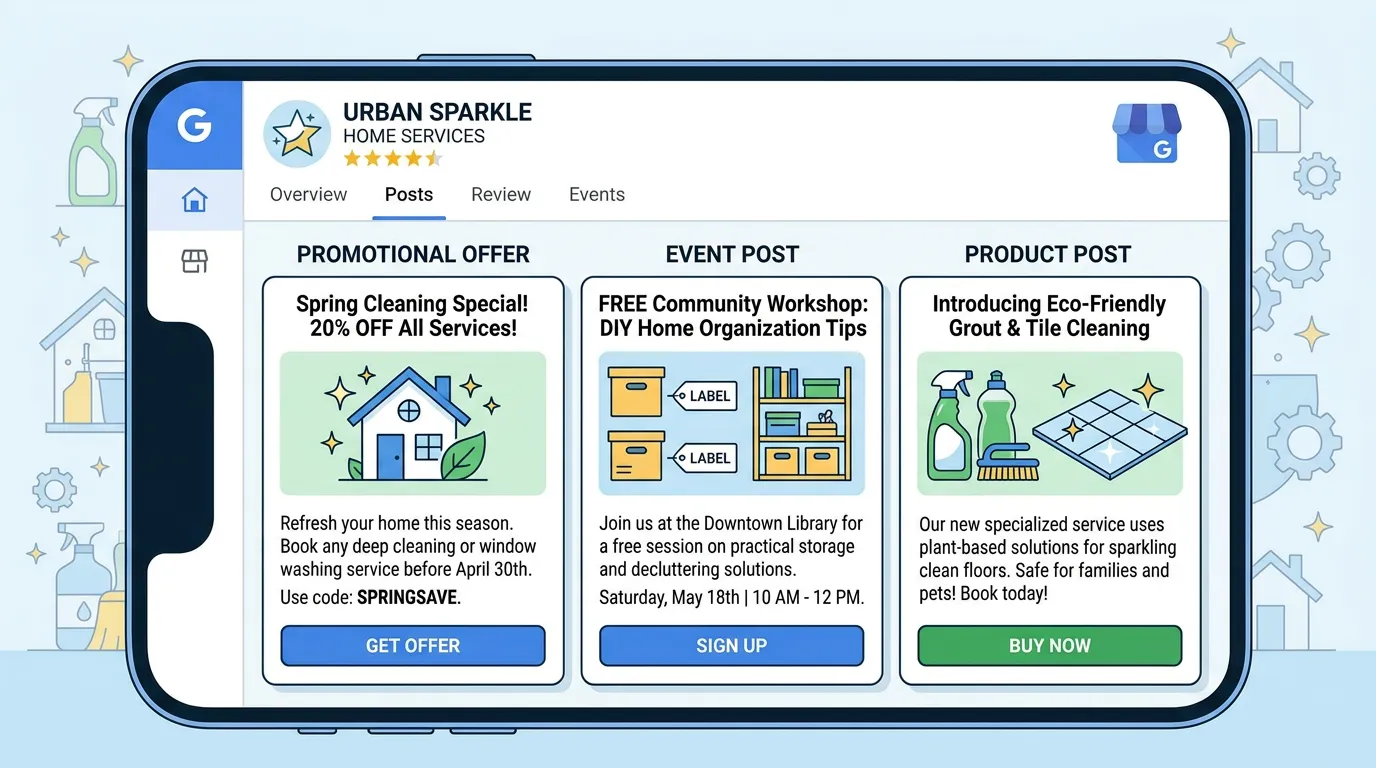
A Google Posts strategy is a plan for what a business publishes to its Google Business Profile and how often. Google posts show on the profile in Search and Maps, and they come in update, offer, and event formats. They let you promote current work, seasonal services, and time limited offers right in search results.
The problem
Google posts are either ignored completely or wasted. The ignored version is a profile whose last post was fourteen months ago. The wasted version is a weekly post that says Happy Friday with a stock photo and no call to action, which nobody clicks and which tells a searcher nothing. Meanwhile the actual opportunity, showing the exact offer or seasonal service that a searcher is deciding about right now, goes unused.
What it is
Google Posts are short updates you publish to your Business Profile. Update posts carry up to 1500 characters, an image, and a button. Offer posts add a title, a date range, and optional terms and a coupon code. Event posts carry a start and end date. Standard update posts stop showing prominently after about a week. That is why a weekly cadence is what keeps the section full. Strategy means setting a rotation. It runs through seasonal service reminders, offers with real deadlines, jobs you just finished, answers to common questions, and announcements. Every button link gets UTM tags, so GA4 can tie the sessions and conversions that follow back to the post.
Signs you need this
- Your last Google post is more than six months old
- You run promotions that never appear anywhere on your profile
- You post weekly and have no idea if anyone clicks
- Customers call asking about holiday hours you never posted
- Your posts have no buttons and nowhere for a reader to go
What is included
- Post calendar mapped to your seasonal demand curve
- Weekly post production with image and call to action button
- Offer posts built around real, dated promotions
- Event posts for open houses, seminars, and community events
- UTM tagged links so posts are trackable in GA4
- Post copy written in your voice, not generic filler
- Quarterly review of clicks and conversions by post type
- Repurposing plan so posts feed social channels without extra work
Our process
Build the rotation
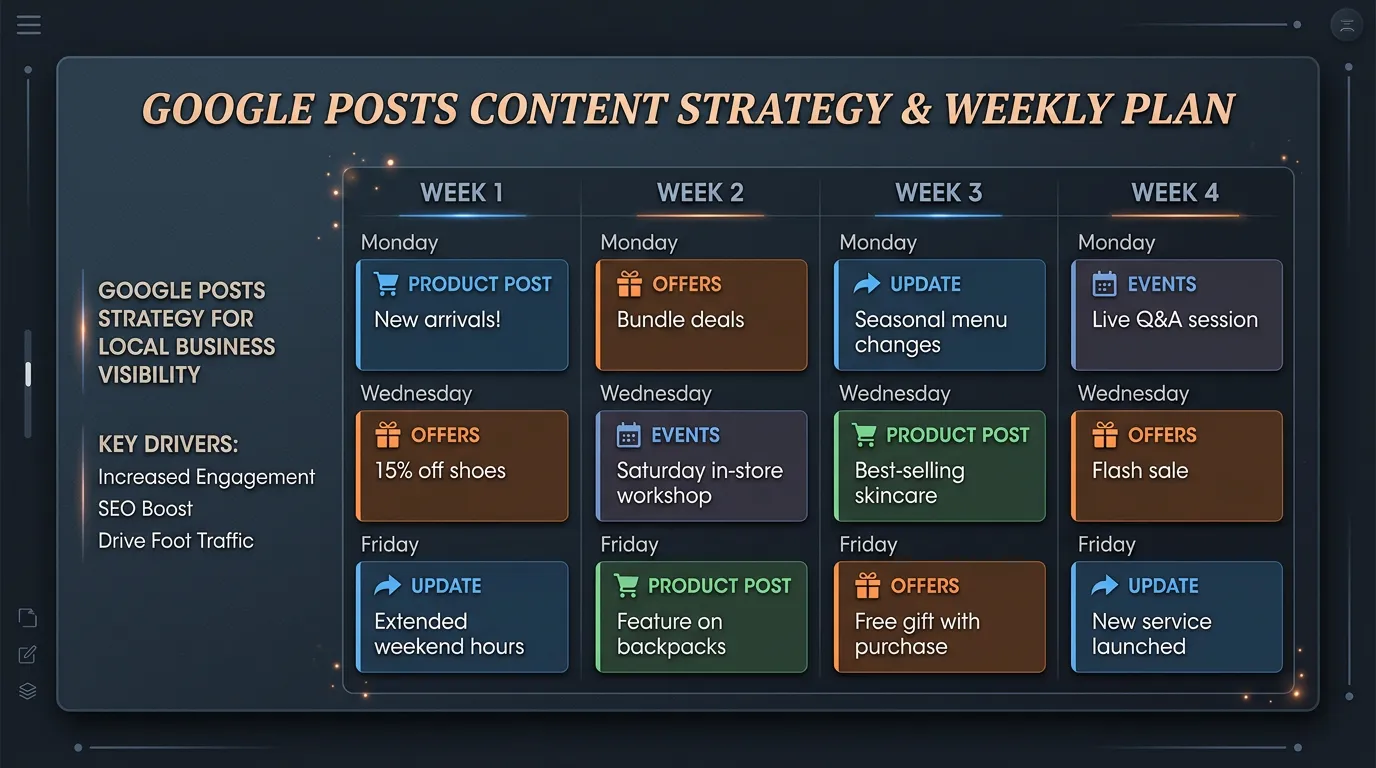
Week 1We set a repeating monthly pattern: one seasonal service post, one offer, one completed job or proof post, and one question answering post. Having a pattern means nobody stares at a blank screen every week.
Map to the calendar
Week 1 to 2Google posts get scheduled against real demand. AC tune up posts start in April, not July. Heater posts in October. Tax season posts in January for accountants. Holiday hours posts before every holiday people ask about.
Set up tracking
Week 2Every post button link gets UTM parameters identifying the source, medium, and specific post. That way GA4 shows exactly which posts sent traffic and whether any of it converted, instead of guessing from view counts.
Publish weekly
Ongoing, weeklyOne post a week, with the image and button set correctly. Offers get honest expiration dates. Copy stays short since only the first hundred characters or so show before the profile truncates it.
Review and prune
Every 3 monthsQuarterly we look at clicks and conversions by post type. Formats that never produce anything get dropped from the rotation and replaced. Most businesses find one or two post types carry all the results.
Realistic timeline: Calendar and tracking set up in 2 weeks, then weekly publishing ongoing. Click data becomes meaningful after 8 to 12 Google posts, so plan on about three months before judging what works.
A Month of Posts That Actually Runs
A fixed rotation is what keeps posting alive past week six. Nobody has to invent an idea, they just fill in this month's version of the slot.
Four slots, repeating. Swap the contents each month, never the structure.
What Every Post Needs Before It Goes Live
Run this list before publishing. It takes about a minute and it is the difference between a post that gets clicked and one that only gets counted.
The point inside the first 100 characters
The rest sits behind a tap
One photo that is genuinely yours
Not a stock desk and laptop
A button with a real destination
Call, book, or a matching page
UTM tags on the link
Source, medium, and the post name
A real end date on any offer
An expired offer reads worse than none
A landing page that keeps the promise
Do not drop people on the homepage
Plain words and no slogans
Read it out loud once first
Offer Posts Are the Ones That Pull
Across most service businesses the pattern repeats: offers and dated events get clicked, general updates get looked at. That does not make updates useless, since they keep the section from looking abandoned. It does mean you plan the month around one or two real offers and fill the rest.
A real offer has a number and a deadline. An $89 drain camera inspection through March 31 gives a reader something to act on. Call us for spring savings does not. If you genuinely cannot put a price on it, make the offer about scheduling instead: two openings Thursday, no trip charge on Saturdays this month.
Then make sure the offer is true on the phone. An offer post whose terms do not match what your office quotes turns a good click into an argument. Tell whoever answers the phone what is live before the post publishes, not after the first caller asks about it.
A post that says Happy Friday is not marketing. A post that says we have two openings Thursday and the trip charge is waived is.
Reading Post Data Without Fooling Yourself
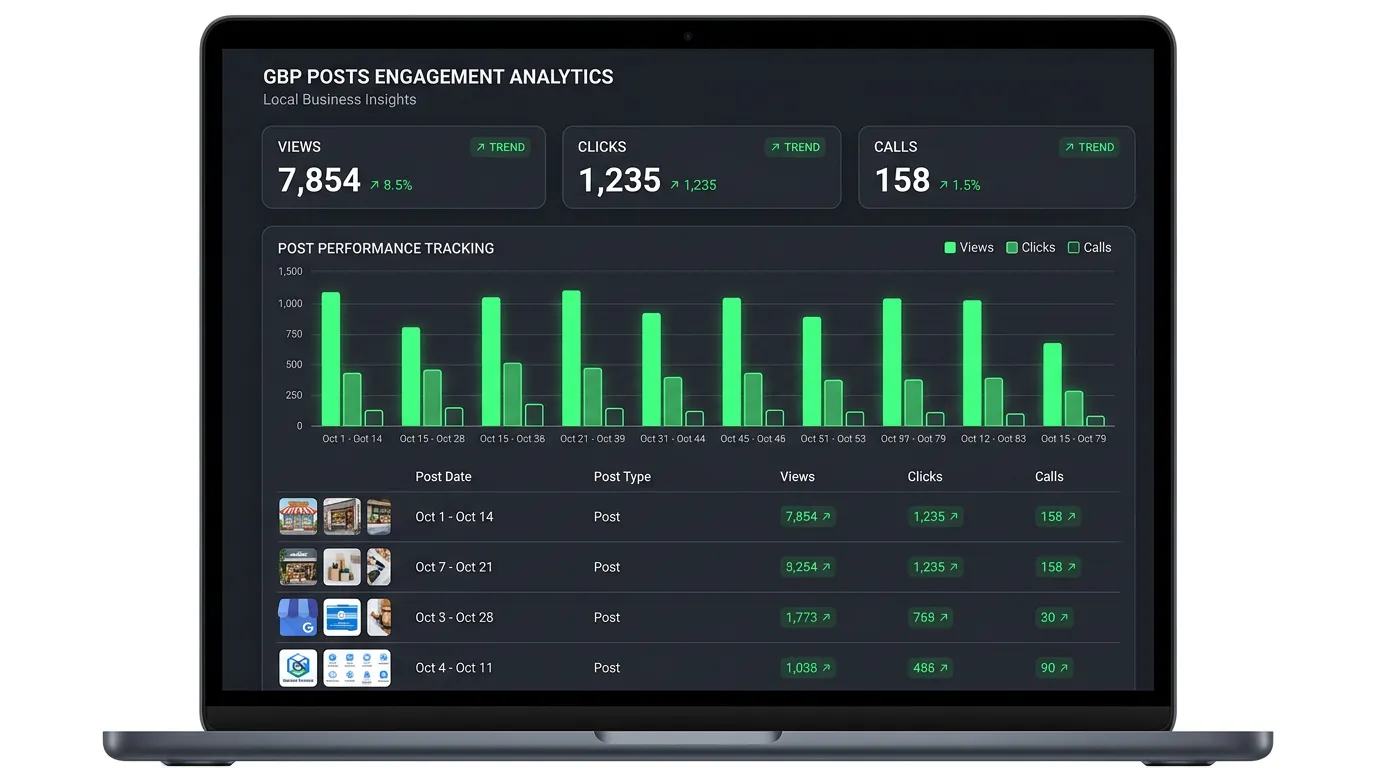
Google reports views on a post. Views are close to meaningless, because a view counts anyone whose screen your post crossed while they were on the profile for some other reason entirely.
Clicks on the button are the number to keep. Then look past the click, in GA4, at what those sessions actually did. Eight to twelve posts is the minimum before a pattern means anything, which is about three months at a weekly cadence.
One more discipline: judge posts against calls and form fills in the same week, not against your map position. If your ranking moved the month you started posting, something else almost certainly caused it, and crediting the posts will send you chasing the wrong work next quarter.