
How To Articles
How a Website Works, From the Domain to the Page on Your Phone
The domain, the DNS, the host, the CMS, and the browser, explained in plain English for people who have to buy one.
Call (714) 823-3164 or ask a question. Clear recommendations, even if we never work together.
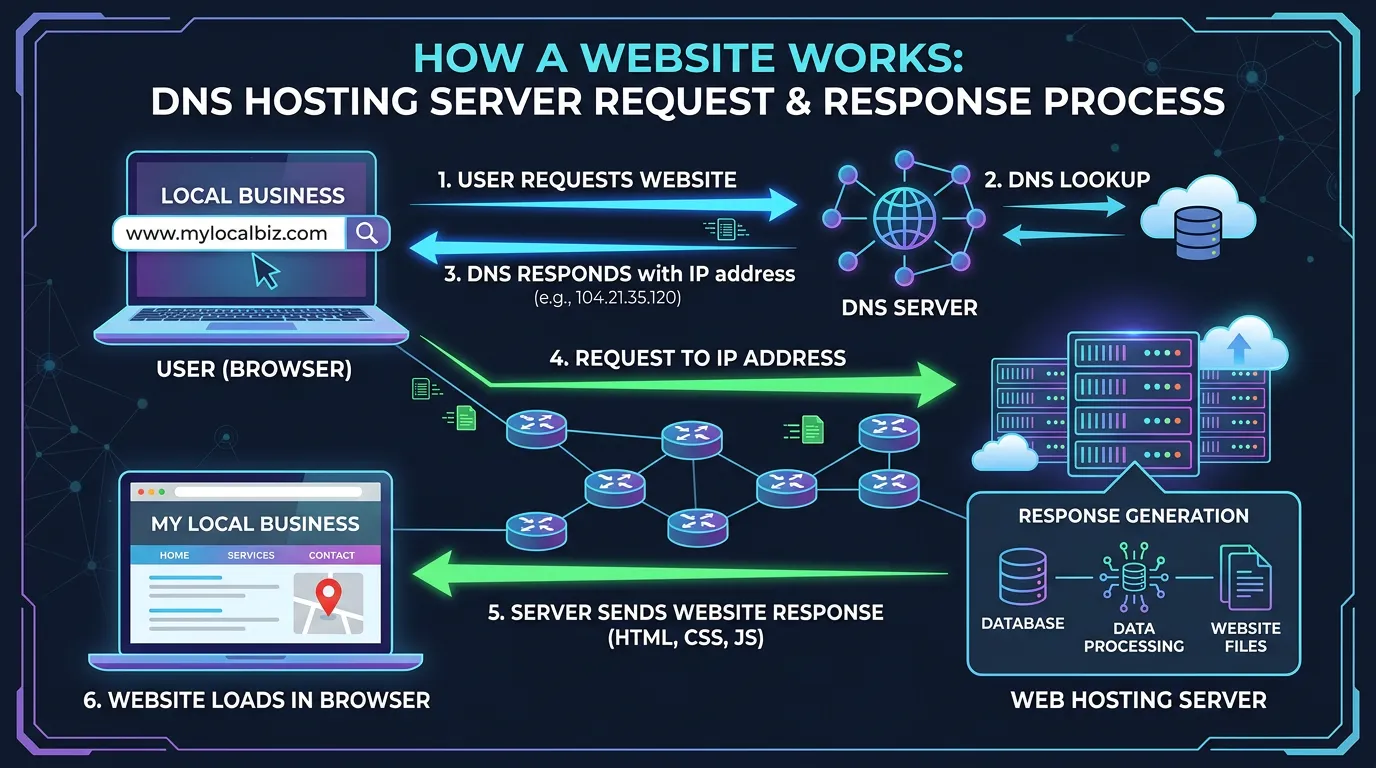
A website works in four parts. A domain is the name people type. DNS points that name at a server. The host is the computer that stores your files and answers the request. The browser then downloads those files and draws the page on the screen.
Jump to a section
- The Four Parts Behind Every Website
- Your Domain Is Rented, and DNS Is the Address Book
- What Hosting Actually Buys You
- Where the Pages Come From: A CMS or Flat Files
- What Happens in the Second After Someone Taps Your Link
- Where Design Ends and Development Begins
- The Trip From Typed Name to Painted Page
- Who Holds Each Piece, and What Breaks Without It
- The Website Details You Should Have Written Down
- Three Words Vendors Use That Cost People Money
- Questions
The Four Parts Behind Every Website
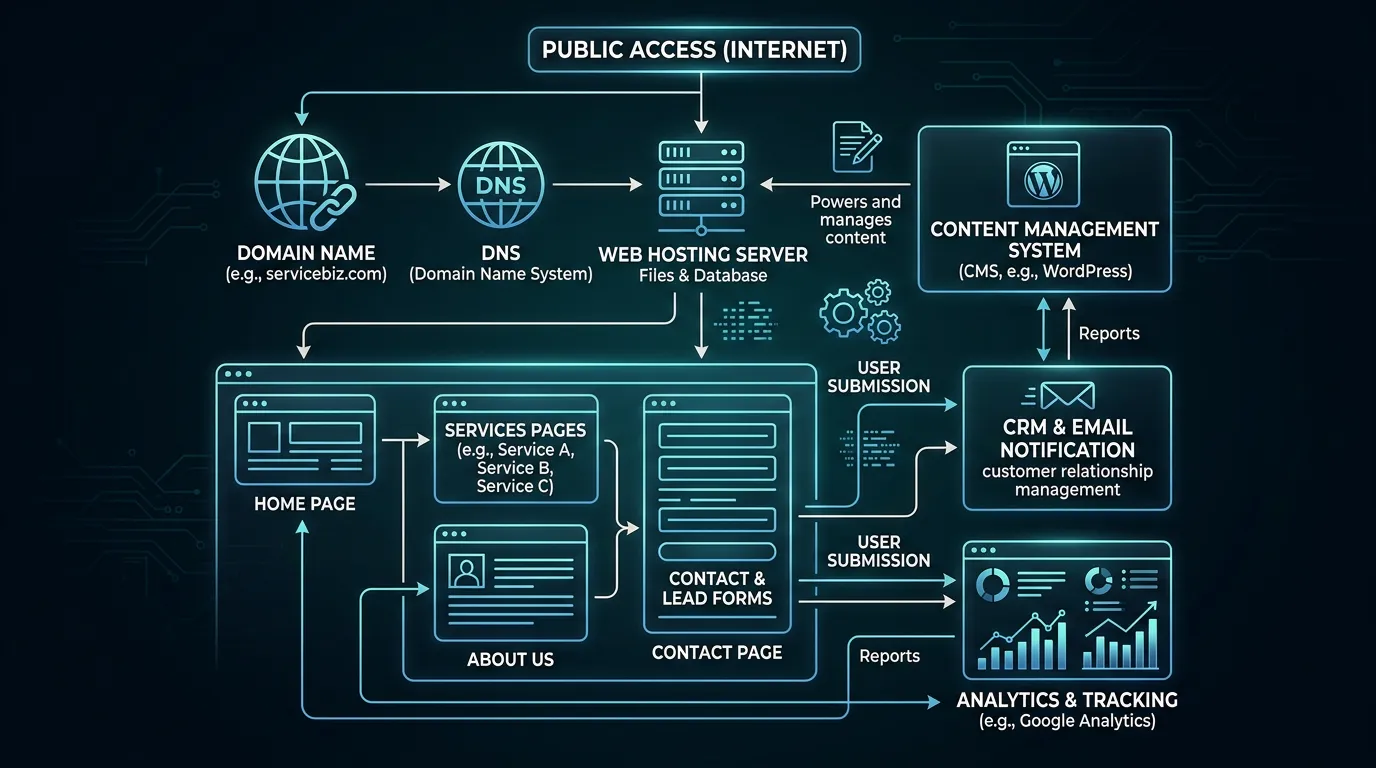
Most people picture a website as one thing. It is really four things that have to agree with each other. The first is the domain, which is the name someone types. The second is DNS, a public address book that turns that name into a number. The third is the host, a computer that keeps your files and hands them out when asked. The fourth is the site itself, meaning the pages, images, and code that get sent. You can buy all four from one company or from four different ones. Trouble starts when nobody knows which company holds which piece. Here is a shape we see often. The domain sits with a registrar the old web guy set up, the host is somewhere else, and email runs through a third service. Nobody has all three logins. Then something goes down, and the fix takes two weeks of phone calls instead of ten minutes. Write down all four before you need them. Note the company, the login email, and who pays the bill. That one page of notes is worth more than most of the tools people buy.
Your Domain Is Rented, and DNS Is the Address Book
A domain is rented, not bought. You pay a registrar each year for the right to use the name. Miss the renewal and the name can go to someone else. Set it to auto renew and put a real email on the account, not one belonging to a person who left. Every server has a number, called an IP address, and DNS turns your name into that number. Your DNS records are a short list that says where each service lives. The A record points the web address at your host. MX records point your email at your mail provider. TXT records hold small notes, and a few of them decide whether your email gets trusted. Those records live wherever your DNS is managed, which is often the registrar but not always. Changes to DNS are not instant. Each record has a time to live, which tells other computers how long to remember the old answer. That is why a move can look finished on your phone and broken on your laptop for a few hours. Lower the time to live a day before a move, and the switch goes much faster.
What Hosting Actually Buys You
Hosting is a computer that stays on and answers requests. What you pay for is how much of that computer you get and who looks after it. Shared hosting puts hundreds of sites on one machine. It is cheap, and fine for a small site with light traffic, but a busy neighbor can slow you down. A virtual server gives you a fixed slice instead. Managed hosting costs more and includes updates, backups, and staff who know your software. For most local service businesses, managed hosting is the better buy. The money saved on cheap hosting gets spent back during the first bad week. Two host settings matter more than the sales page admits. The first is server response time, which is how long the host takes to send the first byte. Under 600 milliseconds is a fair goal. The second is backups. Ask how often they run, how long they are kept, and how you restore one yourself. A backup you cannot restore without a support ticket is not really a backup.
Where the Pages Come From: A CMS or Flat Files
Once a request reaches your host, something has to produce the page. There are two common answers. A content management system, or CMS, keeps your text and images in a database and puts each page together on the spot. WordPress works this way, and so do most site builders. The upside is that your office manager can log in and change a price. The downside is that every page view costs a little work, and the software needs regular updates. The other answer is flat files. Pages get built once, ahead of time, and the host simply hands them over. Nothing is assembled while a visitor waits, so these sites are fast and there is far less to attack. The trade is that edits usually run through a developer or a separate editing tool. Neither is better in the abstract. Pick by who edits the site and how often. A shop that posts a job photo every week wants a CMS. A five page site that changes twice a year does not need one. If you already run a CMS, the real question is how many plugins you have. Every plugin is code someone else wrote, and code you did not write is code you have to trust.
What Happens in the Second After Someone Taps Your Link
Here is the whole trip, in order. The browser asks DNS for your address. It opens a connection to your host and checks the security certificate. It asks for the page. Your host sends back the HTML, which is the text and the structure. The browser reads that file and finds everything else it needs. The stylesheet, the fonts, the images, the scripts. Each of those is another request. The page appears in stages as they arrive. This is why weight matters more than most owners expect. A page with fourteen scripts and six large photos is not slow because of bad luck. It is slow because you asked a phone on a weak signal to download two megabytes. Google measures a few of these moments and calls them Core Web Vitals. One is how long the biggest thing on screen takes to show up. One is how fast the page responds to a tap. One is whether things jump around while loading. You can see your own numbers in PageSpeed Insights for free. Look at the field data first, since it comes from real visitors rather than a test machine.
Where Design Ends and Development Begins
People use design and development as if they were one job. On a real build they are two, and they run in that order for a reason. Design decides what goes on the page and where. What a visitor sees before scrolling. Which question gets answered first. Where the phone number sits on a small screen. Those choices get made before anyone writes code, because moving a section in a drawing costs minutes and moving it in code costs hours. Development turns the approved drawing into a working site. That means the markup, the styles, the forms, the tracking, the security certificate, and the speed work. It also means the parts nobody sees. The URL structure, the sitemap, and the structured data that tells search engines what kind of business you are. A site can be lovely and technically broken, or technically clean and sell nothing. If you are hiring, ask who does each part. A designer who hands you a picture is not finished, and neither is a developer who builds whatever gets sent without asking questions. The useful question is simple. Who is responsible when the site looks right but the phone does not ring.
The Trip From Typed Name to Painted Page
Five steps happen every time someone opens your site. Knowing the order tells you who to call when it stops.
A slow site is usually stuck in the last two steps, not the first three.
Who Holds Each Piece, and What Breaks Without It
Four or five accounts run a website, and they often sit at different companies. This is the page to keep in your file.
| Piece | What it does | Usually held by | What happens if it lapses |
|---|---|---|---|
| Domain | The name people type | A registrar | The name can be taken |
| DNS | Points the name at servers | Registrar or host | Site and email both stop |
| Hosting | Stores and serves the files | A hosting company | Pages return an error |
| Certificate | Turns on the padlock | The host, often free | Browsers warn visitors off |
| Runs your mailboxes | A mail provider | Mail bounces or vanishes |
Fill in the company name and the billing owner for each row today, not the week something breaks.
The Website Details You Should Have Written Down
Each one is easy to collect while things work and painful to collect while they do not.
Where the domain is registered
Company, login email, renewal date.
Where DNS is managed
Often the registrar, not always.
The hosting account
Company, plan, and who pays it.
The site admin login
One account per person, never shared.
Who your mail provider is
And which user is the admin.
How backups run and restore
How often, how long, what steps.
Which licenses renew and when
Names, dates, and the card used.
Three Words Vendors Use That Cost People Money
Staging is a private copy of your site where changes get tested. Editing a live site is how a quiet Tuesday becomes an emergency. If your setup has no staging, ask for one before the next big change.
Cache is a saved copy of a page, kept so the same work does not repeat. It makes sites fast, and it makes owners think their edits vanished. When a change does not show up, clear the cache before you panic.
A certificate is what turns on the padlock and the letters HTTPS. Most hosts issue them free and renew them for you. When one lapses, browsers put a full page warning in front of your site, and traffic stops that day.
Staging protects the site, cache protects the speed, and the certificate protects the visit. Ask any provider how all three are handled before you sign.
Would rather we handled it?
This article covers how to do the work yourself. If you would rather have it done for you, that is what our web design and development service is.
Web Design and Development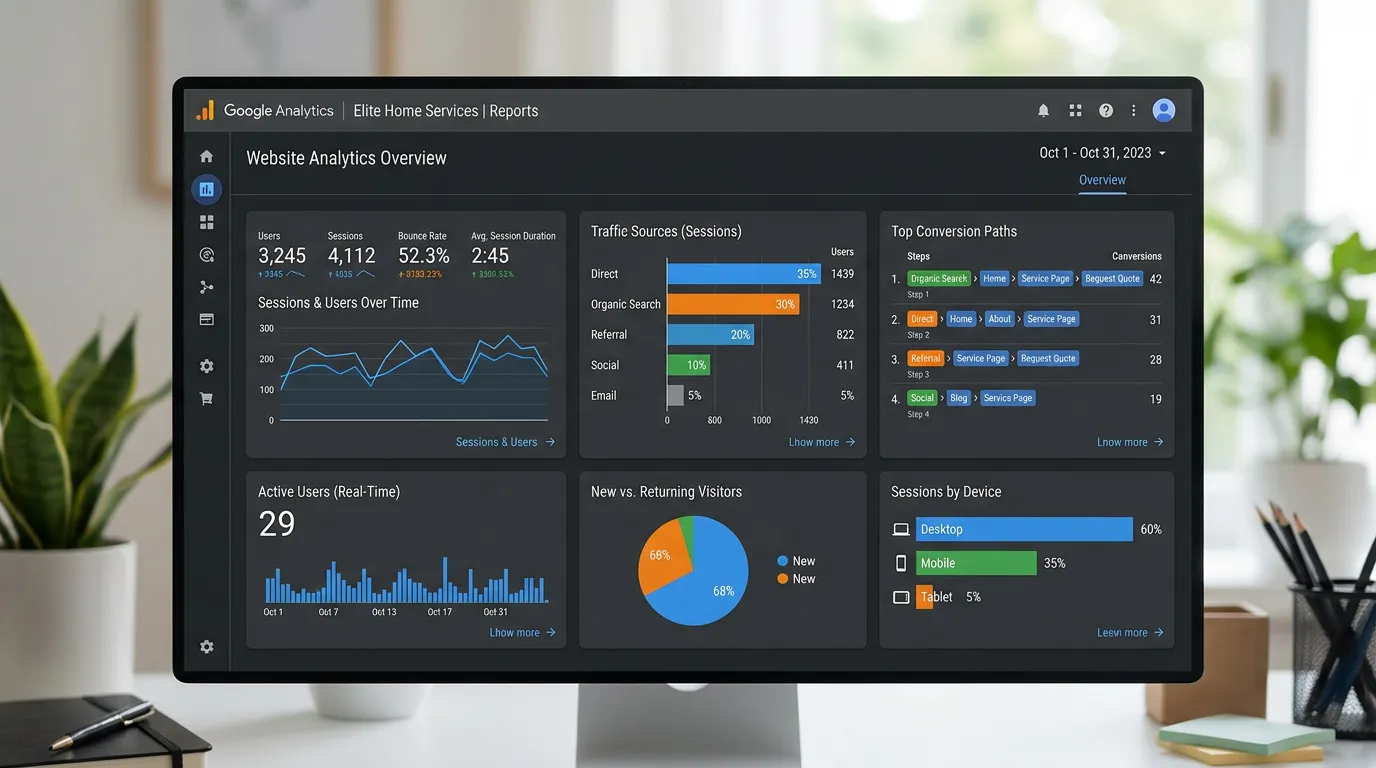
Frequently asked questions
Should I buy hosting and a domain from the same company?
What is the difference between a website and a web application?
How do I find out which platform my site runs on?
Does a website need updates if nothing on it changed?
Sources
- Google Search Central: SEO Starter Guide(opens in a new tab) How Google finds, crawls, and reads the pages your server sends back.
- Google Search Central: Core Web Vitals and Search(opens in a new tab) What Google measures about loading, response, and layout stability.
- PageSpeed Insights(opens in a new tab) Free tool that reports lab and field speed data for any public page.
- Let's Encrypt(opens in a new tab) Free certificates that make HTTPS and the browser padlock possible.