
FAQ and Problem Solution Articles
Why Is My Schema Markup Not Working, and How to Fix It
Your code validates and Google still shows a plain link. Here are the five reasons that actually explain it.
Call (714) 823-3164 or ask a question. Clear recommendations, even if we never work together.
Most schema problems are not code problems. The schema markup is valid and Google still shows a plain listing. That happens when the page is not eligible, a required field is missing, the schema markup does not match what visitors see, or Google never saw the code because a script added it too late.
Jump to a section
- Decide Which Problem You Actually Have
- Test in This Order, Because Each Tool Answers One Question
- Reason One: Valid Is Not the Same as Eligible
- Reason Two: A Required Property Is Missing
- Reason Three: The schema markup Does Not Match the Page
- Reason Four: Google Never Saw Your Markup
- Reason Five: You Are Checking the Wrong Way, and What to Do Instead
- What Each Testing Tool Can and Cannot Tell You
- Work Through These in Order
- Structured Data Habits That Help or Hurt
- Three Things Schema Will Not Do for You
- Questions
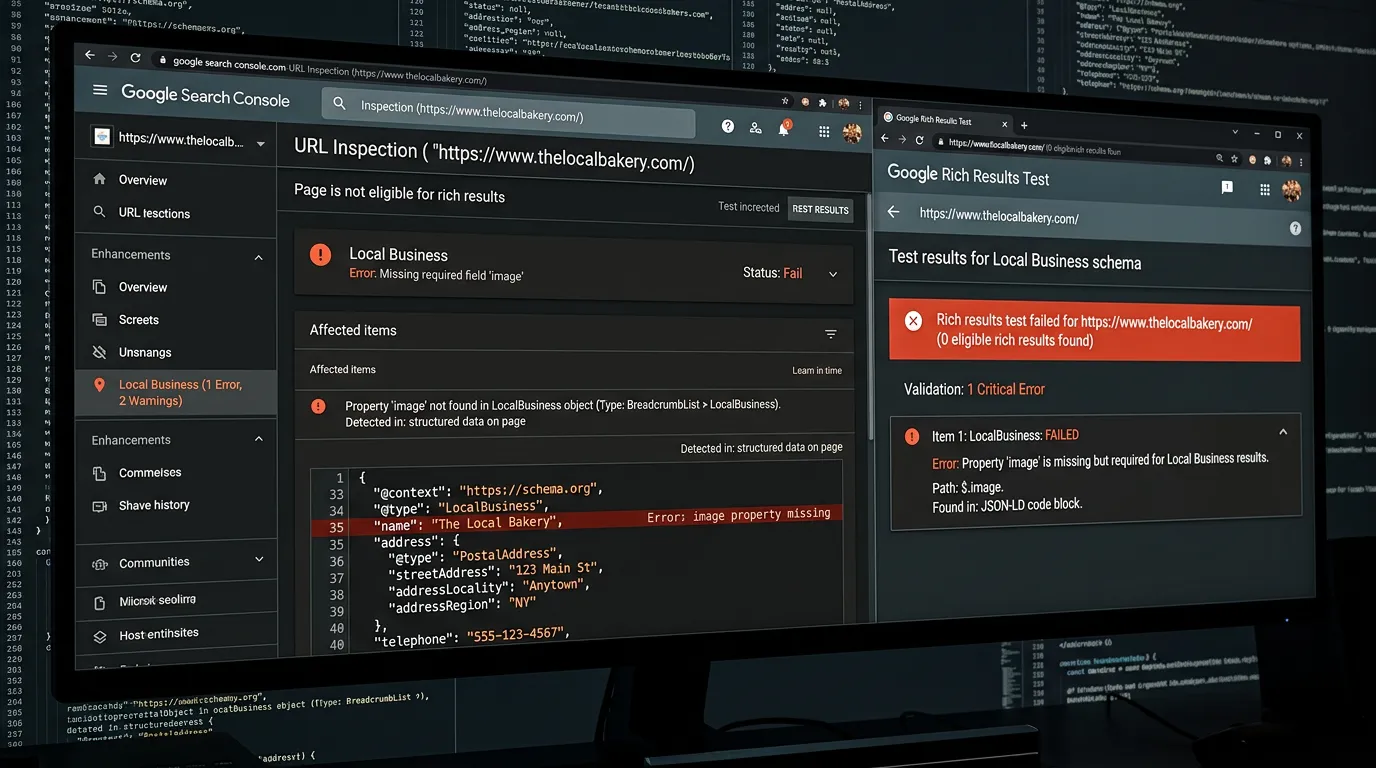
Decide Which Problem You Actually Have
Not working covers three different problems with three different fixes. The first is a code error. The testing tool shows a red error, a required field is missing, or the JSON is broken. That one is the easiest, because the tool tells you what is wrong. The second is the common one. The schema markup validates cleanly and Google still shows a plain blue link with no stars, no extra lines, and no detail. Nothing is broken. The page is simply not getting the feature. The third is a rich result that used to show and then stopped. That usually means something changed. Your template, your content, or Google's rules for that feature. Sort out which of the three you have before you touch any code. Search for your exact page title in a private window and look at your own listing. Then run the URL through the Rich Results Test. If the tool says eligible and the search result is plain, you have the second problem, and rewriting your schema will not fix it.
Test in This Order, Because Each Tool Answers One Question
Start with the Rich Results Test on the live URL, not on a pasted snippet. Pasted code proves the code is valid. Testing the live URL proves Google can reach the page and see the schema markup on it, which is the part that usually fails. Next, if your markup uses types Google does not turn into a visual feature, use the Schema Markup Validator instead. It checks your markup against the schema.org vocabulary rather than against Google's feature list, so it will not warn about fields you do not need. Third, open URL Inspection in Search Console and run a live test. Read the rendered HTML and search it for your script block. If the JSON-LD is not there, nothing else in this article matters yet. Last, check the enhancement reports in Search Console. Those show what Google recorded for your whole site over time, which is the only view with history in it. A tool test tells you about today. The report is the record.
Reason One: Valid Is Not the Same as Eligible
Valid markup makes a page eligible. It does not make a rich result appear. Google decides what to show for each search, and it can show a plain result even when your code is perfect. Google says this plainly in its own documentation, and it is the hardest part of this to accept. A few things follow. Timing is real. New markup needs the page recrawled first, so give it days to a few weeks before calling it a failure. Not every type earns something you can see, either. Organization and website markup rarely show as a visible feature, and that is fine, because they still describe your site to machines that read it. Some features also got narrower over time. Google cut back how widely FAQ rich results appear, so pages that once showed those extra lines stopped showing them without a single character changing. If your schema markup validates and the feature is not appearing, check whether the feature still exists for sites like yours before you spend another day in the code.
Reason Two: A Required Property Is Missing
When there is a real error, it is usually a missing required property. Every rich result type has required fields and recommended ones. Errors block the feature. Warnings do not, though they often cost you detail in the listing. The misses repeat across sites. A local business block with no street address or no phone number. Opening hours written as loose text instead of the format the type expects. An image field pointing at a file that returns an error or is far too small. A missing name on the organization. An aggregate rating with no individual reviews behind it. Fix the errors first, then read the warnings and decide. Some warnings are worth clearing because they add visible detail. Others ask for fields that do not apply to your business, and inventing values to clear a warning is worse than leaving it alone. One habit saves hours here. When one template feeds a hundred pages, test three of them, not one. The template is usually fine. The data feeding it is not.
Reason Three: The schema markup Does Not Match the Page
Google asks for one simple thing. Your schema markup has to describe what a visitor actually sees on that page. Break that and the feature disappears, and repeated breaks can get the whole site's structured data ignored. The common versions are easy to do by accident. Marking up questions and answers that are not on the page, because a plugin added them for search reasons. Showing a rating in code that appears nowhere on the site. Listing a price in schema markup that does not match the price on screen. Copying one location's schema onto every city page, so eleven pages all claim the same street address. There is also a rule people trip over with reviews. Ratings you collect about your own business, placed on your own site, are not eligible for review rich results. That is policy, not a bug, and no amount of markup gets around it. Stars in search come from sources Google trusts to hold them, which is one more reason your Google Business Profile reviews matter.
Reason Four: Google Never Saw Your Markup
This is the most common cause and the least suspected. Your JSON-LD is on the page you are looking at, and it never reached Google. There are several ways that happens. A tag manager injects the schema markup after the page loads, so Google sees it sometimes and misses it other times, which makes the problem look random. Markup written by the server avoids that whole question. A caching layer serves an older copy of the page without the new code, so clear the cache and test again before anything else. The markup sits on a URL that is not the one Google indexed, because the page you tested has a canonical tag pointing elsewhere. Two plugins both add schema, so the page carries conflicting blocks. A robots.txt line blocks the script that writes the markup. Or it is on the staging site and never got deployed. The check is always the same. Run a live URL Inspection, open the rendered HTML, and search for the type name.
Reason Five: You Are Checking the Wrong Way, and What to Do Instead
Searching for your own business is not evidence. Your results are shaped by your location, your history, and your account, so the listing you see from the office is not the listing a stranger sees. Use the reports instead. Here is the order to work through, and most sites finish it in an afternoon. Pick three pages that matter and name the one rich result you want for each. Home, a top service page, and a city page is a fine set. Run the live Rich Results Test on all three and write down every error, every warning, and which features were detected. Run URL Inspection on the same three and confirm the markup is in the rendered HTML. Fix errors at the template level so one change covers the whole set. Request indexing on those three and note the date. Then wait two to four weeks and read the enhancement reports. If they show valid items and no feature appears, you have done your part.
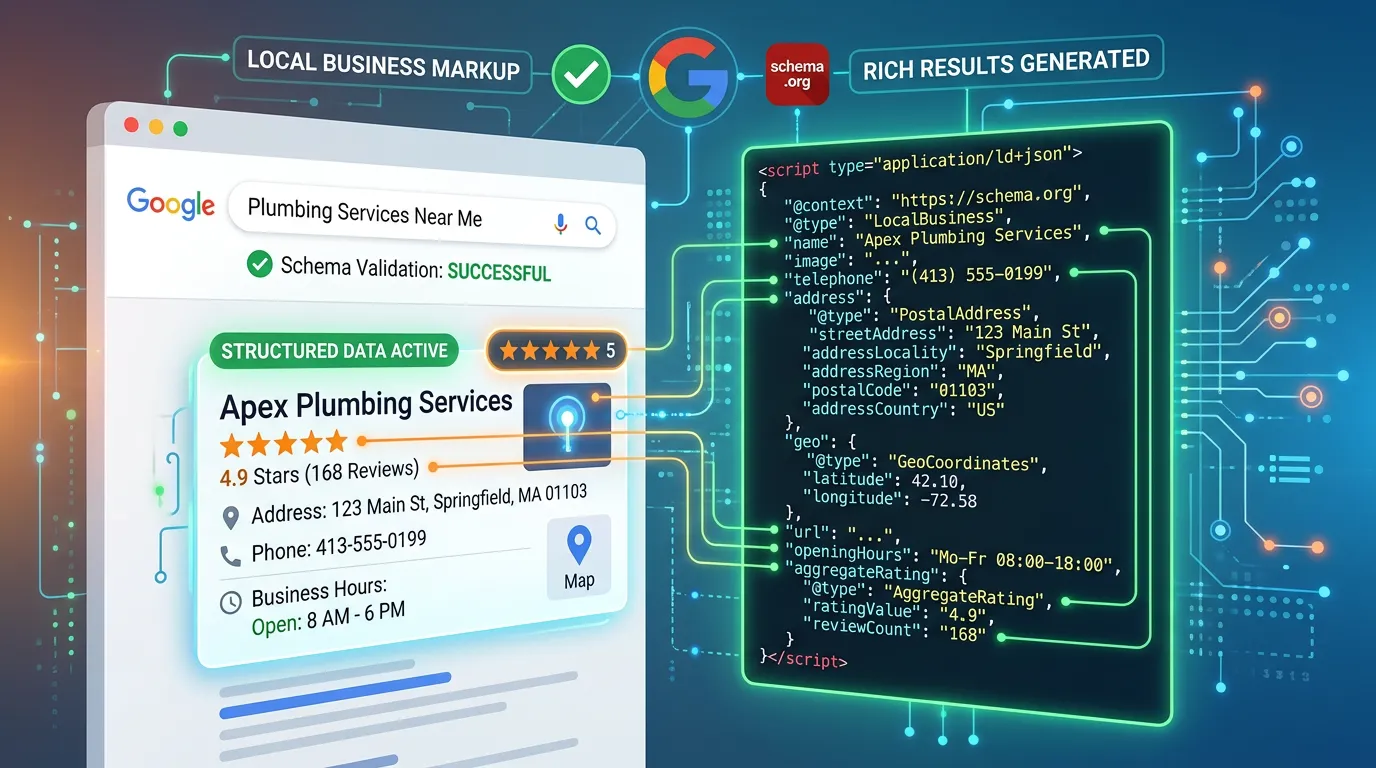
What Each Testing Tool Can and Cannot Tell You
Most wasted hours come from asking a tool a question it was never built to answer.
| Tool | What it checks | What it cannot tell you |
|---|---|---|
| Rich Results Test | Google features on a live URL | Whether the feature will show |
| Schema Markup Validator | Any schema.org markup at all | Whether Google supports the type |
| URL Inspection | What Google rendered on your URL | Anything about a site you do not own |
| Enhancement reports | Valid items across the whole site | Which search a result appeared for |
| A private window search | What one plain listing looks like | A reliable answer, results vary |
Test the live URL, not a pasted snippet. Pasted code only proves the code is valid, which is rarely the problem.
Work Through These in Order
Stop at the first one that fails. Each later step assumes the earlier ones passed.
Name the feature you want
Stars, FAQ lines, business details.
Confirm the type is eligible
Check Google's docs for that feature.
Test the live URL
Rich Results Test, not a snippet.
Read the rendered HTML
URL Inspection, search the code.
Clear caches and retest
Old copies hide new markup.
Check for a second block
Two plugins often both write schema.
Compare code to the page
Every claim must be visible.
Request indexing and wait
Two to four weeks, then check.
Structured Data Habits That Help or Hurt
The rules are short. Most sites break them by accident rather than on purpose.
Do this
- Put the JSON-LD in the page source your server sends
- Mark up only what a visitor can see on that page
- Keep one schema block per page and one owner for it
- Fix problems in the template so every page gets the fix
- Recheck after any plugin update or template change
Not this
- Do not add ratings that appear nowhere on the site
- Do not mark up your own reviews of your own business
- Do not paste the same address onto every city page
- Do not invent values just to clear a warning
- Do not judge success by searching for yourself
Three Things Schema Will Not Do for You
It will not rank a page that has nothing to say. Structured data is a label on a box. If the box is empty, a better label changes nothing. Thin pages stay thin.
It will not force stars into your listing. Review features depend on the type of page, the source of the ratings, and Google's own rules, and the rules for self collected reviews are strict.
It will not fix a page Google cannot index. If the URL is blocked, duplicated, or never crawled, the markup on it is unread. Confirm the page is indexed before you spend a day on the code.
What it does do is worth having. Clean markup makes your business type, services, location, and hours machine readable, which matters more each year as answer engines quote pages instead of listing them.
Would rather we handled it?
This article covers how to do the work yourself. If you would rather have it done for you, that is what our technical seo service is.
Technical SEO
Frequently asked questions
How long after adding schema should a rich result appear?
Does schema markup improve my rankings?
Should I use a plugin or write the JSON-LD by hand?
My competitor shows stars and I do not. How?
Sources
- Google Search Central: Introduction to Structured Data Markup(opens in a new tab) That valid markup makes a page eligible for a feature without guaranteeing it.
- Google Search Central: Structured Data General Guidelines(opens in a new tab) The rule that markup must describe content visible to the visitor.
- Google Rich Results Test(opens in a new tab) Testing a live URL for the rich result types Google detects on it.
- Schema Markup Validator(opens in a new tab) Checking markup against the schema.org vocabulary rather than Google features.
- Google Search Central: Local Business Structured Data(opens in a new tab) Required and recommended properties for a local business, including address and hours.