
How To Articles
How Conversion Rate Optimization Works, Step by Step
How conversion rate optimization works in plain English: what the rate measures, how a change gets read, and which fixes need no test.
Call (714) 823-3164 or ask a question. Clear recommendations, even if we never work together.
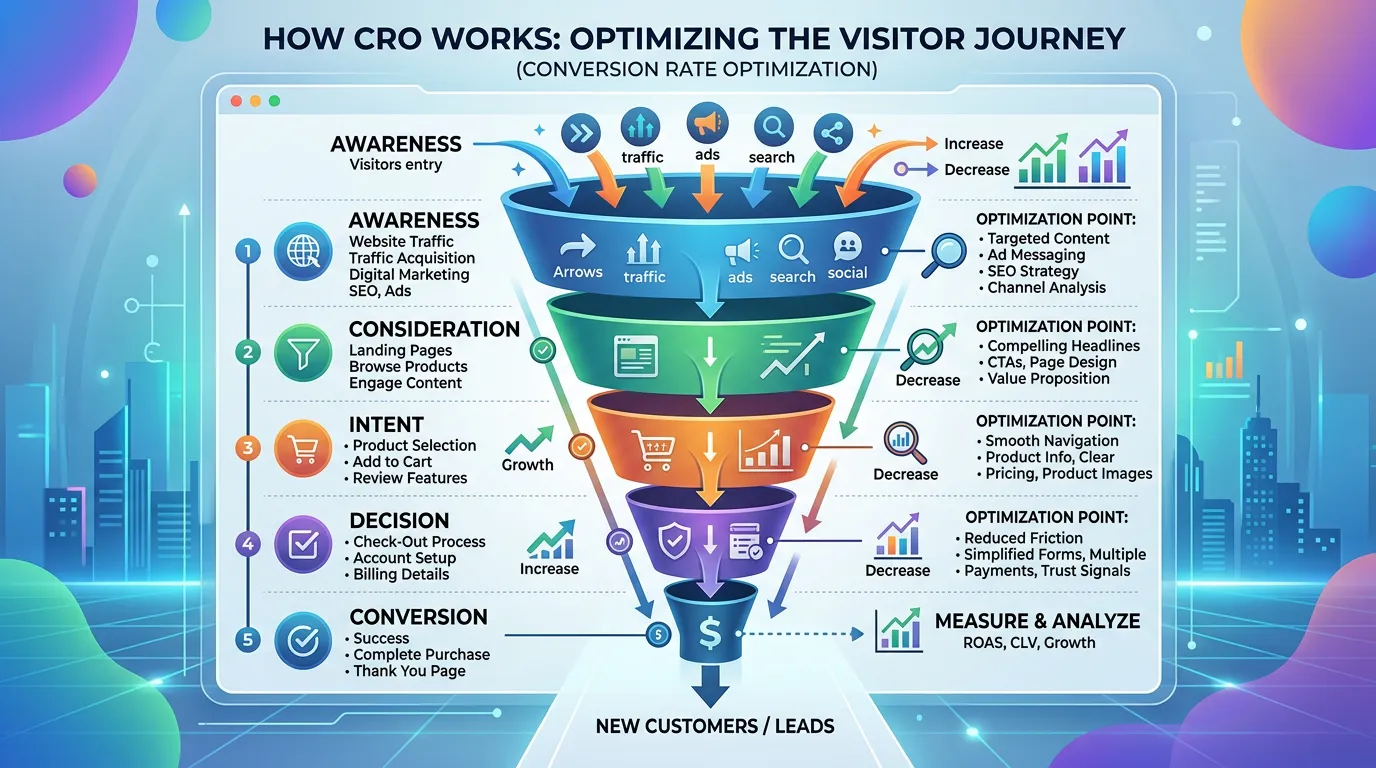
Conversion rate optimization works as a loop. You measure how many visitors take the action you want, split that number by device, channel, and page, then change one thing at a time and read the result. Broken items get fixed right away. Real choices get tested until the data is honest.
Jump to a section
- What a Conversion Rate Actually Measures
- Why One Percentage Point Is Worth Real Money
- The Unit of Work Is One Change and One Read
- The Signals That Move Before Lead Count Does
- Which Changes Need a Test and Which Do Not
- What You Can Do Yourself in a Weekend
- The Loop, One Turn at a Time
- How Long a Fair Read Takes at Your Traffic Level
- Set These Up Before You Change One Word
- Questions About the Method
- Questions
What a Conversion Rate Actually Measures
A conversion rate is one number divided by another. The top number counts the people who did the thing you want, usually a call or a form. The bottom number is how many visits you got. Change the bottom number and the conversion rate moves, even when nothing on the page changed. So the first question is always what you are dividing by. Most tools default to sessions. One person can start three sessions in a week, so a session based rate reads lower than a people based rate. Neither is wrong. Pick one and stay with it, because the trend matters more than the value. Next, decide what counts as a conversion. A macro conversion is the real goal: a booked job, a call over a minute, a form that arrives in your inbox. A micro conversion is a step toward it, like a tap on the phone link, a form started, or a price page opened. Track both. Micro numbers move first, and they tell you a change is working before the lead count catches up. Then count each thing once. Plenty of sites fire a form event on page load, count the thank you page as a second lead, and report double. One week checked against your real inbox and phone log settles it. For most local service sites, two to five percent of visits turn into a call or a form, but your own trend line beats any benchmark you read.
Why One Percentage Point Is Worth Real Money
Percentages hide how big a change is. Take a hypothetical roofing company with 4,000 visits a month at a two percent rate. That is 80 leads. Move the conversion rate to three percent and it is 120 leads. One point on paper, half again as many calls in the office. Now put a price on it. Say those visits came from ads at a dollar a click. At 80 leads the cost per lead is 50 dollars. At 120 leads it is about 33 dollars, on the same budget, with no new keyword and no new campaign. Every channel gets that discount at the same time, including the traffic you do not pay for. That is the whole reason this work exists. There is a catch worth saying out loud. Percentages built on small numbers jump around. A site with 300 visits and six leads sits at two percent. Two extra leads next month reads as a 33 percent gain, and it may be nothing but weather. The smaller your traffic, the longer you wait before a number means anything. The conversion rate also has a ceiling. Nobody converts every visitor, because plenty of them are competitors checking prices, job seekers, and people three states away. A fair goal is a few points above where you are now, not a number you read in somebody else's success story.
The Unit of Work Is One Change and One Read
The work moves in small units. One observation, one written guess, one change, one reading of the result. Skip a step and you end up with an opinion instead of an answer. The guess gets written down before the change ships. The shape is simple: because we saw this, we think that change will do this, and we will know by watching this number. Here is one. Because eleven of fifteen recorded phone sessions never scrolled far enough to see the form, we think moving the call button to the top will raise call taps, measured as taps for every hundred phone visits. Written that way, the result can prove you wrong, which is the point. Ship one change at a time on a small site. Three changes in one week on a site with 500 visits leaves you guessing which one moved the number, and often none of them did. On a site with real volume you can run more, as long as they sit on different pages. Keep a plain log with the date, the page, the change, and the reason. Six months from now the graph will have a bump nobody can explain, and that log is the only thing that explains it. Agree on the undo rule before you start. If a change drops the number over a fair stretch of time, put it back. Undoing something is not failure. Never undoing anything usually means nobody is really measuring.
The Signals That Move Before Lead Count Does
Lead count is a slow, noisy number. It is also the one everyone stares at in week two, which is how good work gets killed early. Watch the steps in front of it instead. Form starts against form finishes is the fastest signal you have. If a hundred people start and forty finish, the form is the problem, and that ratio usually moves within two weeks of a fix. Call button taps for every hundred phone visits is the next one. It answers a question the lead count cannot: are people trying to call and failing, or never trying at all. Scroll depth tells you whether anyone reaches the part of the page you rewrote. If half your visitors stop before the spot where the new copy sits, the copy is not being judged yet. Error counts on forms matter too. Many forms quietly reject a phone number typed with dashes or spaces, and the visitor gives up without telling you. Split every one of these by device. Phones and desktops behave so differently that a combined number can sit flat while both halves move in opposite directions. Check time of day as well. A plumbing site takes a real share of its visits after hours, and those people behave nothing like the ones browsing at noon on a Tuesday. Leading signals do not replace lead count. They tell you whether to wait or change course while you are waiting.
- Form starts against form finishes, split by phone and desktop
- Taps on the phone link for every hundred visits
- Scroll depth on the pages you changed
- Form error messages by field name
- Visits and leads by hour, so after hours is its own line
Which Changes Need a Test and Which Do Not
Not every change deserves a test. Testing costs time, and time is the scarcest thing a small site has. The rule is simple. If a thing is broken, fix it today. If it is a real choice between two defensible options, test it when you have the traffic. Broken means broken. A form that throws an error on a phone. A phone number saved inside an image so nobody can tap it. A menu link that leads nowhere. A page with no way to contact you at all. Nobody needs a study to prove a working form beats a broken one, and running one wastes a month. Testing is for choices. Which offer to lead with. Whether to show price ranges or hold them back. Whether reviews go above the service list or below it. Reasonable people argue about these, and settling the argument is what a test is for. Then check whether you can afford the test. Spotting a small lift, say two percent up to two and a half, usually takes thousands of visits for each version and several weeks of patience. A site with 600 visits a month cannot do that honestly. So run the sequential version instead. Change one thing, leave it 30 days, and compare against the same stretch last year if your trade swings with the season. You will not get a clean statistical answer. You will get a direction plus recordings that show you why. Say plainly which one you have.
What You Can Do Yourself in a Weekend
Plenty of this you can do without hiring anyone. Start with the list. Open your analytics, sort pages by visits, and write down the top five. Those five pages are your whole website as far as this work goes. Everything else can wait. Next, put a free recording tool on the site. Microsoft Clarity costs nothing and shows you real sessions and heatmaps. Watch ten sessions that did not convert. Not a hundred. Ten is enough to make you uncomfortable. Then take out your own phone, turn off the wifi so you are on a normal connection, and try to hire yourself. Find the service, find any hint of price, find out whether you cover the caller's town, and tap to call. Time each step. If anything takes more than a few seconds or more than two taps, you found something worth fixing. Ask whoever answers your phone what callers ask first. Write down the top three questions. If your five pages do not answer all three near the top, that is your first change. Last, hand your phone to five people who do not work for you. Give them one task, say nothing while they try, and watch where they hesitate. Five people find most of the obvious problems. None of this needs a budget. What it needs is somebody willing to watch their own site fail and write down why.

The Loop, One Turn at a Time
This is the whole method. It is not clever, and it does not need to be. What makes it work is running the same four steps again next month.
Most sites break at step one. If the counting is wrong, every step after it is theater.
How Long a Fair Read Takes at Your Traffic Level
The math is the same for a one truck shop and a four branch company. Traffic decides how patient you have to be, and how much you can honestly claim afterward.
| Monthly visits | Leads at a 2 percent rate | What you can honestly prove | How long to wait |
|---|---|---|---|
| About 500 | About 10 | Direction only, backed by recordings | 60 to 90 days |
| About 1,500 | About 30 | Large moves, never small ones | 45 to 60 days |
| About 5,000 | About 100 | One clear win on a big change | 30 days |
| About 15,000 | About 300 | Real split tests on key pages | 2 to 4 weeks |
| About 50,000 | About 1,000 | Several tests running at once | 2 weeks |
Nothing here is a promise of a result. It is how long the numbers need before anyone should trust them.
Set These Up Before You Change One Word
Every item takes under an hour. Doing them first is the difference between measuring and guessing.
Calls are counted as conversions
A tap on the phone link fires an event, not a guess.
Form submits fire exactly once
Check one week against the real inbox, message by message.
Phone and desktop are reported apart
A combined number hides the half that is failing.
You can see which page started the visit
Landing page beats page views for this work, every time.
Session recordings are running
A free tool is enough for almost every small site.
A change log exists
Date, page, change, reason. One line each is plenty.
A baseline is saved somewhere
Last 90 days by device, screenshotted before you touch anything.
Questions About the Method
Does more traffic lower my conversion rate?
Can I improve conversions without changing the design?
How many changes can I run at once?
Would rather we handled it?
This article covers how to do the work yourself. If you would rather have it done for you, that is what our conversion rate optimization service is.
Conversion Rate Optimization
Frequently asked questions
How long before this work shows results?
Do I need a lot of traffic for this to be worth doing?
Should a phone call count as a conversion?
Do I need paid software to start?
What is the most common first fix?
Sources
- Google Search Central: Website testing and Google Search(opens in a new tab) Google permits A/B and multivariate testing, and asks that tests stay temporary and point a canonical link at the original page.
- Microsoft Clarity(opens in a new tab) Free session recordings and heatmaps, which is the evidence source recommended here for small sites with no tool budget.